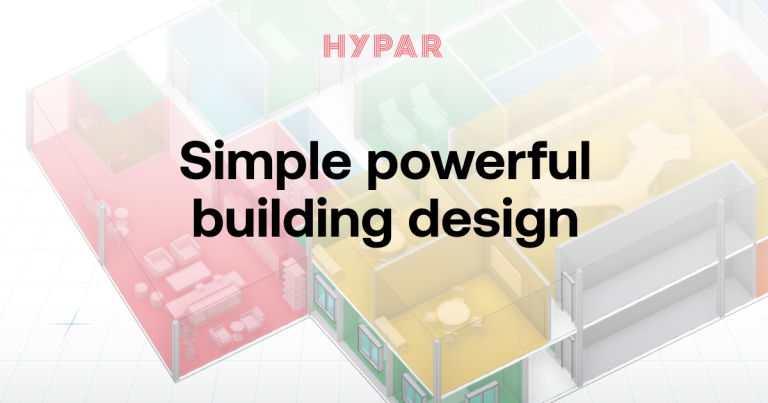
Hypar is a browser-based building planning platform for architects, developers and AEC teams that need to turn site information and program requirements into reviewable layouts. It addresses the period before detailed documentation, when a project team is testing area allocations, circulation, geometry and stakeholder preferences. For a CRE principal, the practical value is faster movement from an uncertain brief to a concept that can be discussed with architects, tenants and investment partners.
The product combines interactive space planning with code-driven generative design. Users can import site information and Revit data, edit plans while measurements update automatically, and export the resulting work to Revit. That workflow can reduce repetitive redrawing during feasibility and programming, particularly when a team must compare multiple configurations. It does not eliminate the need for architectural judgment, code review or technical documentation.
Hypar’s most consequential distinction is its computational model. The platform is designed around reusable building logic rather than treating every plan as an isolated drawing. Analysis: this makes Hypar more adaptable than narrowly prescribed test-fit tools, but it also places more responsibility on the buyer to understand how rules, inputs and generated geometry affect results. Teams seeking a fixed, highly guided workflow may find that flexibility less immediately accessible.
BestCRE places Hypar below the category leaders overall, while recognizing unusually strong technical ambition. Autodesk Forma and TestFit have broader recognition among CRE buyers, and specialized products can offer more packaged workflows for particular property types. Hypar is most persuasive when an architecture-led organization wants computational planning connected to Revit, and has people capable of governing the process. It is less persuasive as an unattended feasibility engine for acquisition teams expecting underwriting-ready answers from minimal input.
What Hypar Does and How It Works
Hypar begins with project context rather than a blank drafting sheet. A team can bring in site data or information from Revit, establish spatial requirements and develop building arrangements in a shared planning environment. The platform emphasizes live editing and automatic measurement, allowing participants to see how changes affect quantities and layout relationships. This is useful during programming sessions because a proposed adjustment can be assessed without waiting for a separate drafting cycle.
Its generative approach distinguishes between design intent and the geometry produced from that intent. Rules or computational functions can create and update building elements as inputs change. In practice, this can support rapid option generation and more consistent repetition across schemes. Analysis: the advantage is greatest when a team repeatedly evaluates similar building components or needs to preserve defined relationships while changing a plan. The limitation is that generated options remain dependent on the quality and completeness of the underlying rules. Hypar should therefore be treated as a design system operated by informed professionals, not as an independent source of architectural truth.
The workflow culminates in review, revision and transfer to downstream authoring. Plans can be measured inside Hypar, discussed with project stakeholders and exported to Revit when a concept is ready for further development. That handoff matters because many AEC teams rely on Revit for detailed building information modeling and documentation. Buyers should test the exported model against their own content standards, family conventions, parameter requirements and quality controls. Public product information does not establish that every generated element will arrive ready for construction documentation. The credible use case is accelerating early decisions while preserving a path into the production environment.
9AI Framework: Dimension by Dimension Analysis
CRE Relevance: 7/10
Hypar scores 7 for CRE relevance. It directly addresses building feasibility, space programming and early design, activities that influence acquisition decisions, development budgets and leasing discussions. Developers can use its layouts to test whether a program fits a site, while architects can translate stakeholder requirements into measurable alternatives. Its value is therefore closer to development and architecture than to ongoing property operations. It does not appear designed as a system for underwriting, brokerage pipelines, lease administration or facilities management. Analysis: that makes Hypar highly relevant to a specific portion of the CRE lifecycle but not a broad CRE operating platform. Buyers should connect its planning outputs to their own financial, entitlement and market assumptions rather than expecting the product to supply those disciplines.
Data Quality and Sources: 6/10
Hypar scores 6 for data quality. The platform can work with site information and imported Revit data, giving teams a stronger starting point than an isolated sketching application. Automatic measurement also helps maintain quantitative feedback as a plan changes. However, the quality of any generated result depends on the source model, program assumptions and logic used to create it. Hypar does not publish a universal proprietary CRE dataset that independently verifies rents, construction costs, zoning constraints or market demand. Analysis: the product is better understood as a structured processor of project inputs than as a comprehensive data provider. Buyers should establish responsibility for validating dimensions, classifications, imported geometry and project requirements before using outputs in an investment memorandum or consultant instruction.
Ease of Adoption: 7/10
Hypar scores 7 for ease of adoption. A browser-based planning environment, visual editing and automatic measurements can make option development accessible to participants who are not writing production drawings. The ability to reach Revit also reduces the risk that early work becomes a disconnected presentation artifact. Adoption will still vary by role. Architects familiar with parametric workflows are likely to understand the product more quickly than acquisitions professionals encountering generative design for the first time. Analysis: the interface can simplify plan manipulation, but organizational adoption requires agreement on templates, inputs, review authority and handoff standards. A pilot should use an actual project and include both the development decision maker and the Revit production team. The vendor does not publish detailed implementation duration benchmarks that would support a universal rollout estimate.
Output Accuracy: 7/10
Hypar scores 7 for output accuracy. Its rules-based generation and automatic measurement can produce internally consistent layouts when the underlying requirements and geometry are correctly configured. That is valuable for comparing options because repeatable logic can reduce casual drafting differences between schemes. Accuracy is not the same as completeness, however. A measured plan may still omit a local code issue, constructability condition, ownership constraint or consultant requirement. Public information does not support treating Hypar output as permit-ready documentation. Analysis: the platform can improve reliability during early planning, but professional review remains necessary before a buyer commits capital or represents capacity to a tenant. Evaluation should include spot checks against source surveys, manual area calculations and the receiving Revit model, with exceptions documented before wider deployment.
Integration and Workflow Fit: 8/10
Hypar scores 8 for integration. Importing Revit data and exporting work back to Revit creates a practical connection to one of the central authoring environments used by architecture and construction teams. Site data import further supports early project setup. This is more consequential than a presentation-only export because it offers a route from planning into detailed model development. Analysis: Hypar fits best where Revit is already the downstream system of record and where the BIM team can inspect transferred elements. Buyers should still run a controlled interoperability test covering parameters, categories, coordinate systems, element editability and model cleanup. The vendor does not publish compatibility guarantees for every internal standard or third-party application, so broader integrations should be confirmed during procurement rather than assumed from the Revit workflow.
Pricing Transparency: 5/10
Hypar scores 5 for pricing transparency. The company promotes a free trial, which gives prospective buyers a way to assess the product before committing. It does not publish sufficiently complete standard pricing for BestCRE to calculate a dependable annual cost for a typical development or architecture team. Buyers therefore need a vendor quote and should ask whether charges depend on users, projects, usage, features, storage or support. Analysis: the lack of a public total-cost model makes comparison with alternative planning products more difficult, particularly for firms evaluating deployment across several studios or development teams. Procurement should request a written renewal basis, implementation charges, training costs and any limits affecting Revit exchange. The trial is useful only if it reflects the capabilities and collaboration model included in the proposed paid package.
Support and Reliability: 6/10
Hypar scores 6 for support. The product’s computational character makes onboarding, technical guidance and workflow design more important than they would be for a basic diagramming application. Public resources and a trial can help teams understand the environment, but the vendor does not publish enough detail about response commitments, dedicated account coverage or enterprise service levels to justify a higher score. Analysis: support quality should be assessed as part of the product evaluation rather than inferred from the software interface. Buyers should present a representative model, request guidance on an actual planning workflow and observe how clearly the vendor handles export or rule-related issues. Larger organizations should also clarify escalation paths, training availability and responsibility for custom computational content before making Hypar part of a time-sensitive design process.
Innovation and Roadmap: 9/10
Hypar scores 9 for innovation. Its code-driven generative approach treats building design as a system of reusable logic and connected elements, rather than only a sequence of manually drafted options. That architecture can change how teams create, compare and revise early layouts, especially when the same relationships must survive repeated changes. The connection between interactive planning and downstream Revit work also gives the concept practical relevance. Analysis: the innovation is substantive because it targets the structure of the design process, not merely the speed of drawing. It may also demand more organizational maturity than a packaged test-fit application. Buyers should value this score as evidence of capability and direction, not as proof that Hypar will outperform a simpler product on every property type or assignment.
Market Reputation: 6/10
Hypar scores 6 for market reputation. It is a recognized participant in computational design and AEC software, but its public market footprint is less extensive than Autodesk’s and less immediately associated with developer test fitting than TestFit’s. The vendor does not publish enough verified customer volume, retention data or independent outcome measurements to support a stronger assessment. Analysis: Hypar’s reputation is driven more by the distinctiveness of its technical approach than by evidence of broad CRE standardization. That is not inherently negative, but it increases the importance of reference checks and project-level validation. A buyer should ask for relevant examples matching its building type, workflow and Revit requirements. The decision should rest on demonstrated fit within the buyer’s process, rather than assuming that visibility in generative design translates into mature deployment across every CRE organization.
Who Should Use Hypar
Hypar best suits architecture-led developers, design firms and integrated AEC teams that evaluate building programs repeatedly and already rely on Revit downstream. These buyers can benefit from generating measurable options quickly, reviewing them with clients and advancing the selected direction into a familiar modeling environment. It is especially relevant when design teams want reusable computational logic rather than a collection of disconnected test-fit drawings.
A CRE principal should consider Hypar when early planning is creating a recurring decision bottleneck and an internal architect, BIM manager or computational designer can own the workflow. Analysis: the strongest buyer has enough project volume to reuse standards, but enough variation to benefit from generative exploration. The evaluation team should include development, design and production stakeholders. Success should be measured through reduced option turnaround, fewer handoff errors and faster stakeholder agreement, with every metric defined internally before the pilot.
Who Should Not Use Hypar
Hypar is a weaker fit for brokers or acquisitions teams seeking an immediate, highly packaged yield study with market assumptions, financial underwriting and zoning conclusions included. It does not replace a pro forma, survey, code analysis or professional architectural review. A firm without a Revit-centered downstream workflow may also capture less value from one of the product’s clearest integration advantages.
Small teams should be cautious if they have no owner for computational standards or model quality. Analysis: generative flexibility can create overhead when a buyer needs only occasional rectangular test fits and prefers fixed templates. Operators focused on occupancy sensing, workplace booking or portfolio analytics should instead evaluate products built for those post-occupancy functions. Buyers expecting construction documents from early inputs should not adopt Hypar on that premise.
Pricing and ROI Analysis
Hypar advertises a free trial, but complete standard pricing is not publicly published. A buyer should obtain a written quote covering license structure, included users, project or usage limits, data storage, Revit exchange, training, support and renewal terms. Architecture firms should also confirm whether external client participation requires paid access. Without those details, BestCRE cannot state a reliable subscription cost or compare total ownership expense with competitors on an equal basis.
Analysis: simple ROI math should start with labor avoided, not assumed project revenue. If a team saves H hours of architect and project-manager time per study, completes S studies annually and carries a blended hourly cost of C, estimated annual labor value is H multiplied by S multiplied by C. Subtract the quoted annual software, implementation and training cost to estimate net value. Buyers should separately track whether quicker option approval shortens a real development milestone, since schedule value can be material but should not be claimed without project evidence.
Integration and CRE Tech Stack Fit
Hypar’s clearest stack fit is between site or program inputs and Revit-based design production. Teams can import project information, develop and measure alternatives, then export selected work to Revit for further modeling. That placement can preserve continuity between feasibility discussions and architectural delivery, provided the receiving team accepts the resulting model structure.
Buyers should test interoperability using their own template and content standards. Analysis: the critical questions are whether exported elements retain useful categories and parameters, align with project coordinates, remain editable and avoid excessive cleanup. Connections to underwriting, document management, cost planning and project management systems are not comprehensively published. Firms needing those links should confirm available interfaces and integration responsibilities directly with Hypar before contracting.
Competitive Landscape
TestFit is the clearest alternative for developer-oriented rapid feasibility and site planning. It offers a more prescribed workflow for quickly testing development scenarios, while Hypar emphasizes programmable building logic and architectural flexibility. Autodesk Forma brings broader early-stage environmental and site analysis within the Autodesk ecosystem. Hypar may appeal more to teams that want to shape their own generative processes and move selected concepts into Revit.
Snaptrude competes as a collaborative building design environment with BIM-oriented workflows, while Finch3D focuses on parametric early design and rapid iteration. These products overlap with Hypar but differ in authoring experience, analysis coverage and how much computational control they expose. Buyers should compare them using the same site, program and deliverable, rather than relying on feature matrices.
Analysis: Hypar’s strongest competitive case is not that it automates every feasibility task. It is that code-driven design can preserve intent across iterations and support reusable methods. TestFit may be easier for a developer seeking a packaged answer, Autodesk Forma carries greater platform reach, and Snaptrude or Finch3D may better match particular design habits. Hypar wins when customization and Revit continuity outweigh the convenience of a narrower workflow.
The Bottom Line
Hypar merits a pilot for architecture-led CRE organizations that want to compress programming and option review without abandoning a Revit production path. Its generative foundation is genuinely differentiated, and the ability to edit measurable layouts can improve conversations between designers, developers and clients. The buyer must still supply reliable inputs, professional judgment and model governance.
Do not purchase it solely on the promise of faster layouts. Require a trial using a live project, inspect the Revit handoff and obtain complete pricing and support terms. Analysis: adopt Hypar if the pilot demonstrates repeatable time savings and acceptable downstream cleanup. Choose a more packaged competitor when acquisition speed, standardized site yield studies or minimal setup matter more than computational flexibility.
About BestCRE
BestCRE.com is the definitive authority on commercial real estate AI, analysis, and investment intelligence. Every article advances the platform’s mission to help CRE professionals identify, evaluate, and adopt the best tools and strategies in the industry. We benchmark platforms using the 9AI Framework so CRE leaders can compare tools with clear evidence. Explore the category map at 20 CRE sectors for deeper coverage across the CRE stack.
Frequently Asked Questions
What is Hypar software?
Hypar is a browser-based platform for early building planning and generative design. Architects, developers and AEC teams use it to create and revise layouts, monitor measurements and build stakeholder agreement before detailed documentation begins. It can import site information and Revit data, then export selected work to Revit for further development. Its distinguishing characteristic is a code-driven model that can generate building elements from reusable logic and project inputs. Analysis: Hypar should be viewed as a professional planning and design system, not as a replacement for underwriting, code analysis, engineering or architectural approval. Its principal value is shortening the path from a project brief to a measurable concept that the development and design teams can evaluate together.
How does Hypar compare with TestFit and Autodesk Forma?
Hypar places more emphasis on code-driven, reusable building logic than a conventional test-fit workflow. TestFit is generally the more developer-oriented choice for rapidly evaluating prescribed site and building scenarios. Autodesk Forma combines early design with site and environmental analysis inside a broader Autodesk context. Hypar’s case is strongest for architecture-led teams that want computational flexibility and a direct path into Revit. Analysis: no single product wins every assignment. Buyers should run the same site and program through each finalist, record setup time, compare usable options and inspect downstream model cleanup. The correct choice depends on whether the organization values packaged feasibility, wider site analysis or the ability to construct and reuse its own generative design methods.
How much does Hypar cost?
Hypar promotes a free trial, but the vendor does not publish sufficiently complete standard pricing for a reliable total-cost estimate. Prospective customers should request a quote that identifies the charging unit, included users, project or usage limits, storage, training, support and renewal terms. They should also ask whether Revit exchange or client collaboration changes the package required. Analysis: calculate value by multiplying hours saved per study by annual study volume and the team’s blended hourly cost, then subtract all quoted software and implementation expenses. Treat schedule gains as additional value only when the pilot demonstrates that faster planning advances an actual decision or project milestone. The absence of complete public pricing limits straightforward comparison with competing platforms.
Who should use Hypar?
Hypar is best suited to architects, developers and integrated AEC teams that perform repeated early planning studies and use Revit for downstream design. It is particularly relevant when projects require multiple layout options, automatic measurement and structured stakeholder review. Organizations with a BIM manager, computational designer or technically capable design lead are positioned to gain more from its reusable logic. Analysis: a CRE investment team can benefit, but it should involve design professionals rather than treat generated layouts as independently verified development capacity. Hypar is less suitable for firms seeking a complete financial underwriting tool, a broker-focused market platform or an occupancy management system. A live-project pilot is the most credible way to determine whether its flexibility produces repeatable operational value.
Will Hypar replace traditional early-stage architectural planning?
Hypar is more likely to change the pace and structure of early planning than eliminate the traditional process. Generative rules can produce and revise options quickly, while automatic measurement gives participants immediate quantitative feedback. Architects still need to interpret the brief, recognize design quality, validate regulations, coordinate consultants and judge whether a scheme can be developed responsibly. Analysis: the forward-looking opportunity is a workflow in which reusable computational methods handle routine option generation and professionals spend more time evaluating consequences. The risk is false confidence if teams mistake internally consistent geometry for a fully validated design. Buyers should expect Hypar to become one component of a governed planning process, with explicit human review before financial, leasing or construction commitments are made.
Related Reviews
Compare Hypar with other tools BestCRE has scored in the same category: Autodesk Forma, TestFit, Density. Explore more CRE AI tool reviews in our Best CRE AI Tools directory. For sector-specific analysis and market intelligence, visit our 20 CRE Sectors hub.