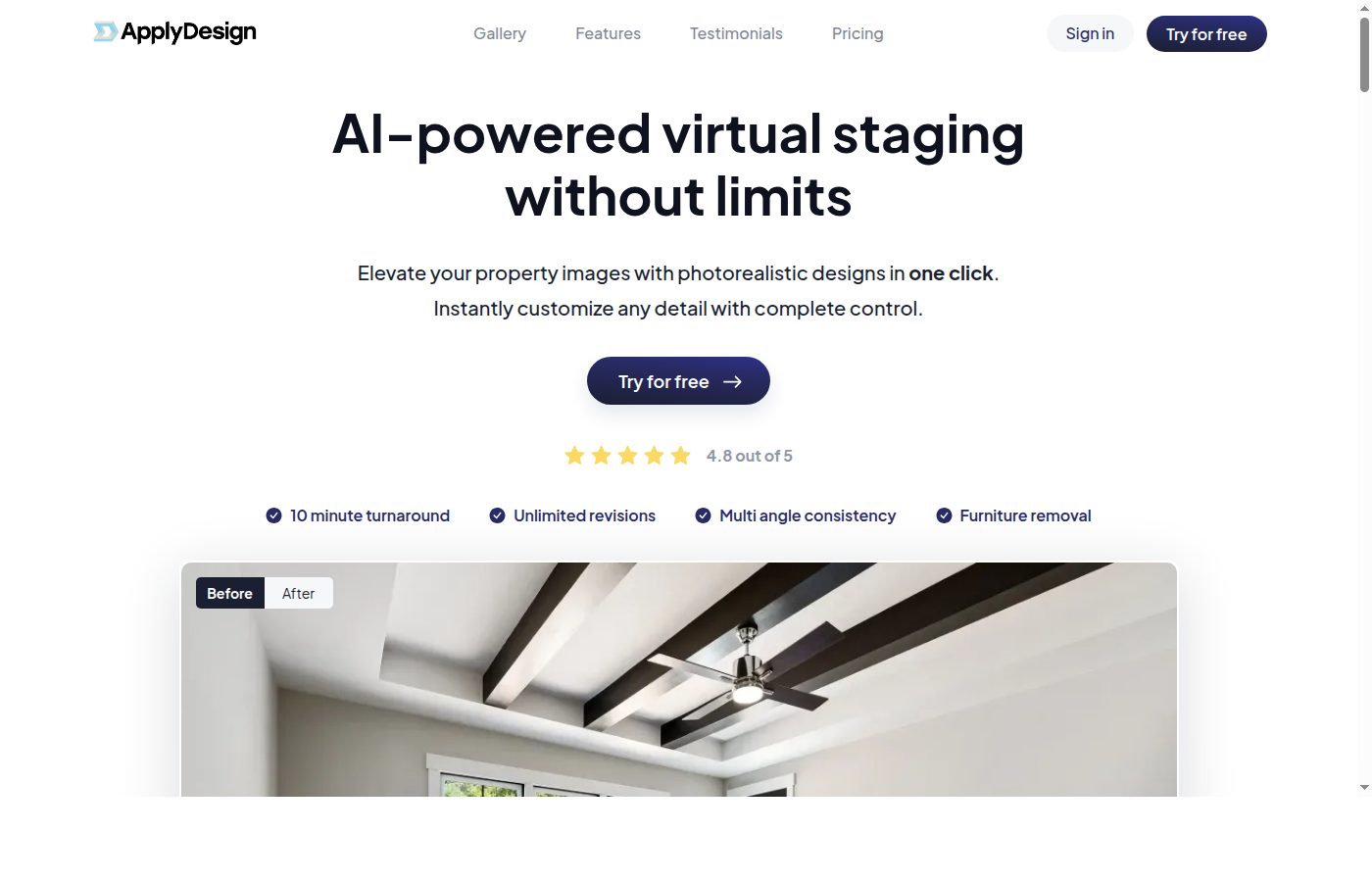
Apply Design is a commercial real estate marketing application focused on AI virtual staging with photorealistic furniture. Classified within the BestCRE database as a CRE-Native, Tier 2 software provider, the platform aims to replace traditional physical staging and manual 3D rendering services. For commercial brokers and property marketers, empty floor plates and vacant office suites present a persistent challenge in tenant visualization. Physical staging requires significant capital expenditure and logistical coordination, while legacy digital rendering often demands weeks of lead time and specialized architectural design skills. Apply Design addresses this bottleneck by applying artificial intelligence to standard property photos, generating furnished environments without the need for physical asset deployment.
As of Q3 2026, the commercial real estate sector continues to scrutinize marketing spend, forcing brokerages to seek cost-effective alternatives for property campaigns. Our analysis indicates that virtual staging tools have transitioned from residential novelties to commercial necessities, particularly for Class B and Class C office spaces requiring repositioning. Apply Design operates entirely within this specific niche, focusing solely on the visual enhancement of existing space rather than broader workflow automation or text generation. While it competes for marketing budgets alongside established spatial capture tools like Matterport, its utility is strictly confined to post-production imagery. Buyers evaluating this platform must weigh its specialized output against the lack of published pricing and its status as a Tier 2 vendor in a crowded marketing technology landscape.
What Apply Design does and how it works
Apply Design functions as an image processing engine that accepts 2D photographs of vacant commercial spaces and outputs digitally furnished versions of those same rooms. The core mechanic relies on computer vision algorithms to analyze the geometry, lighting, and scale of the uploaded image. Once the spatial dimensions are mapped, the software allows users to select from digital furniture catalogs to populate the room. The AI attempts to match the lighting and shadows of the inserted 3D models with the ambient light sources detected in the original photograph, creating a composite image that mimics a physically staged environment.
Our analysis of the platform’s mechanics reveals a workflow designed for users without computer-aided design or 3D modeling experience. A marketing associate uploads a high-resolution image of an empty office suite or retail shell. The user then selects a desired interior design style or specific furniture bundles appropriate for the target tenant profile, such as open-plan tech workstations, traditional executive suites, or boutique retail fixtures. The software processes the request and renders the photorealistic furniture into the scene. Users can typically download the finished assets for immediate deployment in offering memorandums, listing websites, or email campaigns.
Unlike comprehensive spatial data platforms, Apply Design does not create navigable digital twins or floor plans. Its scope is strictly confined to static image enhancement. The platform processes each image individually, meaning a complete property tour requires uploading and staging multiple separate photos. This mechanical limitation means the tool serves as a point solution for specific marketing collateral rather than a holistic property documentation system. The final output is a standard 2D image file, heavily dependent on the quality and resolution of the initial photograph provided by the user.
9AI Framework: the score, dimension by dimension
CRE Relevance: 8/10
Apply Design is categorized as a CRE-Native application, built specifically to address the real estate industry’s need for property visualization. Unlike general-purpose image editors or generic generative AI art generators, this platform focuses entirely on the spatial constraints and aesthetic requirements of commercial and residential staging. Our analysis shows that its utility directly aligns with the daily requirements of leasing brokers and property marketers who struggle to market vacant spaces. The tool understands architectural contexts like floor plans, ceiling heights, and window placements to ensure furniture scales correctly. In practice: Brokers use this software to convert photos of empty white-box suites into targeted, furnished marketing images for specific tenant profiles.
Data Quality and Sources: 7/10
The primary data input for Apply Design consists of user-uploaded property photographs, while the output is a high-resolution composite image. The quality of the final product is heavily contingent on the resolution, lighting, and angle of the source material. The platform’s internal database consists of 3D furniture models and textures, which must be rendered accurately to achieve the promised photorealistic standard. Our analysis indicates that the AI’s ability to calculate accurate shadow casting and perspective matching is the critical variable in output quality. Poor source photos will inevitably yield unconvincing staging results. In practice: Marketing teams must ensure they capture well-lit, high-resolution photography of their vacant spaces to extract acceptable results from the rendering engine.
Ease of Adoption: 8/10
As a targeted marketing application, Apply Design requires minimal technical onboarding compared to enterprise resource planning or property management systems. The user interface is designed for marketing coordinators and brokers rather than specialized 3D rendering artists. Users simply upload images, select design parameters, and initiate the rendering process. There is no requirement to install heavy desktop software or undergo extensive training on spatial mapping. However, users must still learn to navigate the platform’s specific design catalogs and adjustment controls to refine the final images. In practice: A new marketing associate can typically begin generating staged images on their first day of using the platform without formal technical certification.
Output Accuracy: 7/10
Output accuracy for virtual staging is measured by the realism of the final image and the correct proportional scaling of the digital furniture. Apply Design utilizes computer vision to estimate room dimensions from a 2D photo, which introduces a margin of error. If the AI miscalculates the depth of a room, a digital conference table may appear unnaturally large or small compared to the surrounding architecture. Our analysis notes that while the furniture assets themselves are photorealistic, the accuracy of their placement and the realism of artificial shadows dictate the success of the staging. In practice: Users must carefully review the rendered images to ensure digital desks and chairs do not appear to float or violate the physical dimensions of the room.
Integration and Workflow Fit: 6/10
Apply Design operates primarily as a standalone web application rather than an integrated component of a broader commercial real estate technology stack. It does not typically connect directly via API to customer relationship management systems, property management software, or listing syndication networks. Users must manually download the staged images and subsequently upload them to their preferred marketing channels, such as LoopNet, CoStar, or internal brokerage websites. This lack of automated data flow requires manual file management by the marketing team. In practice: Marketing professionals will use this tool in isolation, treating it as an independent utility for asset creation before manually migrating the final files to their active marketing campaigns.
Pricing Transparency: 5/10
BestCRE research confirms that Apply Design does not publish its pricing details publicly. Prospective buyers must contact the company directly to obtain cost information. This lack of transparency severely limits the ability of commercial real estate analysts to conduct preliminary return on investment calculations or compare costs against competing virtual staging services without engaging in a sales process. Because the vendor does not publish pricing, it cannot exceed a score of 5 in this dimension according to our rating methodology. In practice: Procurement teams must allocate time for direct vendor negotiations and request custom quotes to determine if the software fits within their property marketing budgets.
Support and Reliability: 6/10
Classified as a Tier 2 vendor, Apply Design represents an unproven startup within the broader commercial real estate technology ecosystem. Consequently, its support infrastructure is likely still maturing. Buyers should not expect the dedicated enterprise account management or 24/7 global support desks provided by established Tier 1 corporations. Support is typically handled through standard ticketing systems, email, or basic web chat. Given its startup status, our methodology caps this dimension at a score of 6 to reflect the inherent risks of relying on a developing company for critical marketing operations. In practice: Users should anticipate standard business-hour support and potential delays in resolving complex technical rendering issues.
Innovation and Roadmap: 6/10
The trajectory for Apply Design involves refining its core computer vision algorithms to improve the speed and realism of its photorealistic furniture rendering. As a Tier 2 startup, the company must continuously update its 3D asset library to reflect current commercial interior design trends. Future developments may include better handling of complex lighting environments, automated removal of existing physical clutter from photos, or eventual expansion into 360-degree panoramic staging. However, as an early-stage vendor, the execution of these features remains speculative and dependent on ongoing capital efficiency. In practice: Buyers are purchasing the current static image capabilities and should not base their procurement decisions on promised future features.
Market Reputation: 6/10
Apply Design is currently building its market reputation within the specialized niche of virtual staging. As an unproven Tier 2 startup, it lacks the extensive case studies, widespread industry adoption, and long-term client retention metrics of dominant marketing platforms. While it competes for attention against established visualization companies like Matterport, which holds a BestCRE score of 92, Apply Design is still working to secure a definitive foothold among major commercial brokerages. Our rating framework restricts its score to a maximum of 6 in this category due to its emerging status. In practice: Commercial real estate firms adopting this tool are acting as early adopters rather than following an established industry consensus.
Who should use Apply Design
Apply Design is best suited for commercial real estate professionals who frequently market vacant spaces and require high-quality visual collateral without the expense of physical staging.
Landlord Representation Brokers: Teams tasked with leasing empty office suites or retail shells who need to show prospective tenants the potential of a white-box space.
Property Marketing Coordinators: In-house marketing staff at mid-sized brokerages looking to accelerate the production of offering memorandums and listing brochures.
Value-Add Investors: Buyers acquiring distressed or vacant Class B properties who need to generate compelling repositioning imagery for capital partners before commencing physical renovations.
Boutique Commercial Agencies: Smaller firms that lack the budget for dedicated 3D architectural rendering services but require professional-grade listing photos.
Who should look elsewhere
This software is entirely focused on static 2D image enhancement and will not satisfy teams requiring comprehensive spatial data, interactive tours, or broad workflow automation.
Firms Requiring Digital Twins: Teams that need navigable 3D walkthroughs or precise spatial measurements should look to established platforms like Matterport.
Industrial Real Estate Brokers: Professionals marketing raw warehouse or logistics spaces where photorealistic office furniture staging provides minimal value to prospective logistics tenants.
Enterprise Operations Teams: Departments seeking text generation, data analysis, or CRM automation, as this tool offers no capabilities in those areas compared to platforms like Jasper AI or Copy.ai.
Pricing and ROI
Based on our current research, Apply Design does not publish its pricing details publicly. Prospective buyers are required to contact the company directly to obtain a custom quote. This opaque pricing model complicates initial vendor screening for commercial real estate analysts, as it prevents immediate cost comparisons against competing virtual staging services or traditional physical staging providers. Because pricing is not published, buyers must engage with the sales team to understand whether the platform charges a flat subscription fee, a per-image rendering cost, or a hybrid credit-based system.
Despite the lack of transparent pricing, analysts can still construct a basic return on investment framework. The baseline comparison is the cost of physical staging, which typically involves thousands of dollars in furniture rental, delivery, and setup fees per suite, plus weeks of logistical coordination. Alternatively, outsourcing photos to a manual 3D rendering agency often costs hundreds of dollars per image and requires several days of lead time. If Apply Design can deliver photorealistic furniture staging at a fraction of the cost of physical staging and faster than a manual rendering agency, the software generates immediate ROI through reduced marketing expenditures and accelerated time-to-market for vacant listings. Buyers must simply ensure the negotiated contract price remains significantly lower than these traditional alternatives.
Integration and CRE tech stack fit
Apply Design presents a low integration footprint within the standard commercial real estate technology stack. Our analysis indicates that the platform functions primarily as an independent web-based utility rather than a connected node in a broader data ecosystem. It does not offer native API connections to major industry platforms such as Salesforce, Buildout, or Yardi, nor does it push data directly to listing syndication networks like CoStar or LoopNet.
For marketing teams, this means the software sits outside of automated workflows. Users must manually upload raw photography from their local drives or cloud storage, process the images within the Apply Design interface, and manually download the finished assets. These staged images are then manually inserted into InDesign templates, email marketing platforms, or digital brochures. While this lack of integration prevents the software from streamlining complex operational workflows, it also means the tool can be adopted immediately without requiring IT department oversight, complex software implementation phases, or concerns regarding data security and privacy compliance across connected systems.
Competitive landscape
The market for commercial real estate marketing software is highly fragmented, with vendors offering vastly different approaches to property visualization and content creation. Apply Design occupies a specific niche focused solely on static image virtual staging. When evaluating this platform, buyers must differentiate between static staging, spatial capture, and generative text tools.
For spatial capture and interactive 3D tours, Matterport remains the dominant alternative. Scoring a 92 in the BestCRE database, Matterport provides navigable digital twins and precise floor plans, which offer far more utility than Apply Design’s static 2D images, albeit requiring specialized camera hardware and higher costs. For broader marketing automation and copywriting, platforms like Jasper AI (score: 89) and Copy.ai (score: 87) are frequently utilized by commercial brokerages to generate property descriptions and email campaigns. Apply Design does not compete with these text-based tools, as it strictly handles visual assets.
Direct competitors in the virtual staging space include BoxBrownie and various independent 3D rendering agencies. BoxBrownie operates as a service rather than a pure software-as-a-service platform, utilizing human editors assisted by software to deliver staged images. Apply Design attempts to differentiate itself by providing a self-service software interface driven by AI, theoretically reducing turnaround times. Additionally, buyers might consider presentation software like Beautiful.ai (score: 89) to house the final staged images, though Beautiful.ai does not generate the staging itself. Ultimately, Apply Design competes against the traditional costs of physical furniture rental and manual architectural rendering.
The bottom line
Apply Design offers a highly specialized, single-purpose utility for commercial real estate marketing teams burdened by the cost and logistics of physical property staging. It is not a comprehensive marketing suite, nor does it provide the spatial data capabilities of industry leaders like Matterport. Buyers should view this software strictly as an image enhancement tool designed to make vacant office and retail spaces more visually appealing in digital brochures and listing sites. The lack of published pricing and its status as an unproven Tier 2 startup introduce standard procurement risks, requiring buyers to negotiate carefully. However, if the negotiated cost per image remains significantly lower than traditional physical staging or manual 3D rendering services, Apply Design provides a practical, immediate solution for brokers needing to accelerate their go-to-market strategy for empty white-box suites. Purchase this tool if your brokerage spends excessive capital on physical furniture rentals; pass if you require interactive 3D tours or integrated marketing automation.
Frequently asked questions
Does Apply Design create interactive 3D virtual tours like Matterport?
No, Apply Design does not create navigable digital twins or interactive 3D walkthroughs. It strictly processes static 2D photographs and outputs static 2D images featuring photorealistic furniture. Buyers requiring fully navigable spatial capture should evaluate platforms like Matterport instead.
How much does Apply Design cost for commercial real estate teams?
Apply Design does not publish its pricing publicly. Prospective buyers must contact their sales team directly to receive a custom quote. Because pricing is not published, teams must engage in direct negotiations to determine if the platform utilizes a subscription model or charges per rendered image.
Can this software automatically generate property descriptions or marketing copy?
Apply Design is exclusively a visual staging tool and does not feature text generation capabilities. Commercial real estate professionals looking to automate the writing of offering memorandums, property descriptions, or email campaigns should evaluate dedicated generative text platforms like Jasper AI or Copy.ai.
Does the platform integrate directly with CoStar or LoopNet?
The software does not offer direct API integrations or automated syndication to commercial real estate listing platforms like CoStar or LoopNet. Users must manually download the staged images from the application and subsequently upload them to their preferred listing services or marketing templates.
Do I need CAD experience or 3D modeling skills to use this tool?
No specialized architectural design or CAD experience is required. The platform is built for marketing coordinators and brokers, utilizing an intuitive interface where users upload standard property photos and select digital furniture from pre-built catalogs. The AI handles the spatial mapping and rendering automatically.
What type of commercial properties benefit most from this software?
The tool is highly effective for vacant Class B and Class C office suites, retail shells, and white-box spaces that lack visual appeal. It provides minimal value for raw industrial warehouses or fully occupied properties where photorealistic furniture staging cannot improve the existing tenant visualization.
Related Reviews
Compare Apply Design with other Marketing tools BestCRE has scored: Henry (83/100), Adobe Photoshop (82/100), Lately (78/100) and HeyGen (77/100). Browse every review in CRE Marketing, the full Best CRE AI Tools directory, or the 20 CRE Sectors hub.