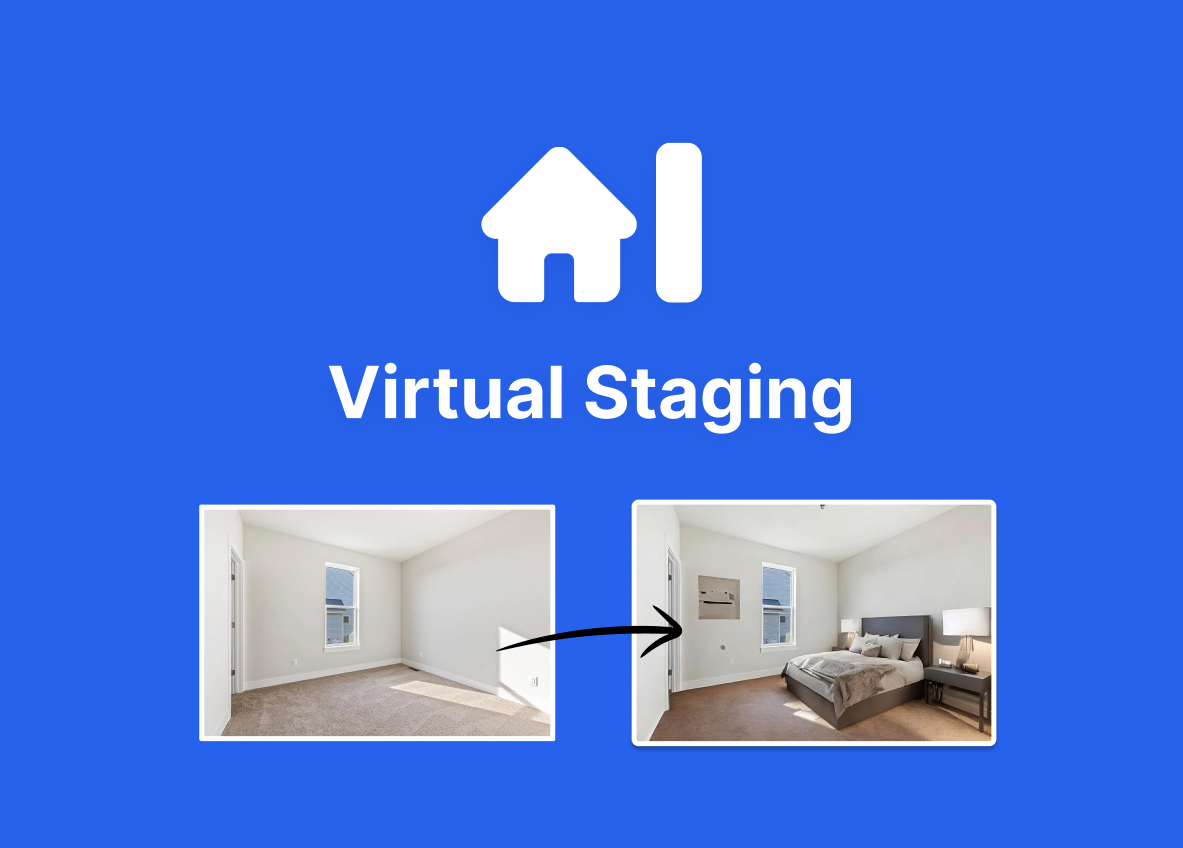
VirtualStaging AI is a self-serve, browser-based application developed out of the Harvard Innovation Lab that applies generative artificial intelligence to furnish empty real estate photographs. The platform addresses a specific bottleneck in property marketing: the high cost and slow turnaround of physical staging or human-led digital design. By processing uploads through its proprietary models, the software returns fully furnished, MLS-ready images in approximately ten to fifteen seconds. According to the BestCRE master database, the vendor offers subscription plans ranging from $16 to $79 per month, making it an accessible option for independent brokers and mid-sized agencies evaluating their marketing spend in August 2026.
While the broader property technology market is crowded with comprehensive photo editing suites, VirtualStaging AI maintains a strict focus on instant furniture placement and basic decluttering. It does not attempt to be an all-in-one marketing platform. Instead, it serves as a specialized utility for principals and analysts who need to quickly visualize vacant commercial offices, retail shells, or residential units without engaging a third-party design firm. The tool operates entirely in the cloud, requiring no local installation or specialized hardware. For asset managers and leasing teams, the ability to rapidly generate multiple layout concepts for a vanilla box space can accelerate the marketing cycle. However, as commercial real estate professionals increasingly rely on digital first impressions to drive physical tours, evaluating this tool requires looking past the impressive speed to understand its practical limitations regarding architectural accuracy, complex commercial layouts, and multi-angle consistency. The platform is a utility, not a replacement for high-end architectural rendering.
What VirtualStaging AI does and how it works
VirtualStaging AI operates through a straightforward web interface designed for immediate user interaction rather than deep customization. Users begin by uploading a standard two-dimensional photograph of an empty or partially furnished room. The system accepts standard image formats and immediately prompts the user to select a room type, such as an office, conference room, or retail floor, along with one of over thirty predefined design styles. Once the parameters are set, the generative model analyzes the spatial dimensions, lighting, and existing geometry of the uploaded photo.
Within ten to fifteen seconds, the platform generates a composite image where synthetic furniture, decor, and lighting fixtures are placed into the scene. A core mechanical feature of the current version is its automated decluttering capability. If a photo contains existing debris or outdated furniture, the algorithm attempts to mask and replace these elements with the newly selected staging style. Users can generate multiple variations of the same room by simply clicking a regeneration button, which produces a new layout without requiring additional credits or subscription upgrades, depending on the tier.
Despite its speed, the mechanics are inherently constrained by the nature of two-dimensional generative image models. The software processes each photograph in isolation. If a broker uploads three different angles of the same commercial suite, the system will generate three distinct furniture layouts that do not match each other. Furthermore, users cannot drag, drop, or manually reposition individual desks or chairs; the AI determines the placement entirely. If a specific chair blocks an architectural detail, the only recourse is to regenerate the entire image and hope for a better arrangement.
9AI Framework: the score, dimension by dimension
CRE Relevance: 6/10
VirtualStaging AI is classified as a CRE-Native tool in our database, but its underlying training data leans heavily toward residential and generic office environments. The platform offers specific room types for commercial applications, such as conference rooms and open-plan offices, which helps when marketing vacant suites. However, it lacks specialized categories for industrial warehouses, medical facilities, or complex retail build-outs. Because the system relies on generalized generative models rather than a proprietary database of commercial-grade fixtures, the resulting images often look more like a co-working space than a bespoke corporate headquarters. It serves basic leasing needs but falls short for specialized asset classes. In practice: Leasing agents can easily stage standard office suites, but industrial or medical brokers will find the style options inadequate.
Data Quality and Sources: 7/10
The quality of the generated images is generally sufficient for digital listings and basic marketing brochures. The AI demonstrates a competent understanding of lighting, shadows, and perspective, ensuring that synthetic furniture does not appear to float above the floor. However, because it relies on generative algorithms rather than rendering exact 3D models, the output can occasionally suffer from structural artifacts. Desk legs might blend into baseboards, or window mullions might warp slightly during the decluttering process. The resolution is adequate for web viewing and standard MLS uploads, but artifacts become noticeable if the images are printed on large-format physical signage. In practice: The visual fidelity passes the quick-scroll test on property portals but will not withstand close scrutiny from high-end corporate tenants.
Ease of Adoption: 9/10
This platform requires virtually no technical training or onboarding process. The browser-based interface is entirely self-serve, allowing a new user to create an account, select a subscription tier, and generate their first staged image within five minutes. There are no complex software installations, no rendering engines to configure, and no 3D modeling skills required. The user experience is reduced to uploading a file and clicking a few dropdown menus. This simplicity ensures that anyone from a junior analyst to a senior principal can operate the software immediately. The lack of manual editing tools means there is no learning curve for complex features. In practice: Marketing teams can deploy this software instantly without scheduling training sessions or altering their existing hardware setups.
Output Accuracy: 7/10
Accuracy is the most significant compromise when using this platform. The AI estimates room dimensions based on the 2D photo, which can sometimes result in scale issues where desks appear too large or chairs look disproportionately small for the space. More critically, the software lacks multi-angle consistency. If you stage a commercial suite from the doorway and then stage a photo taken from the back window, the AI will generate two completely different furniture layouts and styles. It cannot maintain a coherent spatial map of the property. Additionally, it cannot preserve specific architectural sightlines if the algorithm decides to place a large object in the foreground. In practice: Users must rely on single hero images rather than attempting to provide a cohesive virtual tour of the space.
Integration and Workflow Fit: 6/10
VirtualStaging AI operates primarily as a standalone web application, which means it sits outside of standard commercial real estate technology stacks like Yardi, Buildout, or VTS. Users must manually download the generated images and then upload them into their respective CRM or listing management platforms. While the company does offer a documented public API for batch staging, this feature is typically only utilized by high-volume brokerages or listing portals with dedicated development teams. For the average commercial broker or marketing director, the workflow remains entirely manual. It does not integrate directly with Matterport or other 3D tour providers, limiting its utility to static, two-dimensional photography. In practice: You will need to manually move files between this application and your primary marketing or listing platforms.
Pricing Transparency: 9/10
The vendor excels in making its costs clear and predictable. Pricing is publicly listed on their website, with subscription tiers ranging from $16 to $79 per month depending on the required image volume. There are no hidden setup fees, no mandatory long-term enterprise contracts, and no opaque contact sales gates for the standard tiers. The plans include unlimited regenerations, meaning users are not penalized for generating multiple variations of a single room to find the best layout. This straightforward subscription model allows brokerages to accurately forecast their marketing expenses without worrying about fluctuating credit costs or unexpected overages. In practice: Analysts can easily calculate the exact monthly cost and per-listing expense before committing a corporate credit card.
Support and Reliability: 5/10
As an unproven startup emerging from a university innovation lab, the company lacks the extensive support infrastructure found in mature enterprise software vendors. Support is primarily handled through email and web chat, with no dedicated account managers for lower-tier subscribers. While the platform itself is highly stable, rarely experiencing downtime due to its simple cloud-based architecture, users requiring immediate technical assistance or custom troubleshooting may experience delays. There are no published service level agreements for standard accounts, and the vendor does not offer comprehensive onboarding or custom styling services. The self-serve nature of the product mitigates some of this risk, but enterprise clients expect more. In practice: If the system encounters an error or an image fails to process, you are dependent on standard ticket-based web support.
Innovation and Roadmap: 6/10
The product development cycle appears heavily focused on optimizing speed and expanding basic style catalogs rather than adding complex professional features. While competitors are building out day-to-dusk conversions, sky replacements, and full 3D spatial mapping, this vendor remains strictly committed to 2D virtual staging. The addition of a public API indicates a desire to capture enterprise volume, but the core mechanics have not evolved to include manual drag-and-drop editing or multi-angle consistency. This narrow focus ensures the primary tool remains fast and easy to use, but it also means the platform risks falling behind broader, all-in-one real estate photo editing suites that offer more comprehensive marketing solutions. In practice: Buyers should purchase the tool for exactly what it does today, not for anticipated future capabilities.
Market Reputation: 6/10
Within the real estate marketing sector, the vendor has established a name for speed and affordability, particularly among independent agents and boutique brokerages. However, as an unproven startup, it has not yet secured widespread adoption among top-tier commercial real estate firms. Institutional players often prefer established design agencies or more comprehensive platforms like Matterport. Online forums and user reviews frequently praise the ten-second turnaround time but express frustration with the lack of manual editing controls and occasional scaling artifacts. The company is viewed as a reliable utility for quick jobs rather than a premium partner for high-value asset marketing. In practice: The software is respected as a budget-friendly time-saver, but it lacks the prestige and enterprise validation of legacy property technology vendors.
Who should use VirtualStaging AI
VirtualStaging AI is best suited for professionals who prioritize speed and cost-efficiency over bespoke design and precise architectural accuracy. It serves as an excellent utility for high-volume leasing teams.
Independent Commercial Brokers: Those marketing Class B or C office spaces who need to show potential layouts without spending hundreds of dollars on physical staging.
Marketing Analysts: Teams that need to quickly generate multiple design concepts for a vanilla box retail space to include in a preliminary pitch deck.
High-Volume Leasing Agents: Professionals handling numerous vacant residential or small office units who require immediate MLS-ready photos to minimize days on market.
Property Managers: Staff needing to refresh outdated listing photos by digitally decluttering and updating the furniture styles of currently occupied spaces.
Who should look elsewhere
This software will frustrate users who require precise control over their marketing assets or those working with highly specialized commercial properties.
Institutional Asset Managers: Teams marketing Class A trophy assets who require flawless, high-resolution architectural renderings and exact spatial accuracy.
Industrial Real Estate Brokers: Professionals leasing warehouses, logistics centers, or manufacturing facilities, as the platform lacks relevant fixtures and equipment styles.
Design-Focused Marketers: Users who want to manually drag, drop, and resize specific pieces of furniture to highlight unique architectural details.
3D Tour Creators: Teams relying on Matterport or similar spatial mapping tools, as this software only processes flat, two-dimensional images.
Pricing and ROI
According to the BestCRE master database, VirtualStaging AI offers highly transparent subscription pricing ranging from $16 to $79 per month. The entry-level $16 monthly plan typically covers a small batch of photos, suitable for an independent broker handling one or two vacant listings at a time. The higher-tier $79 monthly plan provides significantly more volume, lowering the effective cost per image to well under a dollar, making it ideal for busy marketing departments or mid-sized agencies. All plans include unlimited regenerations, ensuring users do not waste credits on awkward AI layouts.
To calculate the return on investment, consider a commercial leasing team that typically hires a digital design firm to stage five photos per vacant office suite. Traditional digital staging often costs between $25 and $40 per image, totaling $125 to $200 per listing, with a turnaround time of 24 to 48 hours. By moving this process in-house with a $79 monthly subscription, a team staging just four listings a month (20 photos) reduces their direct costs from $800 to $79. This yields a monthly savings of $721, while also compressing the marketing preparation timeline from two days to under ten minutes. For brokerages operating on tight margins, the financial math heavily favors this automated approach, provided the asset class does not demand premium, human-curated design work.
Integration and CRE tech stack fit
When evaluating VirtualStaging AI for your commercial real estate tech stack, expect a standalone utility rather than a deeply integrated platform. The software operates entirely within a web browser and does not offer native plugins for enterprise CRM systems like Salesforce, Dealpath, or VTS. Similarly, it does not connect directly to property marketing engines such as Buildout or SharpLaunch. Users must adopt a manual workflow: downloading the generated JPEG or PNG files to their local drive and subsequently uploading them to their listing platforms, brochures, or email marketing campaigns.
For organizations with dedicated development resources, the vendor does provide a documented public API. This allows high-volume brokerages or proprietary listing portals to build custom integrations, enabling automated batch processing of vacant property photos directly within their own backend systems. However, for the vast majority of commercial brokers, the lack of out-of-the-box integrations means this tool will sit adjacent to, rather than inside, their primary workflow. Furthermore, it cannot process 360-degree panoramas or integrate with Matterport tours, restricting its use strictly to static digital photography. It is a discrete point solution, not a connected ecosystem.
Competitive landscape
The digital staging market is highly fragmented, forcing buyers to choose between speed, control, and comprehensive editing capabilities. VirtualStaging AI competes directly with other AI-first platforms like Reimagine Home and Apply Design, as well as broader AI marketing tools like Jasper AI and Copy.ai, which handle text rather than imagery. For pure visual staging, Apply Design offers a hybrid approach, allowing users to manually drag and drop specific furniture pieces into a 3D editor. This provides much greater control over the final layout compared to VirtualStaging AI’s automated, zero-touch process, though it requires significantly more time per photo.
Brokers looking for an all-in-one photo editing suite might consider platforms that include day-to-dusk conversions and sky replacements, features that VirtualStaging AI completely lacks. Meanwhile, for high-end commercial assets, traditional rendering services or spatial capture tools like Matterport (which scored 92 in our database) remain the gold standard. Matterport provides verifiable 3D spatial data and immersive walkthroughs, whereas VirtualStaging AI only offers flat, synthetic approximations. Furthermore, general-purpose design platforms like Beautiful.ai (Scored 89) excel at building the actual pitch decks where these staged photos will ultimately live. Ultimately, VirtualStaging AI wins on pure speed and simplicity, but it loses to competitors when users demand manual editing controls, multi-angle consistency, or enterprise-grade architectural precision.
The bottom line
VirtualStaging AI is a highly effective, single-purpose utility that solves one specific problem: generating furnished listing photos quickly and cheaply. Commercial real estate principals should approve this purchase if their leasing teams waste too much time and money hiring third-party designers for standard, mid-market office or retail spaces. The $16 to $79 monthly cost is negligible compared to the immediate savings in traditional staging fees. However, do not buy this software expecting a comprehensive marketing suite or precise architectural renderings. It is a blunt instrument designed for speed, not a precision tool for high-end assets. If your firm markets Class A trophy properties, requires complex multi-angle consistency, or demands manual control over furniture placement, you must look elsewhere. For high-volume, budget-conscious brokers who simply need to show tenants what an empty room looks like with desks in it, this tool is an immediate, profitable addition to the marketing toolkit.
Frequently asked questions
Does VirtualStaging AI work for commercial real estate properties?
Yes, it includes specific room types like conference rooms and standard offices. However, it relies on generalized models, making it suitable for basic commercial spaces but inadequate for specialized assets like industrial warehouses or complex medical facilities where specific equipment is required.
How much does VirtualStaging AI cost per month?
The vendor offers transparent subscription tiers ranging from $16 to $79 per month, depending on your required image volume. All plans include unlimited regenerations, allowing you to test multiple layouts without incurring extra fees or depleting your monthly quota. This makes it highly cost-effective compared to traditional digital staging services.
Can I manually move or resize the furniture in the staged photos?
No. The platform operates as a fully automated generative tool. Users cannot drag, drop, or manually adjust individual pieces of furniture once the image is processed. If you are unhappy with the layout, your only option is to click the regenerate button and let the algorithm attempt a new design.
Will the AI keep the furniture consistent across different angles of the same room?
No, the software processes each photograph individually and lacks spatial mapping capabilities. If you upload three different angles of the same commercial suite, the system will generate three completely different furniture layouts and styles. It is best used for single hero images rather than cohesive virtual tours.
Does the software integrate directly with Matterport or my CRM?
The tool operates primarily as a standalone web application and does not offer native plugins for Matterport, Salesforce, or VTS. Users must manually download the staged images and upload them into their respective marketing platforms. A public API is available for enterprise teams with dedicated developers.
Can the platform remove existing clutter from occupied office spaces?
Yes, the software includes an automated decluttering feature. When you upload a photo of a messy or outdated space, the algorithm attempts to mask the existing items and replace them with the new staging style. However, complex clutter may occasionally result in minor visual artifacts along walls or floors.
Related Reviews
Compare VirtualStaging AI with other Marketing tools BestCRE has scored: Henry (83/100), Adobe Photoshop (82/100), Jacquard (68/100) and Gamma (67/100). Browse every review in CRE Marketing, the full Best CRE AI Tools directory, or the 20 CRE Sectors hub.