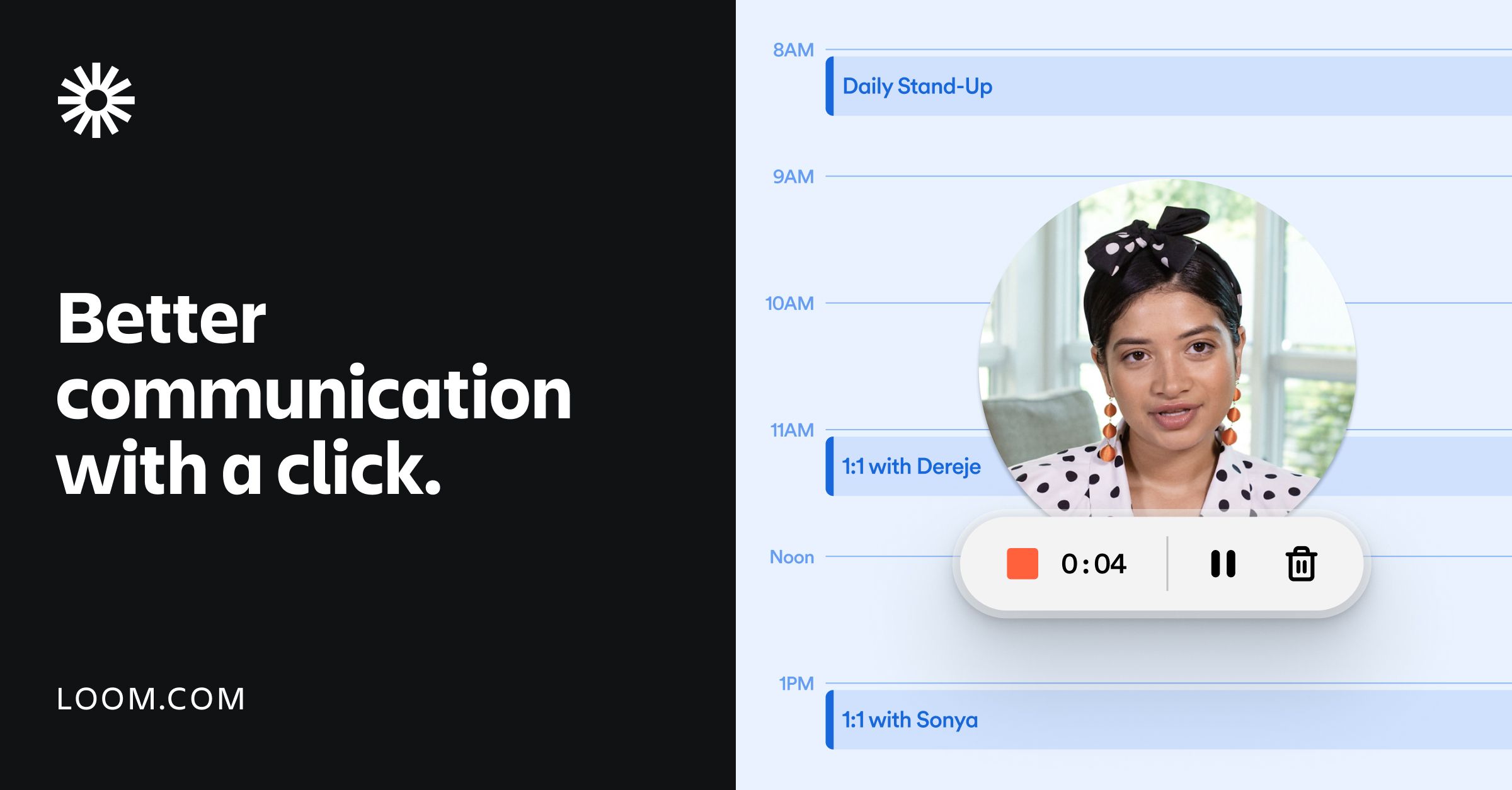
Loom AI is an asynchronous video communication platform that the BestCRE master database classifies as a Tier 2, CRE-adjacent marketing application. The core functionality centers on AI-powered video messaging, allowing users to record their screen, camera, or both simultaneously. In commercial real estate, this translates to brokers and analysts recording digital property tours, walking through financial models, or delivering market updates without requiring all parties to be on a live call. Based on our August 2026 analysis, the platform operates on a general-purpose architecture rather than a purpose-built real estate framework. This means it lacks native property data or specialized commercial real estate terminology training, but it compensates with broad accessibility.
Our evaluation of Loom AI focuses on its utility for deal teams and marketing professionals who need to distribute visual information quickly. Unlike Matterport, which scored 92 in our index for its deep spatial data capabilities, Loom is fundamentally a messaging layer. The addition of artificial intelligence features has shifted the product from a simple recording utility to a content generation engine. The AI automatically generates titles, summaries, chapters, and action items from the spoken audio. For a leasing broker sending a weekly update to an institutional landlord, this automation removes the administrative friction of typing out an email to accompany a video. However, potential buyers must weigh this convenience against the reality that the tool is not customized for commercial real estate workflows, requiring users to adapt their existing processes to fit the software’s generalized structure.
What Loom AI does and how it works
At its mechanical core, Loom AI captures screen activity and webcam footage, uploading the media to a cloud server in real time. Users initiate recordings via a desktop application, mobile app, or browser extension. Once the user stops recording, the software immediately generates a shareable link. The artificial intelligence layer activates during this processing phase. It transcribes the audio track and runs a natural language processing model over the text to identify key themes, decisions, and follow-up tasks. The system then automatically populates the video’s landing page with a structured summary, clickable timestamp chapters, and a suggested title.
For commercial real estate practitioners, the application mechanics serve primarily as a presentation vehicle. An investment sales broker might open an offering memorandum PDF on their screen, activate the recorder, and narrate the investment highlights while using their mouse to point out specific financial metrics. The AI processes the narration, creating a chapter titled “Financial Overview” exactly where the broker begins discussing the rent roll. When the prospective buyer clicks the shared link, they see the video alongside the AI-generated text summary, allowing them to skim the document’s contents or jump directly to the financial analysis section without watching the entire recording.
The software also includes post-production editing capabilities driven by the AI transcript. Users can remove filler words or delete entire sentences from the video simply by highlighting and deleting the corresponding text in the transcript. The system automatically stitches the video file back together, removing the unwanted segments. This text-based video editing lowers the technical barrier for marketing teams who need to produce clean, professional property updates but lack formal video editing experience. All generated content remains hosted on the vendor’s servers, with viewer analytics provided to the creator to track engagement.
9AI Framework: the score, dimension by dimension
CRE Relevance: 4/10
Loom AI operates entirely as a horizontal, industry-agnostic communication platform. Our analysis confirms it contains no commercial real estate data, property records, or specialized financial models. The BestCRE master database classifies it as CRE-adjacent because brokers and analysts frequently apply it to real estate use cases, such as narrating offering memorandums or explaining discounted cash flow models. However, the artificial intelligence models are trained on general business language. When a broker discusses capitalization rates or triple net leases, the transcript relies on standard phonetic recognition rather than a specialized industry dictionary. This limits the tool’s ability to extract nuanced real estate insights from the recordings, restricting its score in this specific category. In practice: Users must manually correct occasional transcription errors when discussing highly specific commercial real estate financial terminology.
Data Quality and Sources: 7/10
The primary data generated by this application consists of video files, audio transcripts, and AI-synthesized text summaries. The video encoding quality is consistently high, supporting up to 4K resolution depending on the user’s hardware and subscription tier. The transcript accuracy is generally strong for standard English, though our analysis notes occasional struggles with heavy accents or poor microphone quality. The AI summaries successfully capture the literal events of the recording, but they lack the capacity to verify the factual accuracy of the spoken content. If an analyst misspeaks regarding a property’s square footage, the AI will faithfully summarize the incorrect number. In practice: Deal teams must review the AI-generated summaries for factual accuracy before distributing links to clients or investors.
Ease of Adoption: 9/10
The application excels in user onboarding, requiring almost no technical training to deploy. Users simply install a browser extension or desktop client, grant camera and microphone permissions, and click a single button to begin recording. The artificial intelligence features operate automatically in the background, requiring no prompt engineering or complex configuration from the user. This simplicity makes it highly accessible for senior brokers who typically resist adopting complex new software. The interface is clean and intuitive, focusing entirely on the core task of recording and sharing. The lack of complex commercial real estate features actually serves as an advantage in this category, as there are no complicated workflows to master. In practice: A brokerage firm can deploy this software and see active utilization by agents on the very first day.
Output Accuracy: 8/10
The artificial intelligence models driving the text generation perform reliably within their intended scope. The system accurately identifies speaker transitions, isolates action items, and generates logical chapter breaks based on conversational shifts. However, because the tool is categorized as CRE-adjacent, the output accuracy degrades slightly when confronted with dense real estate acronyms. Terms like WALT, NOI, or DSCR are sometimes misinterpreted by the transcription engine if not enunciated clearly. The text-based video editing feature works exactly as advertised, successfully removing filler words without creating jarring visual jumps in the final video file. The automated titles are sometimes overly generic, requiring manual adjustment to be useful for property marketing. In practice: Marketing coordinators should expect to spend one to two minutes refining the AI-generated text before sending videos to institutional clients.
Integration and Workflow Fit: 6/10
The software provides a standard array of general business integrations, connecting easily with email clients, enterprise messaging apps, and standard document workspaces. Users can embed the video player directly into web pages or digital offering memorandums. However, our analysis reveals a distinct lack of native integrations with specialized commercial real estate customer relationship management platforms. While you can paste a video link into any CRM record, the system does not automatically log viewing activity back to specific contact records in industry-standard real estate databases. The API is available for custom development, but most mid-sized brokerage firms lack the internal engineering resources to build these connections themselves. In practice: Brokers will need to manually copy and paste video links into their real estate CRM systems to maintain accurate communication records.
Pricing Transparency: 9/10
The vendor maintains a highly visible public pricing page, clearly delineating the differences between its available tiers. According to the BestCRE master database, the pricing model is structured as Free/Premium, with costs scaling based on the number of creators and the inclusion of advanced artificial intelligence features. The free tier imposes strict limits on video length and total video count, rendering it suitable only for initial testing rather than professional deployment. The premium tiers are billed on a per-user, per-month basis, making it simple for a commercial real estate firm to calculate the exact annual cost for their team. There are no hidden implementation fees or mandatory long-term enterprise contracts for small teams. In practice: A firm can accurately forecast their annual software expenditure for this tool without engaging a sales representative.
Support and Reliability: 8/10
As a widely adopted, general-purpose enterprise application, the platform delivers high uptime and stable performance. The video hosting infrastructure is built on major cloud providers, ensuring fast playback speeds regardless of the viewer’s geographic location. Technical support is tiered based on the subscription level, with premium users receiving priority email routing. However, because the company serves millions of users across various industries, commercial real estate professionals will not receive specialized industry support. If a broker encounters an issue embedding a video into a specific real estate marketing platform, the standard support desk will likely lack the contextual knowledge to assist effectively. In practice: Users will rely primarily on self-serve documentation and community forums for troubleshooting rather than expecting high-touch, personalized technical support.
Innovation and Roadmap: 7/10
The vendor has consistently shipped new features, particularly focusing on expanding its artificial intelligence capabilities. Recent updates have concentrated on improving the nuance of the automated summaries and expanding the text-based editing functionality. However, our analysis indicates that the future development pipeline will remain focused on broad enterprise communication rather than industry-specific tools. Commercial real estate users should not expect the addition of native property data integrations, specialized financial transcription dictionaries, or real estate CRM partnerships. The product will continue to evolve as a horizontal messaging layer, adopting broader AI advancements as they become available in the wider technology market. In practice: Real estate firms must evaluate the tool based on its current capabilities rather than anticipating future updates tailored to property marketing workflows.
Market Reputation: 9/10
The application holds a strong position in the broader software market as a pioneer of asynchronous video messaging. Within the commercial real estate sector, it is widely recognized and frequently utilized by progressive brokerage teams and marketing departments. It sits alongside general-purpose tools like Jasper AI and Copy.ai, which scored 89 and 87 respectively in our index, as a reliable, non-specialized utility. While it lacks the deep spatial documentation prestige of a platform like Matterport, which scored 92, it is generally viewed favorably by end-users for its reliability and ease of use. Institutional investors and clients are accustomed to receiving these video links, and the brand carries no negative stigma in professional environments. In practice: Sending a property update via this platform is considered standard, professional behavior by most institutional real estate clients.
Who should use Loom AI
This application is best suited for commercial real estate professionals who need to communicate complex visual or financial information without the logistical burden of scheduling live meetings. It serves as an excellent bridge between a static email and a synchronous video conference.
Investment sales brokers who want to narrate offering memorandums and financial models for prospective buyers.
Leasing agents providing weekly digital property tour updates to out-of-state institutional landlords.
Real estate analysts who need to explain the mechanics of a complex discounted cash flow model to senior partners.
Marketing coordinators tasked with producing quick, professional video content for social media or email campaigns.
Who should look elsewhere
Firms seeking deeply integrated, industry-specific marketing solutions will find this general-purpose application lacking. It does not replace specialized spatial capture tools or dedicated real estate presentation software.
Property managers looking for a tool to create measurable, interactive 3D virtual tours of physical spaces.
Brokerages requiring software that natively syncs video engagement analytics directly into specialized commercial real estate CRM platforms.
Firms operating under strict compliance regulations that prohibit hosting proprietary financial data on third-party cloud servers.
Pricing and ROI
The BestCRE master database confirms the pricing structure operates on a Free/Premium model. The vendor publishes its pricing transparently on its website, allowing firms to evaluate costs without engaging a sales team. The free tier is heavily restricted, limiting users to short recordings and a capped number of total videos, making it viable only for internal testing. The premium tier, which unlocks the artificial intelligence features, unlimited recording lengths, and advanced video editing capabilities, is billed on a per-user, per-month basis. This typically ranges between ten and fifteen dollars per user monthly when billed annually. For enterprise deployments requiring single sign-on and advanced administrative controls, custom pricing is negotiated directly with the vendor. From a return on investment perspective, the math is straightforward. If the artificial intelligence transcription and automated summary features save a broker just ten minutes of typing per video, and that broker records three videos a week, the software saves roughly two hours of administrative time per month. At a standard broker’s hourly value, the software easily pays for its monthly subscription cost within the first week of utilization.
Integration and CRE tech stack fit
Assessing the integration fit for a commercial real estate technology stack requires acknowledging the tool’s horizontal market position. The software integrates smoothly with broad enterprise applications like Google Workspace, Microsoft Teams, and Slack. Users can easily embed the video player into standard web platforms, Notion pages, or digital marketing emails. However, our analysis shows a significant gap when attempting to connect the platform to purpose-built commercial real estate systems. There are no native, out-of-the-box integrations with industry-standard property management software, specialized real estate marketing platforms, or CRE-specific customer relationship management databases. If an investment sales team uses a specialized CRM to track buyer engagement, they must manually input the video links and manually record any viewer analytics provided by the video platform. While the vendor offers an API for custom development, building and maintaining these custom bridges is rarely cost-effective for a standard brokerage firm. Therefore, users should expect this application to operate as a standalone communication utility rather than a deeply integrated component of their real estate data ecosystem.
Competitive landscape
The competitive landscape for AI-powered video messaging in commercial real estate includes both direct horizontal competitors and specialized real estate applications. Direct competitors include platforms like Vidyard and Vimeo, which offer similar screen recording and video hosting capabilities. However, based on our Q3 2026 analysis, Loom AI currently holds a slight advantage in the speed and quality of its automated artificial intelligence transcription and summarization features. When compared to other general-purpose AI tools scored by BestCRE, such as Jasper AI (89) or Copy.ai (87), this video platform serves a distinctly different medium, focusing on asynchronous visual communication rather than pure text generation. For teams focused on property marketing, it is crucial to distinguish this software from specialized spatial capture tools like Matterport, which achieved a BestCRE score of 92. Matterport creates interactive, measurable 3D digital twins of physical real estate, whereas this application simply records a standard 2D video of a user’s screen or camera. Furthermore, presentation tools like Beautiful.ai (89) or Glide Apps (87) compete for the broader marketing technology budget, but they solve different problems: slide generation and app creation, respectively. Ultimately, buyers must decide if they need a specialized real estate marketing platform or if a highly efficient, general-purpose video messaging utility will suffice for their communication needs.
The bottom line
Loom AI is a highly effective, aggressively priced communication utility that successfully eliminates the friction of asynchronous video sharing. The artificial intelligence features genuinely reduce the administrative burden of writing summaries and formatting chapters. However, it remains a general-purpose application with absolutely no specialized commercial real estate functionality. It will not integrate natively with your property database, and its AI will occasionally stumble over dense financial acronyms. Buy this software if your deal team needs a fast, reliable way to narrate financial models or provide quick visual property updates to clients without scheduling a live meeting. Do not buy this software expecting a comprehensive real estate marketing platform or a tool that will automatically organize your property data. It is a simple, powerful messaging layer that executes its narrow mandate exceptionally well.
Frequently asked questions
Does this software integrate natively with commercial real estate CRM platforms?
No. Our analysis confirms there are no out-of-the-box integrations with specialized commercial real estate customer relationship management systems. Users must manually copy video links into their CRM records and manually update contact files with any viewer engagement metrics provided by the video platform’s standalone dashboard.
Can the artificial intelligence understand specific commercial real estate financial terminology?
The artificial intelligence is trained on general business language, not a specialized real estate dictionary. While it handles standard English perfectly, our analysis shows it can occasionally misinterpret dense industry acronyms like NOI, WALT, or DSCR. Users should quickly review the automated transcripts for technical accuracy before sharing.
How does this tool compare to spatial capture software like Matterport?
They serve entirely different purposes. Matterport, which scored 92 in our index, uses specialized cameras to create interactive, measurable 3D digital twins of physical properties. This application simply records standard 2D video of your screen or webcam, making it a messaging utility rather than a spatial documentation tool.
Is the pricing model transparent for small brokerage teams?
Yes. The vendor publishes exact pricing on their website. The BestCRE master database classifies the pricing as a Free/Premium model. Small teams can easily calculate their annual expenditure based on a straightforward per-user, per-month fee without needing to negotiate with a sales representative.
Can I edit out mistakes if I misspeak during a property presentation?
Yes, the software includes a text-based editing feature powered by artificial intelligence. If you make a mistake, you can simply highlight the incorrect sentence in the generated text transcript and delete it. The system will automatically remove that corresponding segment from the final video file.
Do my clients need to download an application to view the videos?
No. When you finish recording, the software generates a standard web link. You can email this link to clients or investors, and they can watch the video, read the AI-generated summary, and view the chapters directly in their standard web browser without installing any additional software.
Related Reviews
Compare Loom AI with other Marketing tools BestCRE has scored: Henry (83/100), Adobe Photoshop (82/100), UpHex (59/100) and Voicebooking (59/100). Browse every review in CRE Marketing, the full Best CRE AI Tools directory, or the 20 CRE Sectors hub.