
Category: CRE Workflow & Automation

  • CoStar Review: The Industry Standard for CRE Data and Analytics

    CoStar Review: The Industry Standard for CRE Data and Analytics

    BestCRE 9AI Score

    81/100 · Contender

    CoStar ranks #44 of 450 commercial real estate AI tools scored on the 9AI Framework. Nine dimensions, each scored out of 10: CRE relevance, data quality, ease of adoption, output accuracy, integration fit, pricing transparency, support, innovation and market reputation.

    No conversation about commercial real estate technology begins or ends without mentioning CoStar. The platform has functioned as the industry’s central nervous system for property data, market analytics, and transaction intelligence for more than three decades, building a dataset that no competitor has replicated at comparable depth or breadth. CBRE’s 2025 Technology Survey found that 91% of institutional CRE firms maintain at least one CoStar subscription, making it the most widely adopted technology platform in the industry by a significant margin. JLL’s research division estimated that CoStar’s proprietary data influences approximately $1.2 trillion in annual commercial real estate transaction decisions across the United States. The National Association of Realtors reported that CoStar Group’s family of brands (including LoopNet, Apartments.com, and Ten-X) touches virtually every stage of the CRE lifecycle, from property marketing and tenant prospecting through transaction analysis and portfolio benchmarking.

    CoStar is an integrated commercial real estate information, analytics, and marketplace platform covering more than 6 million properties and 11 million lease and sale comparables across more than 3,000 markets and submarkets globally. The platform provides verified lease comps, current availability data, submarket trend analysis, rent trajectory forecasting, vacancy projections, demographic overlays, and peer comparison tools. CoStar’s research team of over 2,000 analysts continuously verifies and updates property information through direct broker contact, public records analysis, and field research, maintaining a data quality standard that automated scraping approaches cannot match. Enterprise subscriptions include CoStar’s core analytics suite, CoStar COMPS for transaction data, and market-level forecasting tools.

    Under BestCRE’s 9AI evaluation framework, CoStar earns a score of 81 out of 100, placing it in the “Strong Performer” category. The platform’s unmatched data depth, industry-standard status, and comprehensive market coverage earn top marks in multiple dimensions, while pricing opacity and the platform’s complexity prevent it from reaching Category Leader status in our scoring methodology.

    This review is part of BestCRE’s systematic coverage of commercial real estate AI tools across 20 CRE sectors. For the full AI tools directory, see our Best CRE AI Tools hub.

    What CoStar Does and How It Works

    CoStar functions as the commercial real estate industry’s primary information infrastructure. The platform aggregates property-level data, transaction records, market analytics, and forecasting models into an integrated system that supports every major CRE workflow: acquisitions sourcing, underwriting benchmarking, disposition pricing, lease negotiation, market selection, and portfolio monitoring. Understanding CoStar requires recognizing that it is not a single product but an ecosystem of interconnected data services that collectively define how institutional CRE professionals research, analyze, and transact.

    The property database covers over 6 million commercial properties across the United States and international markets, including office, industrial, retail, multifamily, hospitality, healthcare, and specialty asset types. Each property record includes physical attributes (size, year built, renovation history, parking ratio), ownership and management information, current tenant rosters, asking rents, vacancy status, and historical occupancy trends. This property-level data is maintained through CoStar’s research operation, which employs more than 2,000 analysts who verify information through direct outreach to property owners, brokers, and managers, supplemented by public records analysis and field research. This human verification layer distinguishes CoStar from automated data aggregators and contributes to the platform’s reputation for accuracy.

    CoStar COMPS provides access to over 11 million lease and sale transaction comparables, representing the largest verified transaction database in commercial real estate. Lease comps include deal terms such as starting rent, concessions, tenant improvement allowances, escalation structures, and effective rent calculations. Sale comps include transaction prices, cap rates, price per square foot, and buyer and seller identification. For underwriting teams, this comp database serves as the primary reference for validating rent assumptions, pricing dispositions, and benchmarking investment returns against market norms.

    The market analytics layer provides trend analysis and forecasting across more than 3,000 markets and submarkets. Users can analyze rent trajectories (historical and projected), vacancy rates, absorption trends, construction pipeline data, and demographic indicators that influence demand for specific property types. CoStar’s forecasting models incorporate econometric data, construction starts, lease expiration schedules, and local employment trends to project market conditions over one to five year horizons. These forecasts are widely referenced in institutional investment committees, lending decisions, and portfolio strategy discussions. The platform also offers custom reporting, portfolio benchmarking against market peers, and API access for firms that integrate CoStar data into proprietary analytics systems.

    9AI Framework: Dimension-by-Dimension Analysis

    CRE Relevance: 10/10

    CoStar defines CRE relevance. The platform was built exclusively for commercial real estate, has served the industry for over 30 years, and touches virtually every institutional CRE workflow in existence. There is no general-purpose functionality, no attempt to serve other industries, and no ambiguity about the platform’s purpose. CoStar’s product roadmap, research operation, data model, and go-to-market strategy are entirely organized around commercial real estate needs. The platform’s coverage spans every major property type, every significant U.S. market, and an expanding international footprint. When CRE professionals reference “the data,” they typically mean CoStar’s data. This level of industry centrality is unmatched by any other platform in the CRE technology ecosystem. In practice: CoStar is not merely relevant to CRE; it is foundational infrastructure that the industry has organized itself around.

    Data Quality and Sources: 10/10

    CoStar’s data quality represents the gold standard in commercial real estate information. The platform’s research team of over 2,000 analysts conducts continuous verification through direct broker contact, property manager outreach, public records analysis, and field visits. This human verification layer ensures that property attributes, tenant information, lease terms, and transaction details are confirmed rather than scraped or estimated. The database covers more than 6 million properties and 11 million transaction comparables, a scale that no competitor approaches. Data currency is maintained through systematic refresh cycles, with active markets receiving more frequent updates than stable markets. The comp database benefits from CoStar’s broker network, where thousands of brokers contribute transaction data in exchange for access to the broader database, creating a self-reinforcing data quality cycle. Forecasting models are built on proprietary econometric frameworks validated against decades of historical data. In practice: CoStar’s data quality is the benchmark against which all other CRE data sources are measured, and it earns that position through sustained investment in human-verified research.

    Ease of Adoption: 7/10

    CoStar’s comprehensive feature set creates a learning curve that takes most users several weeks to navigate effectively. The platform’s interface is clean and well-organized, but the depth of available data, the number of search parameters, and the complexity of the analytics tools require training to use proficiently. CoStar provides onboarding support, training sessions, and documentation to accelerate adoption, and most institutional CRE firms include CoStar training as part of their analyst onboarding process. The cloud-based delivery model eliminates infrastructure requirements, and the platform supports unlimited users within a subscription, reducing per-seat friction. The primary adoption challenge is not technical but cognitive: extracting maximum value from CoStar requires understanding which data points are most relevant for specific workflows, how to construct effective searches, and how to interpret forecasting outputs in context. Junior analysts often use a fraction of the platform’s capabilities until they develop the domain expertise to leverage its full depth. In practice: CoStar is straightforward to access but takes meaningful time to master, with the gap between basic use and expert use wider than most CRE technology platforms.

    Output Accuracy: 9/10

    CoStar’s output accuracy benefits from its human-verified research methodology. Property data, transaction comps, and tenant information are confirmed through direct outreach rather than automated estimation, resulting in accuracy rates that institutional investors trust for underwriting decisions involving hundreds of millions of dollars. The comp database’s accuracy is reinforced by its broker exchange model, where contributing brokers have professional incentives to provide accurate transaction details. Market-level analytics and forecasts are built on proprietary econometric models with long track records, though all forecasting inherently involves uncertainty and CoStar’s projections are no exception. Users should treat market forecasts as informed estimates rather than certainties, particularly in volatile market conditions or for emerging submarkets with limited historical data. The platform’s greatest accuracy strength is its lease comp database, where verified deal terms provide reliable benchmarks for rent assumption validation. In practice: CoStar’s data accuracy is the industry standard for institutional decision-making, with human verification providing a quality floor that automated platforms cannot guarantee.

    Integration and Workflow Fit: 8/10

    CoStar offers API access for enterprise clients, enabling programmatic integration of CoStar data into proprietary analytics platforms, deal management systems, and reporting dashboards. The platform’s data feeds can populate underwriting models with market rent assumptions, comp data, and demographic inputs, reducing manual data gathering. CoStar’s data is also embedded within numerous third-party CRE platforms through licensing arrangements, meaning that many CRE technology tools display CoStar data within their own interfaces. The platform exports data in standard formats (Excel, PDF) for manual integration workflows. The primary integration limitation is that API access is typically reserved for enterprise-tier subscribers at premium pricing, which puts programmatic data access out of reach for smaller firms. Native integrations with deal management platforms (Dealpath, Juniper Square), property management systems (Yardi, MRI), and underwriting tools (Argus) exist through CoStar’s partner ecosystem, though the depth and quality of these integrations vary. In practice: CoStar integrates well with institutional CRE technology stacks, particularly for firms with the budget and technical resources to leverage API access.

    Pricing Transparency: 4/10

    Pricing transparency is CoStar’s weakest dimension. The platform does not publish pricing on its website, and subscription costs are determined through direct sales engagement based on firm size, number of users, geographic coverage, and which product modules are included. Industry reports and user reviews indicate that CoStar subscriptions typically range from approximately $5,000 to $50,000 or more per year depending on the scope of access, with CoStar COMPS alone reportedly priced around $485 per month per user. The lack of published pricing creates information asymmetry in the buying process and makes it difficult for firms to budget for CoStar access without engaging in what can be a lengthy sales cycle. Multi-year contracts with annual escalators are common, and firms report limited negotiating leverage due to CoStar’s dominant market position. The pricing dynamic is further complicated by CoStar’s acquisition strategy, which has consolidated several previously independent data sources (LoopNet, Apartments.com, Ten-X) under a single corporate umbrella. In practice: CoStar’s pricing is opaque, expensive, and difficult to negotiate, though the platform’s value for institutional CRE operations generally justifies the investment.

    Support and Reliability: 8/10

    CoStar provides enterprise-grade support for its subscribers, including dedicated account management, training sessions, and responsive customer service. The platform’s research team is available to assist with complex data queries, custom report requests, and market-specific questions that require local expertise. Training resources include webinars, documentation, and personalized onboarding for new users. The platform’s cloud infrastructure delivers consistent uptime, and data refresh cycles are predictable and well-documented. For institutional subscribers, the quality of account management and the accessibility of CoStar’s research analysts represent meaningful value beyond the data itself. The support team understands CRE workflows intimately, which means support interactions are productive rather than requiring users to explain basic industry concepts. The primary support limitation is that the quality of service correlates with subscription tier: smaller firms or those on lower-tier plans may experience longer response times and less personalized attention. In practice: CoStar’s support infrastructure matches the expectations of institutional CRE clients, with knowledgeable staff and responsive service at enterprise subscription levels.

    Innovation and Roadmap: 7/10

    CoStar’s innovation trajectory reflects its position as an established market leader: improvements tend to be incremental rather than disruptive. The company has invested in AI-enhanced analytics, natural language search capabilities, and predictive modeling features that leverage its vast dataset. CoStar’s acquisition strategy (Apartments.com, LoopNet, Ten-X, STR, and others) has expanded the platform’s coverage into adjacent markets and created cross-pollination opportunities between datasets. The company’s investment in visual property data, including aerial imagery and 3D property representations, represents meaningful innovation in how CRE data is presented and consumed. However, CoStar’s innovation pace is constrained by the need to maintain backward compatibility with existing workflows that millions of users rely on daily. Radical interface changes or data model restructuring would disrupt established patterns across the industry. The company’s R&D investment is substantial in absolute terms but measured as a percentage of revenue against its market capitalization, competitive challengers like Crexi and Reonomy have demonstrated more aggressive feature development velocity. In practice: CoStar innovates steadily within the constraints of its market-dominant position, but smaller competitors often move faster on AI integration and user experience modernization.

    Market Reputation: 10/10

    CoStar’s market reputation is unparalleled in commercial real estate technology. The platform is referenced in virtually every institutional investment committee presentation, included in the technology requirements of most CRE job descriptions, and cited by industry analysts as the definitive data source for market conditions. CoStar Group is publicly traded (CSGP) with a market capitalization exceeding $30 billion, placing it among the most valuable real estate technology companies globally. The company’s annual revenue exceeds $2.7 billion, funded by a subscriber base that spans every major institutional investor, brokerage, lender, and developer in the commercial real estate industry. Industry awards, analyst coverage, and conference presence reinforce CoStar’s position as the de facto standard for CRE data. The platform’s reputation is self-reinforcing: because virtually everyone uses CoStar, the data quality benefits from network effects (more broker contributions, more transaction visibility), and new entrants to the industry adopt CoStar because it is what their peers and competitors use. In practice: CoStar’s market reputation is the closest thing to a natural monopoly in CRE technology, built over three decades of data accumulation and institutional adoption.

    9AI Score Card COSTAR
    81
    81 / 100
    Strong Performer
    Data & Analytics
    CoStar
    The commercial real estate industry’s foundational data platform covering 6M+ properties, 11M comps, and analytics across 3,000+ markets worldwide.
    9 Dimensions, Scored 1 to 10
    1. CRE Relevance
    10/100
    2. Data Quality & Sources
    10/100
    3. Ease of Adoption
    10/10
    4. Output Accuracy
    10/10
    5. Integration & Workflow Fit
    7/10
    6. Pricing Transparency
    9/10
    7. Support & Reliability
    8/10
    8. Innovation & Roadmap
    4/10
    9. Market Reputation
    10/100
    BestCRE.com, 9AI Framework v2 Reviewed April 2026

    Who Should Use CoStar

    CoStar is essential for institutional CRE investors, brokerages, lenders, and developers who need comprehensive property data and market analytics for professional decision-making. Acquisition teams require CoStar’s comp database for rent and sale comparable validation. Brokerage teams depend on it for listing research, market positioning, and client presentations. Lending teams reference CoStar’s market analytics when evaluating collateral and underwriting loan terms. Development teams use it for site selection research and demand analysis. Portfolio managers rely on it for benchmarking performance against market peers. If a CRE firm operates at institutional scale and participates in competitive transactions, CoStar access is not optional, it is table stakes. The platform is also valuable for CRE consultants, appraisers, and research analysts who need authoritative market data for client deliverables.

    Who Should Not Use CoStar

    Individual investors managing small portfolios of one to five properties will find CoStar’s pricing disproportionate to their data needs. Residential real estate agents working primarily with single-family homes or condominiums are better served by MLS systems and residential data platforms. CRE firms operating exclusively in very small markets with limited transaction activity may find CoStar’s coverage insufficient to justify the subscription cost, though this gap has narrowed as CoStar has expanded its geographic reach. Startups and early-stage CRE technology companies that need raw data for product development may find CoStar’s licensing terms and API pricing prohibitive relative to alternative data sources.

    Pricing and ROI Analysis

    CoStar does not publish pricing, and subscription costs vary based on firm size, geographic coverage, product modules, and negotiated terms. Industry reports indicate that annual subscriptions typically range from $5,000 for limited access to $50,000 or more for comprehensive enterprise packages. CoStar COMPS is reportedly priced around $485 per month per user. The ROI case for CoStar is less about direct cost savings and more about competitive necessity: in a market where 91% of institutional firms use CoStar, operating without access means making decisions with less information than competitors. For acquisitions teams, a single deal where CoStar comp data prevents overpayment by even 1% on a $20 million transaction justifies years of subscription costs. For brokerage teams, the listing intelligence and market data that CoStar provides directly supports revenue generation. The pricing, while substantial, is generally viewed as a cost of doing business at institutional scale rather than a discretionary technology expenditure.

    Integration and CRE Tech Stack Fit

    CoStar occupies a central position in the CRE technology stack, with its data flowing into numerous downstream systems and workflows. Enterprise subscribers can access CoStar data through APIs, enabling integration with proprietary analytics platforms, deal management systems (Dealpath, Juniper Square), and reporting dashboards. CoStar’s data is also embedded within third-party CRE platforms through licensing agreements, making it available within tools that users may not even realize are sourcing from CoStar. Standard export capabilities (Excel, PDF) support manual integration workflows. The platform’s widespread adoption means that most CRE technology vendors have designed their products to complement or integrate with CoStar rather than compete with it directly. For firms building automated data pipelines, CoStar’s API provides programmatic access to property records, comps, and market analytics, though API pricing and usage terms are negotiated separately from the core subscription.

    Competitive Landscape

    CoStar’s competitive position is defined by scale advantages that are extremely difficult to replicate. The closest competitors in property data include Crexi (which has built a growing transaction platform with data capabilities), Reonomy (focused on AI-driven property intelligence), and MSCI Real Assets (formerly Real Capital Analytics, specializing in institutional transaction data). For market analytics specifically, Green Street provides competing forecasting and market research at an institutional level. CompStak offers an exchange-based lease comp model that some users prefer for its granularity. Each competitor addresses specific segments of CoStar’s capabilities, but none offers the comprehensive breadth that CoStar provides across property data, transaction comps, market analytics, and forecasting in a single platform. CoStar’s primary competitive vulnerability is pricing power backlash: as the platform has consolidated data sources through acquisitions, some users have expressed concern about rising costs and limited negotiating leverage.

    The Bottom Line

    CoStar earns a 9AI score of 81 out of 100, reflecting its position as the commercial real estate industry’s indispensable data platform. The score is held below 90 primarily by pricing opacity (a 4/10 on transparency) and the learning curve required to extract maximum value from the platform’s depth. These are real limitations, but they do not diminish CoStar’s fundamental value proposition: no other platform provides comparable coverage, accuracy, or institutional acceptance. For CRE professionals operating at institutional scale, CoStar is not a technology choice but a business requirement. The platform’s challenge going forward is demonstrating that its AI-enhanced analytics, predictive capabilities, and data visualization features justify continued subscription growth in a market where younger competitors are offering faster innovation at lower price points.

    About BestCRE

    BestCRE.com is the definitive authority on commercial real estate AI, analysis, and investment intelligence. Our coverage spans 20 CRE sectors with institutional-quality research designed for practitioners, investors, and operators navigating the intersection of technology and commercial real estate. Every review, analysis, and market report is built on primary data, independent evaluation, and a commitment to advancing the CRE industry’s understanding of where AI creates genuine value and where it falls short.

    Frequently Asked Questions

    How much does a CoStar subscription cost?

    CoStar does not publish standard pricing, and subscription costs are determined through direct sales negotiations based on several factors: firm size, number of users, geographic coverage requirements, and which product modules are included. Industry reports and user reviews indicate that annual subscriptions typically range from approximately $5,000 for limited single-market access to $50,000 or more for comprehensive enterprise packages covering multiple markets and the full product suite. CoStar COMPS, the transaction comparable database, is reportedly priced around $485 per month per user as a standalone product. Multi-year contracts are common, and firms should expect annual price escalators in the range of 3% to 7%. The lack of published pricing means that firms should request quotes from multiple data providers (including Crexi, Reonomy, and CompStak) before entering CoStar negotiations to establish competitive benchmarks and strengthen their negotiating position.

    What types of CRE data does CoStar provide?

    CoStar provides four primary categories of commercial real estate data. First, property-level information on over 6 million commercial properties, including physical attributes, ownership details, current tenants, asking rents, and vacancy status. Second, transaction comparables covering more than 11 million verified lease and sale transactions with deal terms, pricing, and counterparty information. Third, market analytics across 3,000+ markets and submarkets, including rent trends, vacancy rates, absorption data, construction pipeline information, and demographic indicators. Fourth, forecasting models that project market conditions over one to five year horizons using econometric analysis, construction starts data, and employment trends. The platform covers all major property types: office, industrial, retail, multifamily, hospitality, healthcare, self-storage, and specialty assets. Data is maintained and verified by a research team of over 2,000 analysts who conduct ongoing outreach to property owners, brokers, and managers.

    How accurate is CoStar’s data compared to other CRE data sources?

    CoStar’s data accuracy is generally considered the industry gold standard for commercial real estate information. The platform’s competitive advantage in accuracy stems from its research methodology: over 2,000 analysts verify property information through direct outreach to owners, brokers, and managers, supplemented by public records analysis and field research. This human verification approach produces higher accuracy rates than automated scraping or estimation-based platforms. The transaction comp database benefits from a broker exchange model where thousands of professionals contribute verified deal data. However, accuracy varies by data type and market: lease comps in active urban markets are highly reliable, while data on smaller properties in secondary markets may be less frequently updated. Market-level forecasts are informed estimates based on rigorous econometric modeling but, like all forecasts, carry inherent uncertainty. Users report that CoStar’s property-level data is accurate enough to serve as the primary reference for institutional underwriting, though prudent practice includes cross-referencing critical data points with direct broker verification.

    Can CoStar data be integrated into proprietary analytics systems?

    Yes, CoStar offers API access for enterprise subscribers that enables programmatic integration of CoStar data into proprietary analytics platforms, deal management systems, and reporting infrastructure. The API provides access to property records, transaction comparables, market analytics, and forecasting data in structured formats suitable for database ingestion and automated processing. API access is typically negotiated separately from the core subscription and may involve additional fees based on usage volume, data types accessed, and the specific use case. For firms building custom analytics dashboards, automated underwriting models, or portfolio monitoring systems, CoStar’s API provides the data foundation that these applications require. Standard export capabilities (Excel, CSV, PDF) also support manual data integration for firms that do not require programmatic access. The breadth of available API endpoints has expanded over time, though some users report that certain data elements available in the web interface are not yet accessible through the API.

    What alternatives to CoStar exist for CRE professionals?

    Several platforms offer CRE data and analytics that partially overlap with CoStar’s capabilities, though none matches its comprehensive breadth. Crexi provides a growing commercial real estate marketplace with listing data, analytics, and transaction tools at more accessible price points. Reonomy offers AI-powered property intelligence with ownership, debt, and transaction data. CompStak provides lease comp data through a broker exchange model that some users prefer for its granularity in specific markets. MSCI Real Assets (formerly Real Capital Analytics) specializes in institutional-grade transaction data for larger deals. Green Street provides competing market research and forecasting at an institutional level. For specific use cases, Cherre offers data integration and management, while Catylist (part of Moody’s) provides commercial listing data. Most institutional CRE firms use CoStar alongside one or more complementary platforms, treating CoStar as the foundational data layer and supplementing it with specialized sources for specific analytical needs.

    Related Reviews

    Compare CoStar with other Workflow & Automation tools BestCRE has scored: Cherre (83/100), MRI Software AI (76/100), ReadyAI (56/100) and Beam AI (40/100). Browse every review in CRE Workflow & Automation, the full Best CRE AI Tools directory, or the 20 CRE Sectors hub.
  • QuickData.ai Review: AI Extraction for Multifamily Underwriting

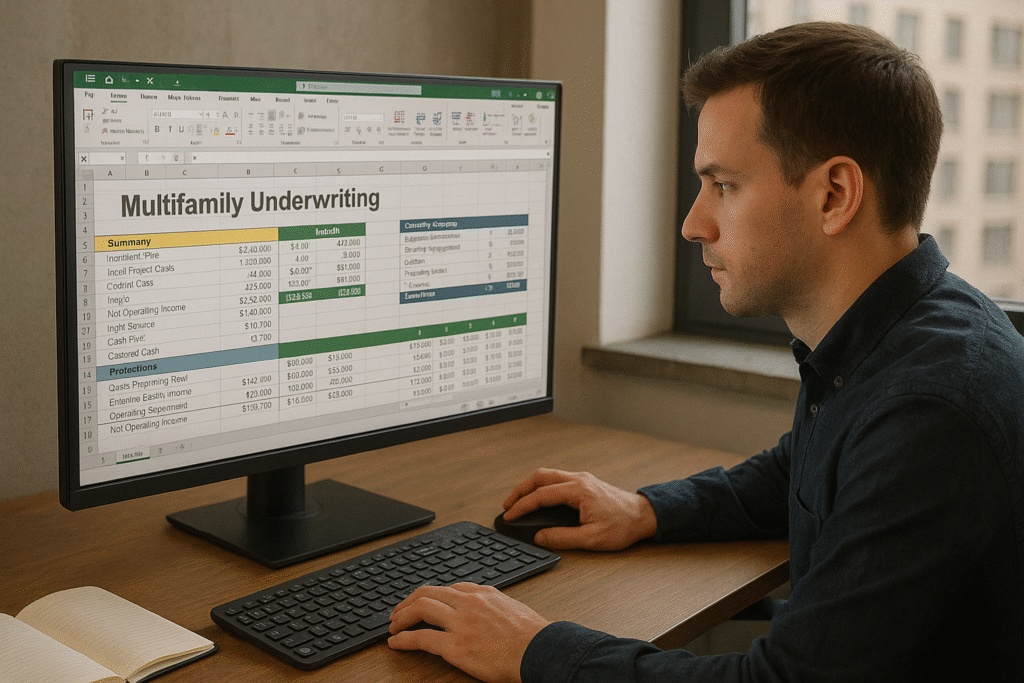
    QuickData.ai Review: AI Extraction for Multifamily Underwriting

    BestCRE 9AI Score

    72/100 · Contender

    QuickData.ai ranks #189 of 450 commercial real estate AI tools scored on the 9AI Framework. Nine dimensions, each scored out of 10: CRE relevance, data quality, ease of adoption, output accuracy, integration fit, pricing transparency, support, innovation and market reputation.

    Multifamily acquisitions remain the highest-volume transaction category in U.S. commercial real estate, with CBRE reporting approximately $148 billion in multifamily investment sales during 2025, a figure that required underwriting teams across the industry to process hundreds of thousands of individual deal packages. JLL’s capital markets analysis found that competitive multifamily bids now require initial underwriting turnaround within 48 to 72 hours, down from the five to seven day windows common before 2020. The National Multifamily Housing Council estimated that the average 200-unit apartment acquisition generates between 60 and 90 pages of financial documentation requiring manual data extraction, including rent rolls with unit-level detail, trailing 12-month operating statements with line-item breakdowns, and offering memoranda with property-specific performance metrics. Cushman and Wakefield’s technology survey noted that 78% of multifamily acquisition teams still rely on manual copy-and-paste workflows to transfer financial data from PDF documents into Excel underwriting models, a process that consumes an average of 25 minutes per document and introduces transcription errors in approximately 12% of deals.

    QuickData.ai is an Excel add-in built specifically for multifamily real estate underwriting that uses machine learning to automatically extract financial data from rent rolls, T12 operating statements, and offering memoranda directly into existing Excel underwriting models. The platform’s AI has been trained on millions of property documents from various property management software outputs, PDF formats, and scanned documents, achieving 98% accuracy on rent roll extraction and 97% accuracy on T12 line item identification. QuickData.ai works within the analyst’s existing Excel environment, eliminating the need to adopt a new platform or restructure established underwriting templates. Pricing begins at $99 per month following a 14-day free trial.

    Under BestCRE’s 9AI evaluation framework, QuickData.ai earns a score of 72 out of 100, placing it in the “Solid Platform” category. The tool’s deep specialization in multifamily document extraction, direct Excel integration, and high accuracy rates make it one of the most targeted CRE AI solutions in the market.

    This review is part of BestCRE’s systematic coverage of commercial real estate AI tools across 20 CRE sectors. For the full AI tools directory, see our Best CRE AI Tools hub.

    What QuickData.ai Does and How It Works

    QuickData.ai operates as a Microsoft Excel add-in that embeds AI-powered document extraction capabilities directly into the spreadsheet environment where multifamily underwriting actually happens. This architectural decision is significant: rather than requiring analysts to upload documents to a separate web platform, extract data, export it, and then manually map the results into their underwriting model, QuickData.ai performs the entire extraction and mapping process within Excel itself. The analyst opens their existing underwriting template, activates the QuickData add-in, selects the source document (rent roll, T12, or OM), and the tool populates the appropriate cells in the model with extracted data.

    The extraction engine is built on machine learning models trained specifically on multifamily real estate documents. For rent rolls, the system identifies and extracts unit numbers, unit types, square footage, current rent, market rent, lease start and expiration dates, tenant names, deposit amounts, and occupancy status across the wide variety of formats produced by different property management systems. The platform handles the format variability that makes manual extraction so time-consuming: rent rolls from Yardi look different from those generated by RealPage, AppFolio, or Buildium, and even properties using the same management software may present data in customized formats. QuickData.ai’s models have been trained to recognize these variations and normalize the extracted data into consistent output regardless of the source format.

    For T12 operating statements, the extraction engine maps revenue and expense line items to standardized categories, handling the inconsistencies in terminology that complicate manual extraction. What one property manager calls “Repairs and Maintenance” another calls “Building Maintenance” or “General Repairs,” and QuickData.ai’s models resolve these variations automatically. The platform also handles the structural differences between T12 presentations: some show monthly columns with annual totals, others present quarterly summaries, and some include both actual and budgeted figures side by side.

    Beyond raw extraction, QuickData.ai includes analytical capabilities that add value to the underwriting process. The platform automatically standardizes disparate rent roll formats, reconciles discrepancies between documents (flagging cases where the rent roll total does not match the T12 rental income figure, for example), and generates analytics on lease turnover, vacancy trends, and rent growth patterns. These features transform the tool from a simple data entry replacement into an analytical preprocessing layer that identifies potential issues before the analyst begins their evaluation. The platform currently runs on Windows PCs only, with Mac support planned for future release.

    9AI Framework: Dimension-by-Dimension Analysis

    CRE Relevance: 9/10

    QuickData.ai earns one of the highest CRE Relevance scores in the BestCRE review database. The platform is built exclusively for commercial real estate underwriting, with every feature, model, and workflow designed around the specific document types and analytical needs of multifamily acquisition teams. The company’s entire product strategy centers on the CRE underwriting workflow: extracting data from property financial documents and placing it directly into Excel models where investment decisions are made. There is no general-purpose functionality, no attempt to serve other industries, and no dilution of the CRE focus. The platform’s training data consists entirely of real estate financial documents, and its extraction models understand CRE-specific concepts like loss-to-lease, concession adjustments, and the relationship between T12 line items and rent roll totals. In practice: QuickData.ai is as CRE-native as a technology tool can be, built by and for multifamily underwriting teams with no distractions from cross-industry ambitions.

    Data Quality and Sources: 8/10

    QuickData.ai’s data quality is defined by its extraction accuracy, which the company reports at 98% for rent rolls and 97% for T12 line items. These accuracy rates are backed by the platform’s training on millions of property documents spanning the full range of property management software outputs and document formats encountered in multifamily transactions. The system includes built-in validation checks that flag discrepancies between documents, such as rent roll totals that do not reconcile with T12 revenue figures, or unit counts that differ between the rent roll and the offering memorandum. This cross-document validation capability is particularly valuable because human transcription errors often go undetected when analysts enter data from each document independently. The confidence scoring system highlights uncertain extractions for manual review, directing analyst attention to the specific fields most likely to need correction. In practice: QuickData.ai’s extraction quality is strong enough for experienced analysts to shift from full manual verification to exception-based review, saving significant time while maintaining underwriting accuracy.

    Ease of Adoption: 7/10

    QuickData.ai’s Excel add-in architecture minimizes the adoption barrier for multifamily underwriting teams. Analysts do not need to learn a new platform, change their existing workflow, or restructure their underwriting templates. The add-in installs in minutes and operates within the familiar Excel environment. The 14-day free trial allows teams to test extraction accuracy on their own documents before committing to a subscription. The primary adoption friction comes from two sources. First, the platform currently runs only on Windows PCs, excluding Mac users who represent a growing segment of CRE professionals. Second, configuring the add-in to map extracted data to a firm’s specific underwriting model template requires initial setup work to define where each data point should be placed. Once this mapping is configured, subsequent extractions populate the model automatically. In practice: Windows-based underwriting teams can be productive within hours of installation, but Mac users must wait for the planned cross-platform release.

    Output Accuracy: 8/10

    QuickData.ai’s output accuracy is among its strongest attributes. The 98% rent roll accuracy rate means that for a typical 200-unit property, approximately 4 data points out of 200 or more may require correction, compared to the dozens of errors that typically occur during manual transcription. The 97% T12 accuracy rate is similarly strong, particularly given the variability of operating statement formats across property managers and accounting systems. The platform’s accuracy improves with usage as the machine learning models adapt to the specific document formats a firm encounters regularly. Cross-document validation adds a layer of analytical accuracy that goes beyond pure extraction: by comparing data points across the rent roll, T12, and OM, the system can identify inconsistencies that might indicate data entry errors in the source documents themselves. This is a capability that manual extraction cannot replicate efficiently. In practice: QuickData.ai’s accuracy is high enough to be trusted for initial model population, though final underwriting decisions should always include human verification of key assumptions and figures.

    Integration and Workflow Fit: 7/10

    QuickData.ai’s integration strategy is elegantly focused: by operating as an Excel add-in, the platform integrates directly into the environment where 90% or more of multifamily underwriting occurs. This eliminates the data export, format conversion, and manual mapping steps that create friction with standalone extraction platforms. The tool works with any Excel-based underwriting model, adapting to the firm’s existing template rather than requiring the firm to conform to a standardized output format. For teams that use Argus Enterprise, the Excel-based output can serve as an intermediate step for populating Argus inputs, though this requires additional manual or scripted transfer. The platform does not offer direct API integration, programmatic access, or connections to deal management platforms like Dealpath or Juniper Square. For firms seeking to build fully automated document-to-decision pipelines, QuickData.ai addresses the extraction step but requires additional tooling for downstream workflow automation. In practice: the Excel-native approach is a strong fit for traditional underwriting workflows but limits automation possibilities for firms pursuing end-to-end digital deal management.

    Pricing Transparency: 7/10

    QuickData.ai publishes a starting price point of $99 per month and offers a 14-day free trial, which provides meaningful transparency for prospective buyers. The trial period allows teams to evaluate extraction accuracy on their own documents before making a financial commitment, reducing adoption risk significantly. The published pricing covers the base subscription, but volume-based tiers and enterprise pricing for larger teams require direct sales engagement. At $99 per month, the ROI threshold is low: a firm that saves even 5 hours per month of analyst time at $50 per hour effective cost would break even on the subscription. For teams processing 10 or more deals per month, the time savings easily justify the cost. The pricing model is simpler and more accessible than many CRE technology platforms that require annual contracts, implementation fees, and minimum commitment periods. In practice: the $99 per month starting price with a free trial creates a low-risk entry point for multifamily teams evaluating document automation.

    Support and Reliability: 6/10

    QuickData.ai provides onboarding support and customer service, with documentation and video tutorials covering installation, configuration, and common use cases. As a smaller, specialized company, the support team is knowledgeable about both the platform and the CRE underwriting workflows it serves, which is an advantage over larger, horizontal technology vendors whose support teams may not understand real estate terminology. The platform’s reliability within Excel is generally consistent, though the Windows-only limitation and dependence on the Excel add-in architecture introduce potential points of friction during Excel updates or version changes. The company does not publish formal SLA guarantees, uptime metrics, or enterprise-grade security certifications, which may concern institutional investors with strict technology governance requirements. In practice: support is responsive and CRE-aware, but the absence of enterprise-grade service level commitments limits appeal to the largest institutional firms.

    Innovation and Roadmap: 7/10

    QuickData.ai demonstrates meaningful innovation in its approach to CRE document extraction. The decision to build within Excel rather than as a standalone platform reflects a sophisticated understanding of how multifamily underwriting teams actually work. The machine learning models trained on millions of property documents represent significant investment in CRE-specific AI development. The cross-document reconciliation capability, which compares data points across rent rolls, T12s, and OMs to identify discrepancies, goes beyond simple extraction into analytical preprocessing. The automated analytics on lease turnover, vacancy trends, and rent growth patterns add value beyond raw data extraction. The planned Mac release will address a meaningful gap in platform coverage. Future innovation opportunities include expanding beyond multifamily to cover office, industrial, and retail document types, adding predictive analytics based on historical extraction patterns, and building integrations with deal management platforms. In practice: QuickData.ai’s innovation is well-directed and CRE-relevant, with a clear pathway for feature expansion that would increase its score in future reviews.

    Market Reputation: 6/10

    QuickData.ai occupies a specialized niche within the CRE technology ecosystem. The platform has attracted attention from multifamily underwriting teams and is recognized by industry publications and AI tool directories as a purpose-built solution for CRE document extraction. G2 reviews reflect positive user experiences, particularly regarding extraction accuracy and time savings. However, the company’s market presence remains relatively small compared to established CRE technology vendors. QuickData.ai has not disclosed significant venture funding, major enterprise client wins, or strategic partnerships with CRE technology platforms that would elevate its market standing. The platform is not yet a fixture at major CRE technology conferences, and its brand recognition among institutional investors is limited. For prospective buyers, this means relying on the product’s demonstrated capabilities during the trial period rather than peer validation from well-known institutional firms. In practice: QuickData.ai’s product quality exceeds its current market visibility, suggesting an opportunity for growth as awareness of CRE-specific AI tools increases.

    9AI Score Card QUICKDATA.AI
    72
    72 / 100
    Solid Platform
    Document Extraction
    QuickData.ai
    Excel add-in extracting rent roll, T12, and OM data directly into multifamily underwriting models with 98% accuracy and cross-document validation.
    9 Dimensions, Scored 1 to 10
    1. CRE Relevance
    9/10
    2. Data Quality & Sources
    8/10
    3. Ease of Adoption
    7/10
    4. Output Accuracy
    8/10
    5. Integration & Workflow Fit
    7/10
    6. Pricing Transparency
    7/10
    7. Support & Reliability
    6/10
    8. Innovation & Roadmap
    7/10
    9. Market Reputation
    6/10
    BestCRE.com, 9AI Framework v2 Reviewed April 2026

    Who Should Use QuickData.ai

    QuickData.ai is ideal for multifamily acquisition teams that process five or more deals per month and rely on Excel-based underwriting models. Firms that evaluate a high volume of multifamily opportunities, including syndicators, private equity real estate funds, and institutional investors with programmatic acquisition strategies, will see the greatest return on their subscription. Analysts who currently spend 15 or more hours monthly on manual rent roll and T12 data entry represent the primary beneficiary profile. The platform is also well-suited for multifamily brokerages that prepare underwriting packages for investor clients, as faster data extraction accelerates the entire deal marketing timeline. Small to mid-size firms without dedicated data entry support staff will find particular value in automating a task that would otherwise consume expensive analyst time.

    Who Should Not Use QuickData.ai

    CRE firms focused on asset types other than multifamily, such as office, industrial, retail, or specialty sectors, will find QuickData.ai’s models less applicable to their document types. Mac users cannot currently access the platform, which eliminates a meaningful portion of the CRE analyst population. Firms seeking a comprehensive underwriting platform with built-in financial modeling, comparable analysis, and investment memo generation will find QuickData.ai too narrowly focused on the data extraction step alone. Organizations with existing enterprise document processing solutions from vendors like ABBYY or Hyperscience may not need a specialized add-on for CRE documents if their current platform can be configured for real estate use cases.

    Pricing and ROI Analysis

    QuickData.ai’s pricing starts at $99 per month with a 14-day free trial. This price point positions the tool as accessible for individual analysts and small teams while remaining cost-effective for larger operations. The ROI case is straightforward: if the platform saves an analyst 25 minutes per deal (the company’s stated average for manual extraction) and a firm evaluates 20 deals per month, the monthly time savings is approximately 8.3 hours. At a blended analyst cost of $60 per hour, that represents $500 in monthly labor savings against a $99 monthly subscription, yielding a 5:1 return. For firms evaluating 50 or more deals monthly, the ROI multiplies proportionally. The 14-day trial period effectively eliminates financial risk, allowing teams to validate extraction accuracy on their own documents and calculate firm-specific ROI before committing. Volume discounts and team pricing for larger deployments require direct engagement with the QuickData.ai sales team.

    Integration and CRE Tech Stack Fit

    QuickData.ai’s integration strategy is deliberately narrow and effective: the platform operates entirely within Microsoft Excel, the primary environment for multifamily financial modeling. This means no data export, format conversion, or manual mapping between systems. The add-in works with any Excel-based underwriting template, adapting to the firm’s existing model structure rather than imposing a standardized format. For firms using Argus Enterprise alongside Excel, QuickData.ai can accelerate the data preparation step by populating an Excel staging template that feeds into Argus. The platform does not currently offer API access, integrations with deal management platforms (Dealpath, Juniper Square), or connections to property management systems (Yardi, RealPage). For firms building automated deal pipelines, QuickData.ai handles the critical extraction step but requires additional tooling to connect with broader workflow systems.

    Competitive Landscape

    QuickData.ai competes in the CRE document extraction space against Docsumo (which offers broader document type coverage but operates as a standalone platform rather than an Excel add-in), Coyote Software (now part of Cherre’s data management platform), and the document processing capabilities embedded in enterprise platforms like MRI Software AI and Yardi Virtuoso. QuickData.ai’s primary differentiator is its Excel-native architecture, which eliminates the friction of transferring extracted data from a separate platform into the underwriting model. Against horizontal document processing platforms like ABBYY and Hyperscience, QuickData.ai’s advantage is its CRE-specific training data and out-of-the-box accuracy for multifamily documents. Its competitive vulnerability is narrow scope: platforms that bundle extraction with broader underwriting, deal management, or portfolio analytics capabilities offer more comprehensive solutions for firms willing to consolidate their technology stack.

    The Bottom Line

    QuickData.ai earns a 9AI score of 72 out of 100 by doing one thing exceptionally well: extracting financial data from multifamily property documents and placing it directly into Excel underwriting models. The platform’s 98% rent roll accuracy, 97% T12 accuracy, and Excel-native architecture make it one of the most efficient document-to-model solutions available for multifamily acquisition teams. The Windows-only limitation and narrow multifamily focus constrain its addressable market, but for the teams it does serve, QuickData.ai can eliminate 15 or more hours of monthly manual data entry at a cost that pays for itself within the first few deals processed. In a market where underwriting speed directly determines competitive positioning, QuickData.ai represents a targeted investment that converts document processing time into analytical capacity.

    About BestCRE

    BestCRE.com is the definitive authority on commercial real estate AI, analysis, and investment intelligence. Our coverage spans 20 CRE sectors with institutional-quality research designed for practitioners, investors, and operators navigating the intersection of technology and commercial real estate. Every review, analysis, and market report is built on primary data, independent evaluation, and a commitment to advancing the CRE industry’s understanding of where AI creates genuine value and where it falls short.

    Frequently Asked Questions

    How does QuickData.ai handle rent rolls from different property management systems?

    QuickData.ai’s machine learning models have been trained on millions of property documents spanning the full range of property management software used in multifamily operations. The platform handles rent rolls generated by Yardi Voyager, RealPage, AppFolio, Buildium, Entrata, and numerous smaller property management systems, as well as manually created Excel or PDF rent rolls with non-standard formatting. The extraction engine identifies common data fields (unit number, unit type, square footage, current rent, market rent, lease dates, occupancy status) regardless of how they are labeled or positioned in the source document. When the platform encounters a rent roll format it has not seen before, confidence scoring flags uncertain extractions for manual review. Over time, as the firm processes more documents, the model’s accuracy on frequently encountered formats approaches near-perfect extraction rates, reducing the correction burden to a handful of data points per document.

    Can QuickData.ai extract data from scanned or photographed property documents?

    Yes, QuickData.ai can process scanned documents and photographed pages in addition to native PDF files. The platform’s OCR (optical character recognition) engine converts scanned images into machine-readable text before applying its extraction models. Accuracy on scanned documents depends on scan quality: high-resolution scans of cleanly printed documents approach the same accuracy rates as native PDFs, while low-resolution scans, faded documents, or photographed pages with perspective distortion may produce lower accuracy and more flagged fields requiring manual review. For multifamily underwriting teams that frequently receive deal packages containing a mix of native PDFs and scanned documents (common when historical operating statements are provided as photocopies), this capability eliminates the need to manually transcribe scanned pages, which is typically the most error-prone step in the extraction process.

    Does QuickData.ai work with custom Excel underwriting models?

    Yes, QuickData.ai is designed to work with any Excel-based underwriting model. The platform does not impose a standardized template or require firms to restructure their existing models. During initial setup, users configure the mapping between QuickData.ai’s extracted data fields and the specific cells or ranges in their underwriting template where each data point should be placed. For example, a firm’s rent roll input tab might expect unit numbers in column A, unit types in column B, and current rents in column F, while another firm’s model might use a completely different layout. QuickData.ai adapts to both configurations through its field mapping system. Once the mapping is configured for a specific model template, all subsequent extractions automatically populate the correct cells. Firms that use multiple underwriting templates for different deal sizes or asset subtypes can configure separate mappings for each template.

    What is the time savings per deal when using QuickData.ai?

    QuickData.ai estimates that manual rent roll and T12 data entry takes an average of 25 minutes per document, and the platform reduces this to approximately 2 to 5 minutes including the review and correction step. For a typical multifamily acquisition that requires processing a rent roll, T12 operating statement, and offering memorandum, the total time savings is approximately 45 to 60 minutes per deal. For firms evaluating 20 to 50 deals per month, this translates to 15 to 50 hours of monthly analyst time reclaimed. The actual savings vary based on document complexity (a 500-unit property’s rent roll takes longer to process than a 50-unit property’s) and extraction accuracy for the specific document formats encountered. The more significant time savings come from error reduction: correcting a transcription error discovered during the underwriting review process typically takes three to five times longer than the original data entry, making prevention through automated extraction more valuable than the raw time saved during the initial extraction step.

    Is QuickData.ai available for Mac users?

    As of this review, QuickData.ai is available only on Windows PCs. The platform operates as a Microsoft Excel add-in that requires the Windows version of Excel for full functionality. Mac support has been announced as a planned future release, but no specific timeline has been published. This limitation is significant for the CRE industry, where Mac usage has increased substantially among younger analysts and at firms that have standardized on Apple hardware. Mac users seeking similar functionality can consider web-based alternatives like Docsumo, which provides CRE document extraction through a browser interface accessible on any operating system. Alternatively, Mac users running Windows through virtualization software (Parallels Desktop or VMware Fusion) may be able to use QuickData.ai, though this configuration is not officially supported and may affect performance or reliability.

    Related Reviews

    Compare QuickData.ai with other Workflow & Automation tools BestCRE has scored: Cherre (83/100), CoStar (81/100), TripleZip (61/100) and Roo Code (59/100). Browse every review in CRE Workflow & Automation, the full Best CRE AI Tools directory, or the 20 CRE Sectors hub.
  • Formula Bot Review: AI Spreadsheet Automation for CRE Analysts

    Formula Bot Review: AI Spreadsheet Automation for CRE Analysts

    BestCRE 9AI Score

    58/100 · Watch

    Formula Bot ranks #424 of 450 commercial real estate AI tools scored on the 9AI Framework. Nine dimensions, each scored out of 10: CRE relevance, data quality, ease of adoption, output accuracy, integration fit, pricing transparency, support, innovation and market reputation.

    Spreadsheet proficiency remains the foundational technical skill in commercial real estate analysis. CBRE’s 2025 workforce survey found that 87% of CRE analysts spend more than four hours daily working in Excel or Google Sheets, with financial modeling, rent roll reconciliation, and comparable analysis consuming the largest share of that time. JLL’s technology adoption report estimated that formula errors in CRE underwriting models cost institutional investors an average of $2.1 million per year in miscalculated returns, while Deloitte’s real estate advisory practice noted that junior analysts devote approximately 30% of their spreadsheet time to writing, debugging, and optimizing formulas rather than interpreting the data those formulas produce. The productivity gap between analysts who can write complex array formulas from memory and those who must search for syntax documentation represents a meaningful drag on underwriting speed.

    Formula Bot is an AI-powered spreadsheet assistant that generates Excel and Google Sheets formulas from natural language descriptions, automates data analysis tasks, creates visualizations, and produces interactive dashboards. The platform operates as both a web application and a Microsoft Office add-in, allowing users to describe what they want a formula to do in plain English and receive the correct syntax instantly. Beyond formula generation, Formula Bot offers data cleaning, transformation, SQL query generation, and AI-powered chart creation. Pricing starts with a free tier for basic features, with paid plans at $18 per month (Starter, 250 messages) and $55 per month (Max, 20,000 tool credits).

    Under BestCRE’s 9AI evaluation framework, Formula Bot earns a score of 58 out of 100, placing it in the “Early Stage” category. The tool delivers genuine productivity gains for spreadsheet-intensive CRE workflows but offers no commercial real estate-specific features, data sources, or model templates.

    This review is part of BestCRE’s systematic coverage of commercial real estate AI tools across 20 CRE sectors. For the full AI tools directory, see our Best CRE AI Tools hub.

    What Formula Bot Does and How It Works

    Formula Bot translates natural language requests into spreadsheet formulas, scripts, and data transformations. A CRE analyst who needs to calculate weighted average lease term across a rent roll with varying expiration dates could describe the calculation in plain English and receive the correct SUMPRODUCT or array formula without needing to recall the precise syntax. The platform supports both Excel and Google Sheets formula languages, recognizing the differences in function names and syntax between the two environments.

    The workflow is straightforward: users type a description of what they want to accomplish, and Formula Bot returns the formula, explains its logic, and can apply it directly when used through the Office add-in or Google Sheets integration. The AI model understands context about cell references, named ranges, and data types, allowing it to generate formulas that work within the user’s existing spreadsheet structure. For more complex tasks, the platform can generate VBA macros for Excel or Apps Script code for Google Sheets, automating multi-step processes that would otherwise require manual repetition.

    Beyond formula generation, Formula Bot has expanded into a broader data analysis platform. Users can upload datasets (CSV, Excel) and receive AI-generated insights, statistical summaries, and visualizations. The dashboard creation feature allows users to describe what they want to see, and the platform generates interactive charts and tables automatically. Data cleaning capabilities include standardization, deduplication, and format normalization, which are relevant for CRE teams working with property data from inconsistent sources. The SQL query generation feature converts natural language questions into database queries, potentially useful for firms with property data stored in relational databases.

    For commercial real estate specifically, Formula Bot’s value centers on accelerating the mechanical aspects of financial modeling: writing DCF formulas, building sensitivity tables, creating VLOOKUP and INDEX/MATCH functions for rent comp analysis, and automating the formatting and calculation steps that slow down model construction. The tool does not understand CRE concepts like cap rate compression, lease structure nuances, or ARGUS output interpretation, but it can generate the mathematical formulas that express these concepts once an analyst describes them in plain language.

    9AI Framework: Dimension-by-Dimension Analysis

    CRE Relevance: 3/10

    Formula Bot is a general-purpose spreadsheet automation tool with no features designed for commercial real estate. The platform does not include CRE-specific formula templates, property analysis models, or real estate terminology in its AI model. There are no pre-built workflows for rent roll analysis, DCF modeling, comparable sales adjustment, or any other CRE-specific calculation pattern. The tool can generate formulas that CRE analysts use regularly, but only when the analyst describes the calculation in generic terms. A user asking for “a formula to calculate net operating income” would need to specify the revenue and expense line items explicitly rather than referencing standard CRE accounting categories. The platform treats a real estate proforma identically to any other spreadsheet, offering no domain intelligence about typical ranges, validation rules, or industry-standard calculation methodologies. In practice: Formula Bot is useful for CRE analysts in the same way it is useful for analysts in any industry, but it brings zero CRE-specific value to the table.

    Data Quality and Sources: 5/10

    Formula Bot does not provide any proprietary data or connect to external data sources relevant to commercial real estate. The platform operates on data that users upload or reference within their own spreadsheets. Its data manipulation capabilities are competent for cleaning, transforming, and standardizing datasets, which is useful when CRE teams receive property data in inconsistent formats from multiple sources. The AI-generated insights feature can identify patterns, outliers, and statistical properties of uploaded datasets, though these insights are based on generic statistical analysis rather than CRE-specific benchmarking. The platform cannot compare a property’s operating metrics against market averages, validate cap rates against institutional benchmarks, or flag financial statement anomalies specific to CRE document types. Data quality within Formula Bot is entirely a function of what the user provides. In practice: the platform handles data competently as a transformation layer but contributes no CRE data intelligence of its own.

    Ease of Adoption: 8/10

    Formula Bot excels at ease of adoption. The web interface requires no installation, and the Microsoft Office add-in and Google Sheets integration install in minutes. Users can begin generating formulas immediately without configuration, training, or technical setup. The natural language interface eliminates the need for specialized knowledge about formula syntax, making advanced spreadsheet functions accessible to analysts at all skill levels. The free tier allows prospective users to evaluate the platform without financial commitment, and the $18 per month Starter plan is priced accessibly for individual analysts or small teams. Documentation is clear and includes example prompts that help new users understand how to frame requests effectively. For CRE teams, the adoption barrier is minimal: any analyst who can describe a calculation in words can use Formula Bot to generate the corresponding formula. In practice: Formula Bot is one of the easiest AI tools to adopt in the CRE technology landscape, requiring virtually no onboarding time or technical expertise.

    Output Accuracy: 7/10

    Formula Bot’s formula generation is generally accurate for common calculation patterns. Simple formulas (SUM, AVERAGE, VLOOKUP, IF statements) are produced correctly in the vast majority of cases. More complex formulas involving nested functions, array calculations, or conditional aggregations are correct most of the time but occasionally require adjustment, particularly when the natural language description is ambiguous about edge cases or data structure. For CRE financial modeling, this means that standard calculations like NOI, debt service coverage ratio, or cash-on-cash return will be generated correctly, but complex waterfall distribution formulas or multi-tier promote calculations may need manual refinement. The platform’s explanations of generated formulas help users verify logic before implementation, which is an important safeguard in financial modeling where formula errors can propagate through entire proformas. In practice: Formula Bot is reliable for the 80% of spreadsheet formulas that follow common patterns, but complex CRE-specific calculations require analyst verification and occasional manual adjustment.

    Integration and Workflow Fit: 5/10

    Formula Bot integrates directly with Microsoft Excel (via Office add-in) and Google Sheets (via Workspace add-on), which covers the two spreadsheet environments where virtually all CRE financial modeling occurs. The web application supports file uploads in CSV and Excel formats. Beyond these core spreadsheet integrations, the platform offers limited connectivity to other systems. There are no integrations with CRE-specific platforms such as Yardi, MRI Software, CoStar, Argus Enterprise, or deal management tools like Dealpath. The platform does not connect to property management databases, market data providers, or investment management systems. Its role within a CRE technology stack is narrowly defined: it assists with formula creation and data analysis within spreadsheets but does not bridge the gap between spreadsheet-based workflows and the broader ecosystem of CRE software. In practice: Formula Bot fits naturally within Excel and Google Sheets workflows but does not extend its reach into the broader CRE technology infrastructure.

    Pricing Transparency: 8/10

    Formula Bot publishes clear, straightforward pricing on its website. The free tier provides basic formula generation capabilities, the Starter plan at $18 per month includes 250 messages with access to premium AI models and larger file uploads, and the Max plan at $55 per month offers 20,000 tool credits with the full feature set. There are no hidden fees, usage surprises, or opaque enterprise tiers requiring sales conversations. The credit-based pricing model is easy to understand: each formula generation, data analysis request, or dashboard creation consumes credits from the monthly allocation. For individual CRE analysts, the $18 per month cost is trivially small relative to the productivity gain from faster formula creation. For teams, the per-user cost scales linearly without the volume discount complexity common in enterprise software. In practice: Formula Bot’s pricing is refreshingly transparent and accessible, making it easy for CRE analysts to evaluate ROI without engaging in sales conversations.

    Support and Reliability: 5/10

    Formula Bot provides basic support through its website, including a help center with documentation, example prompts, and troubleshooting guides. The platform does not offer dedicated customer success management, phone support, or SLA guarantees. For a tool priced at $18 to $55 per month, this support level is consistent with market expectations, but it means that CRE teams encountering complex issues or seeking implementation guidance must rely on self-service resources. The platform’s uptime has been generally reliable, though as a relatively small company, Formula Bot does not publish formal availability guarantees or status page metrics. There is no community forum or user group where CRE professionals share formula templates, modeling techniques, or industry-specific best practices. For firms that need enterprise-grade support with guaranteed response times and dedicated account management, Formula Bot’s current support infrastructure falls short. In practice: support is adequate for individual users but insufficient for enterprise CRE teams that require guaranteed service levels and dedicated technical assistance.

    Innovation and Roadmap: 6/10

    Formula Bot has evolved from a simple formula generator into a broader data analysis platform, demonstrating meaningful product development momentum. The addition of dashboard creation, data cleaning, SQL query generation, and AI-powered insights represents a significant expansion of the original value proposition. The platform’s underlying AI model has improved in accuracy and contextual understanding over successive versions. However, Formula Bot has not invested in vertical-specific capabilities for any industry, including commercial real estate. There are no signs of planned CRE-specific features such as pre-built financial model templates, integration with real estate data providers, or domain-specific AI training. The competitive landscape for AI-powered spreadsheet tools is increasingly crowded, with Microsoft Copilot in Excel, Google’s AI features in Sheets, and specialized tools like Coefficient all vying for the same user base. Formula Bot’s ability to differentiate against these well-resourced competitors will determine its long-term viability. In practice: Formula Bot shows steady improvement but faces existential competitive pressure from platform-native AI features in Excel and Google Sheets.

    Market Reputation: 5/10

    Formula Bot maintains a positive reputation on review platforms like G2 and Software Advice, with users praising its formula generation accuracy and ease of use. The platform has accumulated a meaningful user base across industries, though the exact number of active users is not publicly disclosed. Within commercial real estate specifically, Formula Bot’s brand recognition is minimal. The tool is not featured at CRE technology conferences, is not mentioned in major CRE technology surveys, and does not appear in the technology stacks of institutional real estate firms. Its reputation is that of a competent productivity tool rather than a strategic technology platform. The company has not disclosed significant funding rounds, strategic partnerships with CRE software vendors, or enterprise client wins that would elevate its market standing. For CRE professionals evaluating the tool, the limited industry-specific reputation means relying on general user reviews rather than peer endorsements from real estate practitioners. In practice: Formula Bot is well-regarded as a general productivity tool but has not established meaningful credibility within the commercial real estate industry.

    9AI Score Card FORMULA BOT
    58
    58 / 100
    Early Stage
    Spreadsheet Automation
    Formula Bot
    AI-powered spreadsheet assistant generating Excel and Google Sheets formulas from natural language, with data analysis and dashboard creation capabilities.
    9 Dimensions, Scored 1 to 10
    1. CRE Relevance
    3/10
    2. Data Quality & Sources
    5/10
    3. Ease of Adoption
    8/10
    4. Output Accuracy
    7/10
    5. Integration & Workflow Fit
    5/10
    6. Pricing Transparency
    8/10
    7. Support & Reliability
    5/10
    8. Innovation & Roadmap
    6/10
    9. Market Reputation
    5/10
    BestCRE.com, 9AI Framework v2 Reviewed April 2026

    Who Should Use Formula Bot

    Formula Bot is best suited for CRE analysts and associates who spend significant time building and debugging spreadsheet formulas. Junior analysts who are still developing their Excel proficiency will benefit most, as the tool accelerates formula creation for calculation patterns they have not yet memorized. Senior analysts and underwriters can also benefit when constructing complex formulas for one-off analyses, sensitivity tables, or data transformations that fall outside their routine workflows. Individual brokers and small CRE teams that lack dedicated financial modeling support will find the tool useful for creating professional-quality spreadsheet calculations without the expertise required to write advanced formulas from scratch. The $18 per month price point makes it an easy addition to any individual analyst’s toolkit without requiring organizational procurement approval.

    Who Should Not Use Formula Bot

    Institutional CRE firms with established financial modeling templates and experienced analyst teams will find limited value in Formula Bot, as their analysts already possess the formula expertise the tool provides. Teams seeking CRE-specific AI capabilities such as automated underwriting, market data integration, or property valuation should look to purpose-built CRE platforms rather than a general spreadsheet assistant. Firms that require enterprise-grade security, audit compliance, or IT-approved software deployment may find Formula Bot’s consumer-oriented product insufficient for their governance requirements. Anyone expecting Formula Bot to replace a financial modeling course or provide CRE-specific analytical judgment will be disappointed.

    Pricing and ROI Analysis

    Formula Bot’s pricing is accessible and transparent. The free tier provides basic formula generation for evaluation purposes. The Starter plan at $18 per month includes 250 messages with access to premium AI models, and the Max plan at $55 per month offers 20,000 tool credits with the full feature set. For an individual CRE analyst who saves 30 minutes per day on formula writing and debugging, the annual productivity gain at a $50 per hour effective cost is approximately $6,250, providing a return of more than 25 times the annual subscription cost. However, this ROI calculation assumes the analyst encounters formula challenges frequently enough to justify regular use. Analysts who work primarily with established model templates may use the tool only occasionally, reducing the realized return. The platform competes for the same productivity budget as Microsoft Copilot for Excel, which is increasingly bundled with Microsoft 365 enterprise licenses that many CRE firms already hold.

    Integration and CRE Tech Stack Fit

    Formula Bot integrates with Microsoft Excel (via Office add-in) and Google Sheets (via Workspace add-on), covering the two environments where CRE financial modeling occurs. The web application accepts CSV and Excel file uploads for data analysis. Beyond these core integrations, the platform does not connect to CRE-specific systems, databases, or market data providers. Its role in a CRE technology stack is purely supplementary: it assists with spreadsheet creation within existing tools without bridging to property management systems, deal management platforms, or market intelligence services. For firms whose CRE technology stack centers on Excel-based workflows (which remains the majority of the industry), Formula Bot fits naturally into the existing work pattern without requiring changes to established processes.

    Competitive Landscape

    Formula Bot operates in an increasingly competitive market for AI-powered spreadsheet assistance. Microsoft Copilot in Excel represents the most significant competitive threat, as it provides similar formula generation and data analysis capabilities natively within the Excel application that CRE teams already use, often at no additional cost for firms with Microsoft 365 enterprise licenses. Google’s Gemini AI integration in Google Sheets offers comparable functionality for Google Workspace users. Specialized alternatives include Coefficient (which adds live data connections to spreadsheets from CRM, database, and API sources) and Rows.com (which combines spreadsheet functionality with AI analysis). Formula Bot’s advantages include its focused feature set, transparent pricing, and cross-platform support for both Excel and Google Sheets. Its primary vulnerability is the commoditization risk as AI-powered formula assistance becomes a built-in feature of the dominant spreadsheet platforms.

    The Bottom Line

    Formula Bot earns a 9AI score of 58 out of 100, reflecting its position as a useful general-purpose productivity tool with no CRE-specific capabilities. The platform solves a genuine pain point for analysts who struggle with spreadsheet formula syntax, and its natural language interface makes advanced Excel and Google Sheets functions accessible to users at all skill levels. For CRE professionals, the value proposition is real but narrow: Formula Bot helps you write formulas faster, but it cannot help you decide which formulas to write, what assumptions to make, or how to interpret the results in a commercial real estate context. At $18 per month, the risk-reward calculation favors experimentation. The looming question is whether standalone formula assistants like Formula Bot can maintain relevance as Microsoft and Google embed increasingly capable AI directly into their spreadsheet platforms.

    About BestCRE

    BestCRE.com is the definitive authority on commercial real estate AI, analysis, and investment intelligence. Our coverage spans 20 CRE sectors with institutional-quality research designed for practitioners, investors, and operators navigating the intersection of technology and commercial real estate. Every review, analysis, and market report is built on primary data, independent evaluation, and a commitment to advancing the CRE industry’s understanding of where AI creates genuine value and where it falls short.

    Frequently Asked Questions

    Can Formula Bot generate CRE financial modeling formulas like DCF and IRR calculations?

    Formula Bot can generate the Excel or Google Sheets formulas used in CRE financial modeling, including IRR, NPV, XIRR, XNPV, and the array formulas commonly used in discounted cash flow models. However, the tool generates formulas based on user descriptions rather than CRE-specific knowledge. If you ask for “a formula to calculate internal rate of return on annual cash flows in cells B2 through B12 with an initial investment in cell B1,” Formula Bot will produce the correct IRR formula. It will not, however, advise on appropriate discount rates for commercial real estate, suggest cash flow projection methodologies, or validate whether your DCF assumptions are reasonable for a given asset class. The formula accuracy for standard financial functions is high, typically exceeding 95% for well-described requests. Complex waterfall distribution formulas or multi-tier promote calculations may require refinement after initial generation.

    How does Formula Bot compare to Microsoft Copilot in Excel for CRE analysis?

    Formula Bot and Microsoft Copilot in Excel serve similar functions but differ in deployment and pricing model. Copilot is embedded directly within Excel, providing a more seamless experience without switching between applications or installing add-ins. For firms with Microsoft 365 E3 or E5 licenses, Copilot may be available at no additional cost, making it effectively free compared to Formula Bot’s $18 to $55 monthly subscription. Formula Bot’s advantages include cross-platform support (it works with both Excel and Google Sheets, while Copilot is Excel-only), potentially more focused formula generation capabilities, and independence from Microsoft’s broader AI platform decisions. For CRE teams that work exclusively in Excel, Copilot is likely the more practical choice. For teams that split work between Excel and Google Sheets, or that want a dedicated formula assistant without Microsoft’s broader AI ecosystem, Formula Bot remains a viable option.

    Is Formula Bot accurate enough for institutional CRE underwriting?

    Formula Bot’s accuracy is sufficient for generating individual formulas but not for replacing the judgment required in institutional underwriting. The tool produces correct formulas in approximately 90% to 95% of cases for standard financial calculations, which means that every formula should be verified before being incorporated into an underwriting model where errors could affect investment decisions worth millions of dollars. The verification step is straightforward: Formula Bot provides explanations of each generated formula, and analysts can check the logic against their understanding of the intended calculation. For institutional CRE firms, the appropriate use pattern is as an acceleration tool (generating formulas faster) rather than an autonomous calculation engine (generating formulas without review). No institutional investor should submit a capital committee memo based on formulas that have not been independently verified, regardless of whether those formulas were written by a human or generated by AI.

    What spreadsheet tasks does Formula Bot handle beyond formula generation?

    Formula Bot has expanded beyond formula generation to include several data analysis capabilities. The platform can create AI-generated dashboards from uploaded datasets, perform data cleaning and standardization (removing duplicates, normalizing formats, standardizing column names), generate SQL queries from natural language descriptions, and produce statistical summaries and visualizations from uploaded CSV or Excel files. For CRE analysts, the data cleaning features are particularly useful when working with property data from inconsistent sources, such as rent rolls from different property managers that use varying formatting conventions. The dashboard creation feature can produce quick visualizations of portfolio metrics, market comparisons, or financial trend analyses from structured data. These capabilities position Formula Bot as more than a simple formula generator, though each feature is general-purpose rather than optimized for CRE-specific data types or analytical patterns.

    What is the learning curve for CRE analysts using Formula Bot?

    The learning curve for Formula Bot is minimal, typically requiring less than 30 minutes for a CRE analyst to become productive. The natural language interface means users do not need to learn new syntax, navigation patterns, or configuration steps. The primary skill to develop is writing clear, specific descriptions of desired calculations, which improves with a few iterations of trial and refinement. Analysts who describe their requests with specific cell references, data types, and desired output formats receive more accurate formulas than those who make vague requests. For example, asking “calculate the weighted average lease term for units in column A with square footage in column B and remaining term in months in column C” will produce a more accurate result than “calculate WALT.” The platform’s explanation feature helps users understand the generated formulas, which serves double duty as both a verification mechanism and an educational tool that can improve the analyst’s own formula proficiency over time.

    Related Reviews

    Compare Formula Bot with other Workflow & Automation tools BestCRE has scored: Cherre (83/100), Measurabl Navigate (76/100), v0 (63/100) and Relay.app (61/100). Browse every review in CRE Workflow & Automation, the full Best CRE AI Tools directory, or the 20 CRE Sectors hub.

  • Docsumo Review: AI Document Extraction for CRE Underwriting

    Docsumo Review: AI Document Extraction for CRE Underwriting

    BestCRE 9AI Score

    70/100 · Contender

    Docsumo ranks #240 of 450 commercial real estate AI tools scored on the 9AI Framework. Nine dimensions, each scored out of 10: CRE relevance, data quality, ease of adoption, output accuracy, integration fit, pricing transparency, support, innovation and market reputation.

    The commercial real estate underwriting process remains one of the most document-intensive functions in institutional investing. CBRE’s 2025 Capital Markets report estimated that the average multifamily acquisition requires analysts to process between 40 and 120 individual documents, including rent rolls, trailing 12-month operating statements, offering memoranda, environmental reports, and lease abstracts. JLL’s technology adoption survey found that underwriting teams spend approximately 42% of their time on manual data extraction and reconciliation, tasks that add no analytical value but consume the hours that should be devoted to investment judgment. Deloitte’s real estate practice noted that manual document processing errors affect roughly 15% of underwriting packages, with each error adding an average of 3.2 days to the deal timeline. The cost of this inefficiency is not merely operational: in competitive markets where bid deadlines compress to 10 or 15 days, the speed of underwriting directly determines which firms can compete for the best assets.

    Docsumo is an AI-powered document automation platform purpose-built for extracting structured data from unstructured financial documents. The platform includes pre-trained models specifically designed for commercial real estate document types, including rent rolls, T12 operating statements, offering memoranda, loan documents, and lease agreements. Docsumo’s OCR and machine learning pipeline can process mixed document uploads, automatically classify each file by type, extract tabular and narrative data with reported accuracy rates of 98% to 99%, and present the results in structured formats ready for import into underwriting models. The platform supports human-in-the-loop validation, allowing analysts to review and correct extractions before finalizing outputs.

    Under BestCRE’s 9AI evaluation framework, Docsumo earns a score of 70 out of 100, placing it in the “Solid Platform” category. The tool’s CRE-specific document models, high extraction accuracy, and dedicated real estate use cases position it as a genuine workflow accelerator for underwriting teams processing high volumes of deal documents.

    This review is part of BestCRE’s systematic coverage of commercial real estate AI tools across 20 CRE sectors. For the full AI tools directory, see our Best CRE AI Tools hub.

    What Docsumo Does and How It Works

    Docsumo operates as an intelligent document processing (IDP) platform that combines optical character recognition with machine learning models trained on specific document types. For commercial real estate, the platform offers pre-built extraction templates for the document categories that consume the most analyst time: rent rolls with hundreds of unit-level line items, trailing 12-month operating statements with complex accounting hierarchies, offering memoranda with narrative and tabular sections, and lease agreements with variable clause structures.

    The workflow begins when a user uploads one or more documents to the Docsumo platform, either through the web interface, API, or email integration. The system first classifies each document by type, which matters significantly in CRE workflows where a single deal package may contain 50 or more files spanning different categories. Once classified, Docsumo applies the appropriate extraction model to each document, identifying relevant fields, parsing tables, and extracting numerical data with context-aware logic that understands the difference between gross rent and net rent, between actual and proforma figures, and between operating expenses and capital expenditures.

    Extracted data flows into a review interface where analysts can verify the results, correct any errors flagged by the system’s confidence scoring, and approve the final output. The platform highlights low-confidence extractions automatically, directing human attention to the specific cells or fields most likely to need correction rather than requiring a full manual review of every data point. Approved data can be exported in structured formats including Excel, JSON, and CSV, or pushed directly to downstream systems through Docsumo’s API. For CRE underwriting teams, this means a rent roll that previously required two to four hours of manual data entry can be processed in 10 to 15 minutes, with the analyst’s role shifting from data entry to data validation.

    The platform’s document models improve over time as users process more documents and provide corrections. This feedback loop means that extraction accuracy for a firm’s specific document formats increases with usage, eventually reducing the correction rate to near zero for commonly encountered layouts. Docsumo also supports custom field definitions, allowing CRE firms to configure extraction templates that match their specific underwriting model inputs rather than conforming to a generic output schema.

    9AI Framework: Dimension-by-Dimension Analysis

    CRE Relevance: 8/10

    Docsumo demonstrates strong CRE relevance through its dedicated commercial real estate product page, pre-trained document models for CRE-specific file types, and marketing that explicitly targets underwriting teams at multifamily and commercial real estate investment firms. The platform’s rent roll extraction capability directly addresses one of the most time-consuming tasks in CRE acquisitions, and its T12 parsing models understand the specific line item hierarchies used in commercial property operating statements. The company has published detailed case studies and blog content focused on CRE document workflows, indicating sustained investment in the vertical rather than superficial marketing positioning. The primary reason this dimension does not score higher is that Docsumo remains a document extraction tool rather than a comprehensive underwriting platform, meaning it solves one critical piece of the workflow without addressing the broader analytical chain. In practice: Docsumo is one of the most CRE-aware document processing platforms available, with models specifically trained on the document types that underwriting analysts handle daily.

    Data Quality and Sources: 8/10

    Docsumo’s data quality is defined by the accuracy of its extraction engine, which the company reports at 98% to 99% across supported document types. For CRE documents, this accuracy rate is particularly impressive given the variability of rent roll formats across property managers, the inconsistency of T12 presentations from different accounting systems, and the complexity of tabular data in offering memoranda. The platform’s OCR engine handles scanned documents, photographed pages, and native PDFs, with confidence scoring that flags uncertain extractions for human review. Data validation rules can be configured to catch common errors such as unit counts that do not match the rent roll total, operating expense ratios that fall outside expected ranges, or revenue figures that are inconsistent across different sections of the same document. The learning feedback loop ensures that accuracy improves over time for each client’s specific document sources. In practice: extraction quality is high enough that experienced analysts can shift from full manual verification to exception-based review, checking only the fields flagged by the system’s confidence model.

    Ease of Adoption: 7/10

    Docsumo’s cloud-based delivery model eliminates infrastructure requirements, and the platform can be operational within days rather than weeks. New users can upload documents immediately and begin processing with the pre-trained CRE models. The web interface is intuitive, presenting extracted data in a spreadsheet-like review format that feels familiar to analysts accustomed to working in Excel. API documentation is well-structured for technical teams that want to integrate Docsumo into existing deal management workflows. The primary adoption friction comes from the configuration phase: firms that want custom field mappings, specific output formats, or integration with proprietary underwriting models need to invest time in template design and API integration work. Training the extraction models on a firm’s specific document sources (particular property managers’ rent roll formats, for example) requires processing a minimum volume of documents before accuracy reaches its peak. In practice: basic document extraction works immediately out of the box, but achieving the full accuracy and workflow integration that justify the platform’s cost requires a 30 to 60 day configuration and optimization period.

    Output Accuracy: 8/10

    Docsumo’s reported extraction accuracy of 98% to 99% places it among the more reliable document processing platforms in the market. For CRE underwriting, where a single misread number in a rent roll can cascade through an entire proforma model, this accuracy level is meaningful but not yet sufficient for fully autonomous processing. The platform’s confidence scoring system provides transparency into which extractions the model is certain about and which require human verification, effectively creating a risk-weighted review process. Validation rules add another layer of quality control, catching logical inconsistencies that pure extraction accuracy metrics might miss. The human-in-the-loop review interface makes correction efficient, allowing analysts to click on a flagged cell, see the original document context, and make corrections inline without switching between applications. Over time, corrections feed back into the model, meaning that error rates decrease as the system learns from each firm’s specific document patterns. In practice: output accuracy is strong enough to eliminate the majority of manual data entry, though human review remains necessary for high-stakes underwriting decisions where a 1% to 2% error rate could affect investment conclusions.

    Integration and Workflow Fit: 6/10

    Docsumo provides a REST API for integration with external systems, supporting both document upload and data retrieval programmatically. The platform can receive documents via email forwarding, web upload, or API calls, and can export extracted data in Excel, CSV, JSON, and XML formats. For CRE workflows, this means Docsumo can be positioned as a preprocessing layer that sits between document receipt and underwriting model input. However, the platform does not offer native connectors to the CRE technology stack’s core platforms. There are no pre-built integrations with Yardi Voyager, MRI Software, Argus Enterprise, CoStar, or common deal management platforms like Dealpath or Juniper Square. Building these connections requires custom API development, which adds implementation cost and maintenance overhead. The platform does integrate with general-purpose tools like Google Sheets, Zapier, and webhook endpoints, providing indirect pathways to CRE systems for firms willing to build middleware. In practice: Docsumo’s API is capable and well-documented, but the absence of native CRE platform connectors means integration work falls entirely on the adopting firm’s technical team.

    Pricing Transparency: 7/10

    Docsumo publishes a starting price point of $25 per month, which positions it as accessible for smaller CRE teams evaluating document automation. The platform also offers a free trial period that allows prospective users to test extraction accuracy on their own documents before committing. However, the published pricing primarily covers entry-level usage tiers, and the cost structure for enterprise volumes (thousands of documents per month, custom model training, dedicated support) requires direct engagement with the sales team. This “starts at” pricing model is more transparent than the fully opaque “request a demo” approach used by many CRE technology vendors, but it leaves uncertainty about what a mid-size or large CRE firm would actually pay at production volume. The ROI case for Docsumo is relatively straightforward to calculate: if a firm processes 500 rent rolls per year and each one takes 2 hours of manual entry at $50 per hour effective cost, that represents $50,000 in annual labor that Docsumo could reduce by 70% or more. In practice: entry-level pricing is clear and competitive, but enterprise-scale costs require a sales conversation that introduces the ambiguity common in B2B SaaS.

    Support and Reliability: 6/10

    Docsumo provides email-based support, a knowledge base with documentation and tutorials, and onboarding assistance for new customers. Enterprise clients receive dedicated account management and priority support channels. The platform’s cloud infrastructure delivers consistent uptime, and the API documentation is sufficient for technical teams to build integrations independently. The primary support gap is the limited availability of CRE-specific implementation guidance. While Docsumo’s support team understands the platform’s capabilities thoroughly, they may not be able to advise on CRE-specific best practices such as optimal field mappings for Argus imports, validation rules specific to multifamily rent rolls versus office lease abstracts, or output formatting conventions used by specific institutional investors. Community resources are limited compared to larger platforms, and third-party implementation partners specializing in Docsumo for CRE are not yet widely available. In practice: technical support is responsive and competent for platform-level issues, but CRE-specific implementation expertise may need to come from the firm’s own team or independent consultants.

    Innovation and Roadmap: 7/10

    Docsumo demonstrates meaningful innovation in its approach to document processing, particularly through its adaptive learning models that improve extraction accuracy based on user corrections. The platform’s auto-classification capability, which can identify document types within mixed uploads without manual sorting, addresses a genuine pain point in CRE deal processing where document packages arrive as undifferentiated file collections. The confidence scoring system represents a thoughtful approach to human-AI collaboration, directing analyst attention where it matters most rather than requiring blanket verification. The company’s investment in CRE-specific models indicates a deliberate vertical strategy rather than a generic horizontal play. However, the platform has not yet introduced more advanced capabilities such as cross-document analysis (comparing current rent rolls against historical versions to identify trends), automated anomaly detection in financial statements, or predictive analytics based on extracted data patterns. These capabilities would significantly increase the platform’s value to CRE underwriting teams. In practice: Docsumo’s current innovation is solid and CRE-relevant, but the next generation of features could transform it from a data entry replacement into an analytical augmentation tool.

    Market Reputation: 6/10

    Docsumo has built a growing presence in the document automation market with particular traction in financial services and real estate. The company’s CRE-focused marketing and dedicated product pages signal serious commitment to the vertical, and user reviews on platforms like G2 and Capterra reflect satisfaction with extraction accuracy and ease of use. However, Docsumo remains a relatively early-stage company compared to established document processing platforms like ABBYY, Kofax, or Hyperscience. Publicly named CRE clients and case studies with specific institutional investors are limited, making it difficult to assess the depth of enterprise adoption in the commercial real estate sector specifically. The company has not established a significant presence at major CRE technology conferences such as Realcomm, CREtech, or Blueprint, which limits visibility among the institutional investor and operator communities that represent the highest-value customer segment. In practice: Docsumo’s product capabilities are strong, but its market presence in CRE specifically remains nascent compared to the brand recognition of larger document processing platforms.

    9AI Score Card DOCSUMO
    70
    70 / 100
    Solid Platform
    Document Extraction
    Docsumo
    AI-powered document extraction platform with pre-trained models for CRE rent rolls, T12 statements, and offering memoranda, delivering 98% accuracy with human-in-the-loop validation.
    9 Dimensions, Scored 1 to 10
    1. CRE Relevance
    8/10
    2. Data Quality & Sources
    8/10
    3. Ease of Adoption
    7/10
    4. Output Accuracy
    8/10
    5. Integration & Workflow Fit
    6/10
    6. Pricing Transparency
    7/10
    7. Support & Reliability
    6/10
    8. Innovation & Roadmap
    7/10
    9. Market Reputation
    6/10
    BestCRE.com, 9AI Framework v2 Reviewed April 2026

    Who Should Use Docsumo

    Docsumo is best suited for CRE acquisition teams, underwriting analysts, and asset managers who process large volumes of financial documents as part of their deal evaluation and portfolio monitoring workflows. Multifamily investment firms that review dozens of rent rolls weekly will see the most immediate ROI, as the platform’s pre-trained models are specifically optimized for the tabular formats common in apartment property documentation. Institutional investors evaluating 50 or more deals per quarter can reduce their document processing bottleneck significantly, freeing analyst time for the higher-value work of investment judgment and deal structuring. Debt origination teams that must reconcile borrower-submitted financials against standardized templates will also find Docsumo’s extraction and validation capabilities directly applicable to their workflow.

    Who Should Not Use Docsumo

    CRE firms processing fewer than 20 documents per month are unlikely to achieve meaningful ROI from Docsumo, as the time saved may not justify the subscription cost and configuration effort. Teams seeking a comprehensive underwriting platform that includes financial modeling, comparable analysis, and investment memo generation will find Docsumo too narrow in scope, as it addresses only the data extraction layer of the underwriting process. Firms that require real-time integration with Yardi, MRI Software, or Argus without custom development resources should evaluate whether Docsumo’s API-based integration approach fits their technical capacity before committing.

    Pricing and ROI Analysis

    Docsumo’s pricing starts at $25 per month with a free trial available for initial evaluation. This entry-level tier serves small teams processing modest document volumes. Enterprise pricing for higher volumes and custom model training requires direct engagement with the sales team. The ROI calculation for CRE underwriting teams is compelling: a firm that processes 200 rent rolls annually at an average of 2.5 hours of manual extraction per document is investing 500 analyst hours per year in data entry. At a blended analyst cost of $50 to $75 per hour, that represents $25,000 to $37,500 in annual labor devoted to a task that Docsumo can reduce by 70% or more. Even at enterprise pricing levels, the payback period for most mid-size CRE firms would be measured in weeks rather than months. The platform’s per-document cost structure also means that ROI improves with scale, benefiting firms that increase acquisition volume without proportionally increasing headcount.

    Integration and CRE Tech Stack Fit

    Docsumo’s integration capabilities center on its REST API, which supports programmatic document upload, status monitoring, and data retrieval. The platform can receive documents via email forwarding (a significant convenience for deal teams that receive packages via email), direct web upload, or API calls from deal management systems. Output formats include Excel, CSV, JSON, and XML, covering the most common import formats for underwriting models and databases. The platform integrates with general-purpose workflow tools including Zapier and webhook endpoints, enabling indirect connections to CRE systems. The critical integration gap remains the absence of native connectors to Yardi Voyager, MRI Software, Argus Enterprise, CoStar, Dealpath, and Juniper Square. For firms with technical resources, building these connections through the API is straightforward but requires development investment. The ideal deployment pattern positions Docsumo as a preprocessing layer: documents enter through Docsumo, extracted data flows into the firm’s underwriting model or deal management platform, and validated outputs inform investment decisions.

    Competitive Landscape

    Docsumo competes in the document extraction space against both horizontal IDP platforms and CRE-specific alternatives. ABBYY Vantage and Hyperscience offer enterprise-grade document processing with broader industry coverage but less CRE-specific training. Within the CRE vertical, QuickData.ai provides a similar rent roll and T12 extraction capability with a focus on multifamily underwriting. Coyote Software (now part of Cherre) offers document extraction as part of a broader CRE data management platform. Docsumo’s advantages include its published entry-level pricing, pre-trained CRE models that work out of the box, and its adaptive learning system that improves accuracy with usage. Its primary competitive vulnerability is the narrow scope of its offering: competitors that bundle extraction with analytics, deal management, or portfolio monitoring provide a more comprehensive workflow solution, even if their extraction capabilities are not quite as specialized.

    The Bottom Line

    Docsumo earns a 9AI score of 70 out of 100 by delivering a focused, effective solution to one of CRE underwriting’s most persistent pain points: the manual extraction of financial data from unstructured documents. The platform’s pre-trained models for rent rolls, T12 statements, and offering memoranda demonstrate genuine CRE domain expertise, and its 98% accuracy rate with human-in-the-loop validation provides a practical path to reducing document processing time by 70% or more. The tool is not a complete underwriting solution, but it does not claim to be one. For CRE acquisition teams drowning in document processing during competitive bid cycles, Docsumo represents a targeted investment that can reclaim hundreds of analyst hours annually and redirect that capacity toward the investment judgment that actually drives returns.

    About BestCRE

    BestCRE.com is the definitive authority on commercial real estate AI, analysis, and investment intelligence. Our coverage spans 20 CRE sectors with institutional-quality research designed for practitioners, investors, and operators navigating the intersection of technology and commercial real estate. Every review, analysis, and market report is built on primary data, independent evaluation, and a commitment to advancing the CRE industry’s understanding of where AI creates genuine value and where it falls short.

    Frequently Asked Questions

    How accurate is Docsumo at extracting data from CRE rent rolls?

    Docsumo reports extraction accuracy of 98% to 99% on supported document types, including commercial real estate rent rolls. This accuracy rate applies to the platform’s pre-trained models and improves over time as the system learns from user corrections on specific document formats. For a typical multifamily rent roll with 200 unit-level line items, a 98% accuracy rate means approximately 4 fields may require manual correction, compared to the roughly 2 to 3 hours of complete manual data entry that the same document would require without automation. The platform’s confidence scoring system identifies which specific fields are most likely to need review, so the analyst’s correction effort is directed to the 2% of data points where the model is uncertain rather than requiring a blanket verification of every cell. Firms that process rent rolls from a consistent set of property managers will see accuracy approach 99% or higher as the model adapts to familiar layouts.

    Can Docsumo process T12 operating statements with complex line item structures?

    Yes, Docsumo includes pre-trained models for trailing 12-month operating statements that understand the hierarchical structure of CRE financial reporting. The platform can parse revenue categories (gross potential rent, vacancy loss, concessions, other income), operating expense line items (property taxes, insurance, repairs and maintenance, utilities, management fees), and net operating income calculations. The extraction engine handles the variability inherent in T12 presentations, which differ across property managers and accounting systems in formatting, terminology, and level of detail. For operating statements that include both actual and proforma columns, or that present monthly detail alongside annual totals, Docsumo maintains context about which figures represent historical performance versus projected performance. This distinction is critical for CRE underwriting, where confusing actual and proforma figures can lead to materially incorrect valuation conclusions.

    How does Docsumo handle mixed document uploads from CRE deal packages?

    Docsumo includes auto-classification technology that can identify document types within mixed uploads. When a CRE acquisitions team receives a deal package containing 40 or more files spanning rent rolls, operating statements, lease abstracts, environmental reports, and offering memoranda, the platform can sort and classify each document without manual intervention. This capability addresses a genuine workflow bottleneck: in competitive CRE transactions, deal packages often arrive as undifferentiated collections of PDFs, and the time spent simply organizing and identifying documents before extraction can consume hours. Docsumo’s classification engine identifies document types based on content patterns, layout structures, and header text, routing each file to the appropriate extraction model. The classification accuracy is high for well-established document types like rent rolls and T12s, though less common document formats may require manual categorization. For firms processing multiple deals simultaneously, this auto-classification feature alone can save significant organizational time.

    What is the typical ROI timeline for CRE firms implementing Docsumo?

    Most CRE firms can expect positive ROI within 30 to 90 days of implementing Docsumo, depending on document processing volume and subscription tier. The ROI calculation is driven primarily by labor cost displacement: if a firm’s analysts spend an average of 2 hours per document on manual data entry at a blended cost of $60 per hour, each document processed through Docsumo saves approximately $84 in labor cost (assuming a 70% reduction in processing time). A firm processing 100 documents per month would realize approximately $8,400 in monthly labor savings, providing a substantial return against even the higher enterprise subscription tiers. Implementation costs are minimal since the platform is cloud-based with no hardware or infrastructure requirements. The 30 to 60 day configuration period represents the primary upfront investment, after which the efficiency gains compound as extraction models improve and analysts become proficient with the review workflow.

    Does Docsumo integrate with Argus Enterprise or other CRE underwriting software?

    Docsumo does not offer a native, pre-built integration with Argus Enterprise, and this represents one of the platform’s most significant limitations for institutional CRE underwriting teams. The platform’s REST API and export capabilities (Excel, CSV, JSON) provide the technical foundation for building a custom integration pipeline, but connecting Docsumo’s extracted data to Argus input templates requires development work to map fields, format outputs, and handle the specific data structures that Argus expects. For firms using Excel-based underwriting models rather than Argus, the integration path is more straightforward since Docsumo’s Excel export can be formatted to match model input templates directly. Some firms have built middleware using workflow automation tools like n8n or Zapier to route Docsumo outputs into their underwriting systems automatically. The absence of native Argus integration is a common gap across CRE document processing tools and reflects the broader challenge of building connectors to legacy enterprise software with limited API accessibility.

    Related Reviews

    Compare Docsumo with other Workflow & Automation tools BestCRE has scored: Cherre (83/100), Measurabl Navigate (76/100), Keyway (72/100) and n8n (69/100). Browse every review in CRE Workflow & Automation, the full Best CRE AI Tools directory, or the 20 CRE Sectors hub.

  • n8n Review: Open Source Workflow Automation for CRE Operations

    n8n Review: Open Source Workflow Automation for CRE Operations

    BestCRE 9AI Score

    69/100 · Niche

    n8n ranks #271 of 450 commercial real estate AI tools scored on the 9AI Framework. Nine dimensions, each scored out of 10: CRE relevance, data quality, ease of adoption, output accuracy, integration fit, pricing transparency, support, innovation and market reputation.

    Commercial real estate operations generate an extraordinary volume of repetitive workflows. CBRE’s 2025 Technology Survey found that the average institutional CRE firm manages over 2,400 distinct operational workflows annually, with property management teams spending roughly 34% of their time on tasks that could be automated. JLL’s PropTech report estimated that workflow inefficiency costs the U.S. commercial real estate industry approximately $18 billion per year in lost productivity, while Deloitte’s real estate outlook noted that firms adopting automation platforms reduced operational overhead by 22% to 31% within the first 18 months of deployment. The gap between firms that have embraced automation infrastructure and those still relying on manual handoffs continues to widen, creating a competitive disadvantage that compounds with portfolio scale.

    n8n is an open source workflow automation platform that enables CRE teams to connect applications, automate data flows, and orchestrate complex multi-step processes without writing extensive code. The platform offers more than 500 native integrations, supports self-hosted deployment for firms with strict data governance requirements, and provides execution-based pricing that starts at approximately $24 per month for cloud-hosted plans. For commercial real estate practitioners, n8n can automate lead routing from multiple listing sources, streamline document processing workflows, synchronize property data across CRM and asset management systems, and trigger alerts based on market conditions or portfolio events.

    Under BestCRE’s 9AI evaluation framework, n8n earns a score of 69 out of 100, placing it in the “Emerging Tool” category. The platform excels in pricing transparency, integration breadth, and technical innovation, but its lack of native CRE-specific features and the technical expertise required for implementation limit its immediate applicability for commercial real estate teams without dedicated IT resources.

    This review is part of BestCRE’s systematic coverage of commercial real estate AI tools across 20 CRE sectors. For the full AI tools directory, see our Best CRE AI Tools hub.

    What n8n Does and How It Works

    n8n operates as a visual workflow automation platform built on a node-based architecture. Each “node” represents an action, trigger, or transformation, and users connect these nodes in sequences to create automated workflows. The platform distinguishes itself from competitors like Zapier and Make through its open source codebase, self-hosting capability, and execution-based pricing model that charges based on completed workflow runs rather than per-step or per-user fees.

    The core workflow engine supports three primary automation patterns relevant to commercial real estate. First, trigger-based automations can monitor email inboxes, CRM records, spreadsheets, or webhooks for new data and initiate downstream actions automatically. A CRE brokerage could configure n8n to capture new listing inquiries from multiple sources (website forms, Zillow, LoopNet email alerts), enrich each lead with property details from public records APIs, and route qualified prospects to the appropriate broker based on geography and asset class. Second, scheduled workflows can run at defined intervals to synchronize data between systems. An asset manager could schedule nightly pulls from Yardi or MRI Software to update a central reporting dashboard, reconcile rent roll data across properties, or generate exception reports flagging lease expirations within 90 days. Third, AI-augmented workflows leverage n8n’s native integration with large language models to process unstructured data. A due diligence team could build a workflow that ingests scanned lease documents via OCR, passes extracted text to an LLM for clause identification and summarization, and populates a structured database with key lease terms.

    n8n’s integration library spans more than 500 services, including Salesforce, HubSpot, Google Workspace, Microsoft 365, Slack, Airtable, PostgreSQL, and REST API connectors for custom integrations. The platform does not offer native connectors to CRE-specific systems like Yardi, MRI Software, CoStar, or Argus, but its HTTP Request node and custom API capabilities allow technical teams to build these connections manually. Self-hosted deployment options give firms complete control over their data, which matters significantly for institutional investors handling sensitive deal information and tenant financial records. The visual workflow builder requires moderate technical proficiency, sitting somewhere between the simplicity of Zapier and the complexity of writing custom scripts.

    9AI Framework: Dimension-by-Dimension Analysis

    CRE Relevance: 3/10

    n8n is a horizontal automation platform with no features designed specifically for commercial real estate workflows. The platform does not ship with CRE-specific templates, property data connectors, or real estate terminology in its interface. While community members have published workflow templates for real estate lead routing and document processing, these are generic starting points rather than institutional-grade solutions. A CRE firm deploying n8n must build every workflow from scratch, mapping their own data schemas, connecting their own systems, and validating outputs against industry standards. The platform’s value to CRE is entirely derivative of what a technical team builds on top of it, not what it provides out of the box. In practice: n8n is a blank canvas for CRE automation, but the canvas comes without any pre-sketched outlines for property management, deal tracking, or portfolio reporting.

    Data Quality and Sources: 5/10

    n8n does not provide any proprietary data. It is a data movement and transformation layer, not a data source. The quality of outputs depends entirely on the systems connected to it and the logic configured within workflows. The platform handles data transformation competently through its built-in Function and Code nodes, supporting JavaScript for custom data manipulation, JSON parsing, and conditional logic. For CRE applications, this means n8n can reliably move rent roll data from one system to another, but it cannot validate whether that rent roll data is accurate, current, or complete. The platform supports error handling and retry logic, which helps ensure data integrity during transfers, and its execution logs provide an audit trail for troubleshooting failed data flows. In practice: n8n is a reliable pipe for CRE data but adds no intelligence about the data flowing through it, making data quality entirely dependent on upstream sources.

    Ease of Adoption: 8/10

    n8n’s visual workflow builder is one of its strongest assets. Users can drag and drop nodes, configure connections visually, and test workflows in real time before activating them. The learning curve is moderate: a technically inclined analyst can build basic automations within a few hours, though complex multi-step workflows with error handling and conditional branching require deeper familiarity. The platform offers extensive documentation, a community forum with over 900 workflow templates, and a growing library of tutorial videos. Cloud deployment eliminates infrastructure management entirely, while self-hosted installation requires Docker or Kubernetes expertise. For CRE teams, the primary adoption barrier is not the platform itself but the need to map CRE-specific business processes into n8n’s node-based paradigm. Firms without a dedicated operations or technology team will likely need external implementation support. In practice: technically capable CRE teams can achieve value within weeks, but non-technical property management teams will face a steeper onboarding curve.

    Output Accuracy: 7/10

    As a workflow orchestration engine, n8n executes instructions with high reliability. The platform’s execution engine processes triggers, conditions, and actions deterministically, meaning that a properly configured workflow will produce consistent results every time it runs. Error handling is robust: workflows can include retry logic, fallback branches, and notification alerts when executions fail. The platform logs every execution with detailed input and output data for each node, enabling thorough debugging and audit compliance. Where accuracy concerns arise is in the AI-augmented workflows, since LLM outputs routed through n8n inherit the probabilistic nature of the underlying language model. A lease abstraction workflow using n8n to orchestrate GPT-based document parsing will be only as accurate as the LLM’s ability to interpret lease language correctly. n8n does not add a verification layer for AI outputs, so CRE teams must build their own quality checks. In practice: n8n’s deterministic execution is highly reliable, but AI-enhanced workflows require human review checkpoints that teams must configure themselves.

    Integration and Workflow Fit: 8/10

    n8n’s integration library is extensive, covering more than 500 applications including all major CRM platforms, cloud storage services, databases, communication tools, and AI model APIs. The platform also supports generic HTTP Request, GraphQL, and webhook nodes that allow connection to virtually any system with an API. For CRE teams, this means n8n can connect to Salesforce, HubSpot, Google Sheets, Airtable, Slack, Microsoft Teams, and email systems natively. However, the platform lacks pre-built connectors for the CRE technology stack’s most critical systems: Yardi Voyager, MRI Software, RealPage, CoStar, Argus Enterprise, and VTS. Building custom integrations with these platforms is possible through their APIs but requires significant development effort. The execution-based pricing model means integration costs scale with usage volume rather than connection count, which benefits firms with many integrations but low execution frequency. In practice: n8n connects easily to general business tools but requires custom development to integrate with the specialized CRE platforms that form the backbone of institutional operations.

    Pricing Transparency: 9/10

    n8n earns one of its highest dimension scores for pricing transparency. The platform publishes clear, detailed pricing on its website with no hidden fees or opaque enterprise tiers. Cloud plans start at approximately $24 per month (Starter, 2,500 executions), scale to $60 per month (Pro, 10,000 executions), and reach $800 per month (Business, 40,000 executions with SSO and advanced permissions). Annual billing provides a 17% discount. Most notably, n8n’s Community Edition is completely free for self-hosted deployment with unlimited executions, unlimited users, and access to all integrations. This pricing model stands in stark contrast to CRE-specific automation tools that often require “request a demo” conversations before revealing any cost information. For a mid-size CRE firm running 5,000 workflow executions monthly, n8n Cloud would cost roughly $60 per month, a fraction of what comparable Zapier or Make configurations would run. In practice: n8n’s pricing is among the most transparent in the automation space, and the free self-hosted option gives CRE firms a zero-cost entry point for evaluating the platform.

    Support and Reliability: 7/10

    n8n provides tiered support across its plan levels. Community Edition users rely on the open source community forum and documentation, which are active and well-maintained but lack guaranteed response times. Cloud Pro and Business plans include priority support with faster response commitments, while Enterprise plans offer dedicated account management, SLAs, and onboarding assistance. The platform’s uptime record for cloud-hosted instances is strong, and self-hosted deployments give firms complete control over availability and disaster recovery. Documentation is comprehensive, covering every node type, common workflow patterns, and troubleshooting guides. The community has contributed over 900 workflow templates that serve as starting points for common automation scenarios. For CRE teams, the primary support gap is the absence of industry-specific guidance: n8n’s support team understands the platform deeply but cannot advise on CRE-specific workflow design or best practices for property management automation. In practice: enterprise-grade support is available at higher tiers, but CRE-specific implementation guidance must come from third-party consultants or internal expertise.

    Innovation and Roadmap: 8/10

    n8n demonstrates strong innovation velocity as an open source project with a well-funded development team. The platform raised over $50 million in venture funding through 2025 and maintains a rapid release cadence, shipping updates approximately every two weeks. Recent innovations include native AI agent capabilities, allowing workflows to incorporate autonomous decision-making nodes that can select tools, process context, and execute multi-step reasoning without explicit programming for each step. The platform has also introduced advanced error handling, sub-workflow composition for modular automation design, and improved credential management for enterprise deployments. The open source model means that the broader developer community contributes integrations, bug fixes, and workflow templates, accelerating the platform’s evolution beyond what a closed-source competitor could achieve with the same team size. For CRE, the AI agent capabilities represent the most significant innovation: firms could potentially build autonomous workflows that monitor market conditions, analyze new listings against investment criteria, and generate preliminary underwriting summaries. In practice: n8n’s innovation pace outstrips most competitors, and its AI-native architecture positions it well for the next generation of CRE automation use cases.

    Market Reputation: 7/10

    n8n has established a strong reputation in the broader automation and developer community. The platform’s GitHub repository has accumulated over 50,000 stars, placing it among the most popular open source automation projects globally. G2 reviewers rate n8n highly for flexibility, value, and integration breadth, with particular praise for the self-hosted option and execution-based pricing model. The platform is used across industries including technology, consulting, marketing, and financial services, though publicly named CRE-specific clients are scarce. n8n’s competitive positioning against Zapier, Make (formerly Integromat), and Microsoft Power Automate emphasizes cost efficiency, data sovereignty through self-hosting, and technical depth for complex workflows. The platform has not pursued CRE industry conferences, partnerships with real estate technology associations, or co-marketing with CRE software vendors, limiting its visibility within the commercial real estate ecosystem specifically. In practice: n8n commands respect in the broader automation market, but its brand recognition within CRE circles remains limited compared to industry-specific platforms.

    9AI Score Card n8n
    69
    69 / 100
    Emerging Tool
    Workflow Automation
    n8n
    Open source workflow automation platform with 500+ integrations, execution-based pricing, and native AI agent capabilities for building custom CRE operational workflows.
    9 Dimensions, Scored 1 to 10
    1. CRE Relevance
    3/10
    2. Data Quality & Sources
    5/10
    3. Ease of Adoption
    8/10
    4. Output Accuracy
    7/10
    5. Integration & Workflow Fit
    8/10
    6. Pricing Transparency
    9/10
    7. Support & Reliability
    7/10
    8. Innovation & Roadmap
    8/10
    9. Market Reputation
    7/10
    BestCRE.com, 9AI Framework v2 Reviewed April 2026

    Who Should Use n8n

    n8n is best suited for CRE firms that have at least one technically proficient team member capable of designing and maintaining automated workflows. Mid-size brokerages processing high volumes of leads across multiple channels will find significant value in n8n’s ability to unify lead capture, enrichment, and routing into a single automated pipeline. Asset management firms with data distributed across multiple systems (property management software, accounting platforms, investor reporting tools) can use n8n to synchronize information and generate consolidated reports automatically. Development firms managing complex approval workflows involving multiple stakeholders, document stages, and compliance checkpoints can orchestrate these processes through n8n’s visual workflow builder. The platform also appeals to CRE technology teams building internal tools, as its API-first architecture serves as connective tissue between specialized real estate applications.

    Who Should Not Use n8n

    CRE firms seeking a turnkey automation solution with pre-built real estate workflows should look elsewhere. n8n requires users to design, build, and maintain every workflow from scratch, which demands time and technical skill that many property management and brokerage teams lack. Solo practitioners and small teams without dedicated operations support will likely find the platform’s learning curve frustrating compared to simpler, industry-specific alternatives. Firms that need guaranteed CRE-specific compliance features, audit trails aligned with real estate regulatory requirements, or native integration with Yardi, MRI, or Argus will not find these capabilities in n8n without substantial custom development.

    Pricing and ROI Analysis

    n8n’s pricing structure is among the most competitive in the automation space. The Community Edition is entirely free for self-hosted deployment, making it accessible to any CRE firm willing to manage its own infrastructure. Cloud plans start at approximately $24 per month for 2,500 executions, with the Pro tier at $60 per month (10,000 executions) and the Business tier at $800 per month (40,000 executions with SSO and advanced permissions). Annual billing reduces costs by 17%. For context, a comparable Zapier configuration handling 10,000 tasks per month would cost upward of $200 per month, making n8n roughly 70% less expensive at similar volumes. ROI for CRE teams depends heavily on implementation quality: a well-designed lead routing workflow that saves a brokerage team 15 hours per week in manual data entry can justify the platform cost many times over within the first month.

    Integration and CRE Tech Stack Fit

    n8n connects natively to more than 500 applications, covering every major business productivity platform. CRE teams will find ready-made nodes for Salesforce, HubSpot, Google Workspace, Microsoft 365, Slack, Airtable, PostgreSQL, MySQL, and dozens of other tools commonly used in real estate operations. The platform also provides HTTP Request, GraphQL, and webhook nodes that enable connection to any system with an API endpoint. The critical gap for CRE adoption is the absence of native connectors for industry-standard platforms: Yardi Voyager, MRI Software, RealPage, CoStar, Argus Enterprise, and VTS all require custom API integration work. For firms already using cloud-based CRE platforms with REST APIs, building these connections is feasible but requires developer resources. The self-hosted deployment option ensures that sensitive deal data, tenant information, and financial records remain within the firm’s own infrastructure, a meaningful advantage for institutional investors subject to data governance requirements.

    Competitive Landscape

    n8n competes in the horizontal workflow automation market against Zapier, Make (formerly Integromat), and Microsoft Power Automate. Against Zapier, n8n’s primary advantages are cost (60% to 70% lower at comparable volumes), self-hosting capability, and deeper technical flexibility through code nodes and sub-workflows. Make offers a similar visual builder at competitive pricing but lacks n8n’s open source model and self-hosting option. Microsoft Power Automate integrates deeply with the Microsoft 365 ecosystem but carries higher complexity and licensing costs for advanced features. Within the CRE-specific automation space, platforms like Yardi Virtuoso and MRI Software AI provide built-in real estate workflows but at enterprise price points and with less flexibility for custom automation. n8n occupies a distinctive niche as the most flexible, cost-effective automation platform available to CRE teams willing to invest in custom workflow development.

    The Bottom Line

    n8n is a powerful, cost-effective automation platform that offers CRE firms an open source alternative to expensive proprietary workflow tools. Its 9AI score of 69 out of 100 reflects the tension between exceptional technical capabilities and the absence of CRE-specific features that would make it immediately deployable for real estate teams. The platform’s greatest strength is its flexibility: given sufficient technical expertise, a CRE firm can build virtually any automation workflow imaginable. Its greatest limitation is that it demands that expertise rather than providing ready-made solutions. For technically capable CRE operations teams seeking to reduce manual overhead by 20% to 40% at a fraction of the cost of industry-specific platforms, n8n represents a compelling infrastructure investment. For teams looking for plug-and-play real estate automation, the search should continue toward CRE-native alternatives.

    About BestCRE

    BestCRE.com is the definitive authority on commercial real estate AI, analysis, and investment intelligence. Our coverage spans 20 CRE sectors with institutional-quality research designed for practitioners, investors, and operators navigating the intersection of technology and commercial real estate. Every review, analysis, and market report is built on primary data, independent evaluation, and a commitment to advancing the CRE industry’s understanding of where AI creates genuine value and where it falls short.

    Frequently Asked Questions

    Can n8n automate commercial real estate lead management workflows?

    Yes, n8n can automate CRE lead management from capture through qualification and routing. The platform connects to common lead sources including website forms, email inboxes, and CRM platforms, enabling automated enrichment with property details, geographic assignment to the appropriate broker, and immediate CRM record creation. CRE brokerages using n8n for lead automation have reported response time reductions from hours to minutes, which industry data suggests can improve conversion rates by 30% to 50%. The key requirement is that someone on the team must design and configure these workflows, as n8n does not provide pre-built CRE lead management templates. Once configured, the system runs autonomously, processing leads 24 hours a day and ensuring no inquiry falls through the cracks during nights, weekends, or high-volume periods.

    How does n8n pricing compare to Zapier for CRE firms?

    n8n is substantially less expensive than Zapier at every comparable usage tier. For a CRE firm running 10,000 workflow executions per month, n8n Cloud costs approximately $60 per month on the Pro plan, while Zapier’s equivalent would run $200 or more per month depending on the complexity of the workflows and the number of steps per automation. The cost gap widens further with n8n’s self-hosted Community Edition, which is entirely free regardless of execution volume. For a mid-size CRE brokerage processing 500 leads per week through automated routing workflows, the annual cost difference between n8n and Zapier could exceed $2,000. n8n’s execution-based pricing model also means firms pay only for completed workflow runs, not for individual steps within those workflows, providing more predictable cost scaling as automation usage grows.

    Does n8n integrate with Yardi, MRI Software, or CoStar?

    n8n does not offer native, pre-built connectors for Yardi Voyager, MRI Software, CoStar, Argus Enterprise, or other CRE-specific platforms. However, the platform provides HTTP Request, REST API, and webhook nodes that enable technical teams to build custom integrations with any system that exposes an API endpoint. Yardi and MRI both offer API access for qualified partners, and CoStar provides data feeds for enterprise subscribers. Building these integrations requires familiarity with API authentication, data mapping, and error handling, typically representing 20 to 40 hours of development work per integration depending on complexity. Once built, these custom connections function reliably within n8n’s workflow engine. CRE firms considering n8n for enterprise deployment should factor this integration development cost into their total implementation budget.

    Is n8n secure enough for handling sensitive CRE deal data?

    n8n’s self-hosted deployment option provides the highest level of data security available in the workflow automation category. When self-hosted, all data remains within the firm’s own infrastructure, never passing through third-party servers. This is a meaningful advantage for institutional CRE investors handling sensitive deal terms, tenant financial information, and investor communications. Cloud-hosted n8n instances run on encrypted infrastructure with SOC 2 compliance, and Enterprise plans add SAML SSO, role-based access controls, audit logs, and log streaming for security monitoring. Credential management is handled securely with encrypted storage for API keys, database passwords, and authentication tokens. For firms subject to regulatory requirements around data handling, the self-hosted option effectively eliminates third-party data exposure risk, a standard that few competing automation platforms can match.

    What types of CRE workflows can n8n automate most effectively?

    n8n excels at automating repetitive, rule-based CRE workflows that involve moving data between systems, transforming formats, and triggering notifications based on conditions. The most effective CRE use cases include lead routing and enrichment (capturing inquiries from multiple sources and distributing them to brokers based on asset class, geography, or deal size), document processing (extracting data from rent rolls, T12 statements, or offering memoranda and populating structured databases), portfolio reporting (aggregating performance data from multiple properties into consolidated dashboards), lease expiration monitoring (scanning lease databases for upcoming expirations and triggering renewal workflows at defined intervals), and market alert systems (monitoring RSS feeds, email subscriptions, or API endpoints for new listings or market data and routing relevant items to the appropriate team members). Each of these use cases typically saves 5 to 15 hours per week once fully automated.

    Related Reviews

    Compare n8n with other Workflow & Automation tools BestCRE has scored: Cherre (83/100), Measurabl Navigate (76/100), TripleZip (61/100) and ReadyAI (56/100). Browse every review in CRE Workflow & Automation, the full Best CRE AI Tools directory, or the 20 CRE Sectors hub.

  • Akkio Review: No Code Predictive AI for CRE Data Analysis

    Akkio Review: No Code Predictive AI for CRE Data Analysis

    BestCRE 9AI Score

    67/100 · Niche

    Akkio ranks #311 of 450 commercial real estate AI tools scored on the 9AI Framework. Nine dimensions, each scored out of 10: CRE relevance, data quality, ease of adoption, output accuracy, integration fit, pricing transparency, support, innovation and market reputation.

    Akkio has positioned itself as one of the most accessible entry points to predictive AI for business teams that lack data science resources, and for commercial real estate firms sitting on datasets they cannot fully exploit, the platform offers a practical path to machine learning powered insights. Founded in 2019 and headquartered in Cambridge, Massachusetts, Akkio provides a no code platform that lets users build and deploy AI models for forecasting, classification, and data analysis in minutes rather than months. The platform includes Chat Explore for natural language data queries, automated model building with drag and drop interfaces, and generative reports that surface insights without requiring SQL or statistical expertise. In January 2026, Akkio announced a partnership with Havas as part of a 400 million euro investment in agentic AI solutions, which signals growing enterprise credibility. Pricing operates on an enterprise model with data package add ons ranging from $49 per month for 1 million connected rows to $999 per month for 100 million rows, with a free trial available.

    For CRE teams, the relevance centers on predictive analytics applied to portfolio data, market trends, and operational metrics. An asset manager can upload historical rent roll data and build a model that predicts lease renewal probability by tenant. A capital markets team can analyze transaction data to forecast pricing trends by submarket. A property management firm can model maintenance cost patterns to optimize budgeting. The no code approach means these models can be built by analysts and operations staff rather than requiring a dedicated data science team. Akkio integrates with data sources including Google Sheets, HubSpot, Salesforce, and Snowflake, which means CRE teams can connect existing data infrastructure without migration. The automated data cleaning feature addresses one of the most persistent problems in CRE analytics: inconsistent, messy property and financial data.

    Akkio earns a 9AI Score of 67 out of 100, reflecting strong ease of adoption, genuine predictive capability, and practical integration options, balanced by limited CRE specificity and enterprise pricing that may exceed small team budgets. The result is a capable predictive analytics platform that CRE teams can deploy for data driven decision making without technical overhead.

    For category context, review the broader BestCRE sector map at 20 CRE sectors and the full AI tool landscape at Best CRE AI Tools.

    What Akkio Does and How It Works

    Akkio is a no code AI platform that automates the machine learning pipeline from data ingestion through model deployment. Users connect a data source (spreadsheet, database, or cloud platform), select the variable they want to predict or analyze, and the platform automatically cleans the data, engineers features, trains multiple models, and selects the best performing one. The entire process can complete in minutes for typical business datasets. The resulting model can then be used for ongoing predictions as new data arrives.

    The Chat Explore feature provides a natural language interface for data analysis. Users ask questions about their data in plain English and receive visualizations, statistical summaries, and insights without writing queries or formulas. For a CRE analyst, this means asking questions like “which submarkets had the highest rent growth last quarter” or “what is the correlation between tenant credit rating and lease renewal rate” and receiving immediate, structured answers. The Generative Reports feature automatically produces comprehensive analytical reports from connected datasets, identifying trends, anomalies, and patterns that might not be immediately obvious from manual analysis.

    The platform supports both classification models (predicting categories like “will this tenant renew: yes or no”) and regression models (predicting continuous values like “what rent per square foot can we expect for this submarket next quarter”). These model types cover the majority of predictive use cases in CRE operations and investment analysis. Akkio also supports time series forecasting, which is directly applicable to market trend prediction and portfolio performance modeling.

    9AI Framework: Dimension by Dimension Analysis

    CRE Relevance: 4/10

    Akkio is a horizontal predictive AI platform with no built in CRE data or domain specific models. It does not include property databases, market intelligence, or real estate specific analytical frameworks. However, CRE teams generate and accumulate significant datasets (rent rolls, transaction records, operational metrics, market comps) that are well suited for predictive modeling. The platform’s ability to work with any structured dataset means it can be applied to CRE data with the same ease as any other business domain. In practice: CRE relevance depends on the team’s data maturity and willingness to apply predictive analytics to existing datasets.

    Data Quality and Sources: 7/10

    Akkio connects to multiple data sources including Google Sheets, Snowflake, HubSpot, and Salesforce, and provides automated data cleaning and feature engineering. The data cleaning capability is particularly valuable for CRE teams where data quality issues (inconsistent formatting, missing fields, duplicate entries) are common. The platform does not independently source CRE market data, but it can process and analyze any data connected to it. The automated feature engineering identifies relevant data patterns that improve model accuracy without requiring statistical expertise. In practice: data quality handling is strong, with automated cleaning addressing a common CRE data challenge, though the platform requires users to provide their own domain data.

    Ease of Adoption: 9/10

    Ease of adoption is Akkio’s primary value proposition. The no code interface eliminates the need for programming, statistical expertise, or machine learning knowledge. Users connect data, select a prediction target, and the platform handles everything else automatically. The Chat Explore feature makes data analysis as simple as typing a question. Reviews consistently highlight the speed and accessibility of the platform, with most users producing their first predictive model within an hour of signing up. The free trial allows evaluation without financial commitment. In practice: adoption is fast and accessible for non technical CRE teams, with the automated pipeline removing the primary barriers to predictive analytics.

    Output Accuracy: 7/10

    Output accuracy depends on the quality and volume of input data, as with all machine learning systems. Akkio’s automated model selection process trains multiple algorithms and selects the best performer, which typically produces better results than a non expert manually selecting a single approach. The platform provides accuracy metrics and confidence intervals for its predictions, which allows users to assess reliability. For CRE applications, prediction accuracy will vary by use case: tenant renewal prediction with sufficient historical data can achieve high accuracy, while market price forecasting with limited data will produce wider confidence intervals. In practice: accuracy is as good as the underlying data allows, with the automated approach typically outperforming manual analysis for pattern detection.

    Integration and Workflow Fit: 7/10

    Akkio integrates with Google Sheets, Snowflake, HubSpot, Salesforce, and other data platforms. The ability to connect to Snowflake is particularly relevant for CRE firms with data warehouses. Google Sheets integration supports teams that maintain operational data in spreadsheets. The platform can deploy models as APIs for integration into custom applications, which means predictions can be embedded into existing CRE workflows. For portfolio operators, connecting operational data from property management systems (via database exports or integrations) allows continuous predictive monitoring. In practice: integration options are solid for CRE teams with structured data in cloud platforms or spreadsheets.

    Pricing Transparency: 5/10

    Pricing transparency is moderate. Akkio has moved toward enterprise pricing without prominently listing public tiers on its website. Data package add ons are available from $49 per month (1 million connected rows, 100,000 monthly predictions) to $999 per month (100 million rows, 10 million predictions). A free trial is available without requiring credit card details. The shift to enterprise pricing creates uncertainty for smaller teams trying to budget for the platform. In practice: pricing requires engagement with the sales team for full clarity, though the data add on pricing provides some visibility into scaling costs.

    Support and Reliability: 7/10

    Akkio provides customer support and has received positive reviews for responsiveness and helpfulness. The platform has operated since 2019 with consistent availability. The Havas partnership and enterprise positioning suggest growing operational maturity. Reviews on Gartner Peer Insights and other platforms are generally positive, with users praising speed and ease of use. The Cambridge, MA headquarters and venture backing provide organizational stability. In practice: support and reliability are solid for an enterprise focused AI platform.

    Innovation and Roadmap: 7/10

    Akkio has evolved from a basic predictive modeling tool into a comprehensive AI data platform with natural language analysis, generative reports, and automated insights. The Chat Explore feature and partnership with Havas for agentic AI solutions signal a roadmap focused on making AI analytics increasingly autonomous and conversational. The integration of generative AI with traditional predictive modeling represents a meaningful product advancement. In practice: innovation is steady, with the platform expanding from predictive modeling into broader AI powered data intelligence.

    Market Reputation: 7/10

    Akkio is well regarded in the no code AI category, with positive reviews on Gartner, GetApp, Product Hunt, and G2. The platform is recognized for accessibility and practical utility rather than cutting edge research capability. The Havas partnership adds enterprise credibility. For CRE teams evaluating no code predictive analytics tools, Akkio’s reputation for ease of use and actionable insights positions it as a practical choice. In practice: market reputation is positive, with particular strength in accessibility and speed of deployment.

    9AI Score Card Akkio
    67
    67 / 100
    Emerging Tool
    No Code AI Platform
    Akkio
    Akkio delivers no code predictive modeling and data analysis, enabling CRE teams to forecast trends and extract insights without data science expertise.
    9 Dimensions, Scored 1 to 10
    1. CRE Relevance
    4/10
    2. Data Quality & Sources
    7/10
    3. Ease of Adoption
    9/10
    4. Output Accuracy
    7/10
    5. Integration & Workflow Fit
    7/10
    6. Pricing Transparency
    5/10
    7. Support & Reliability
    7/10
    8. Innovation & Roadmap
    7/10
    9. Market Reputation
    7/10
    BestCRE.com, 9AI Framework v2 Reviewed April 2026

    Who Should Use Akkio

    Akkio is a fit for CRE asset managers, portfolio analysts, and operations teams that have structured data they want to analyze predictively but lack data science resources. The platform is particularly valuable for firms with historical rent roll data, transaction records, operational metrics, or market comp databases that want to extract predictive insights. Investment firms evaluating acquisition targets can model expected performance based on historical patterns. Property management companies can predict maintenance costs, tenant turnover, and occupancy trends. Capital markets teams can forecast pricing trends by submarket. Any CRE team that currently analyzes data in spreadsheets can potentially upgrade to predictive analytics through Akkio without hiring data scientists.

    Who Should Not Use Akkio

    Akkio is not a fit for CRE teams that do not have structured datasets to analyze. Firms with minimal historical data or those that rely primarily on qualitative judgment rather than data driven analysis will not find immediate utility. Organizations that already have data science teams with established ML infrastructure may not need a no code alternative. Teams with very small budgets may find the enterprise pricing model inaccessible. Additionally, firms that need CRE specific models pre built with industry data (rather than building models from their own data) should look at CRE native analytics platforms instead.

    Pricing and ROI Analysis

    Akkio has shifted toward enterprise pricing with data package add ons ranging from $49 per month (1 million rows, 100,000 predictions) to $999 per month (100 million rows, 10 million predictions). A free trial is available without credit card requirements. ROI for CRE teams comes from improved decision accuracy and time savings on data analysis. If a predictive model identifies which tenants are likely to churn, enabling proactive retention efforts that save even one lease renewal, the ROI can exceed annual subscription costs many times over. The time savings from automated analysis versus manual spreadsheet work can recover 10 to 20 analyst hours per month. For investment teams, improved deal screening accuracy translates directly into better capital allocation.

    Integration and CRE Tech Stack Fit

    Akkio integrates with Google Sheets, Snowflake, HubSpot, Salesforce, and other data platforms. The Snowflake integration is particularly relevant for CRE firms with data warehouse infrastructure. Google Sheets integration supports teams that maintain operational data in spreadsheets. Models can be deployed as APIs for integration into custom applications, enabling predictions to be embedded in existing CRE workflows. For firms that export data from property management systems like Yardi or MRI into spreadsheets or data warehouses, Akkio can connect to those downstream data stores and build predictive models from the exported data.

    Competitive Landscape

    Akkio competes with DataRobot, Obviously AI, and Google AutoML in the no code predictive analytics category. Its primary differentiation is ease of use and speed of deployment. DataRobot offers more sophisticated enterprise features but at significantly higher cost and complexity. Obviously AI provides a similar no code approach with different pricing. Google AutoML requires more technical configuration. For CRE teams without data science resources, Akkio offers the best balance of accessibility and capability. CRE native analytics platforms like CoStar and REIS provide industry specific data but do not offer custom predictive modeling from proprietary datasets.

    The Bottom Line

    Akkio is a practical, accessible predictive AI platform that CRE teams can use to extract forecasting and analytical insights from their own data without data science expertise. The tradeoff is limited CRE specificity and enterprise pricing that may not suit small teams. For CRE firms with structured datasets and a desire to move beyond descriptive analytics to predictive intelligence, Akkio provides a fast, low friction path to machine learning powered decision support. The 9AI Score of 67 reflects strong ease of adoption and genuine predictive capability within a horizontal platform that CRE teams can configure for domain specific use cases.

    About BestCRE

    BestCRE publishes institutional quality reviews of AI tools shaping commercial real estate. We benchmark platforms using the 9AI Framework so CRE leaders can compare tools with clear evidence. Explore the category map at 20 CRE sectors for deeper coverage across the CRE stack.

    Frequently Asked Questions

    What CRE predictions can Akkio generate from property data?

    Akkio can generate predictions from any structured CRE dataset. Common applications include tenant renewal probability based on historical lease data, rent growth forecasting by submarket using transaction history, maintenance cost prediction from operational records, occupancy rate modeling from historical and market data, and property valuation estimation from comparable sale records. The platform handles both classification predictions (yes/no outcomes like tenant renewal) and regression predictions (continuous values like expected rent per square foot). The accuracy of predictions depends directly on the quality, volume, and relevance of the input data.

    How much CRE data is needed for useful predictions in Akkio?

    The minimum useful dataset depends on the prediction type and complexity. For simple classification models (like tenant renewal prediction), a few hundred records with clear outcome labels can produce useful results. For more complex forecasting (like market price predictions), several thousand data points spanning multiple time periods produce more reliable models. Akkio’s automated data cleaning and feature engineering help maximize the value of available data. CRE teams typically have more usable data than they realize. Rent rolls, lease abstracts, maintenance logs, and transaction records accumulated over several years often provide sufficient volume for meaningful predictive models.

    Does Akkio require data science expertise to use effectively?

    Akkio is explicitly designed for users without data science expertise. The no code interface handles data cleaning, feature engineering, model selection, and training automatically. The Chat Explore feature allows data analysis through natural language questions. Users need to understand their data (what fields mean and what they want to predict) but do not need to understand statistical methods, programming, or machine learning algorithms. CRE analysts who are comfortable working with spreadsheets can typically produce their first predictive model within an hour of starting the platform. Deeper understanding of data quality and model interpretation improves results but is not required for basic functionality.

    How does Akkio compare with using spreadsheets for CRE data analysis?

    Spreadsheets are effective for descriptive analysis (what happened) but limited for predictive analysis (what will happen). Akkio extends CRE analytics from descriptive to predictive by automatically identifying patterns and relationships in data that are difficult to detect through manual spreadsheet analysis. For example, a spreadsheet can show that tenant turnover was 15 percent last year, but Akkio can identify which current tenants are most likely to leave and what factors drive that risk. The platform also handles much larger datasets than spreadsheets can manage efficiently, and the automated model building eliminates the need for complex formula construction and manual statistical analysis.

    Can Akkio connect to CRE property management system data?

    Akkio does not offer direct native integrations with CRE property management systems like Yardi or MRI. However, it connects to data platforms (Google Sheets, Snowflake, Salesforce) where CRE teams commonly store or export operational data. The typical workflow for CRE firms is to export data from property management systems into a spreadsheet or data warehouse, then connect Akkio to that data store. For firms with Snowflake data warehouses that aggregate data from multiple property management systems, Akkio can connect directly and build models across the consolidated dataset. This indirect integration approach works well for most CRE analytics use cases.

    Related Reviews

    Compare Akkio with other Workflow & Automation tools BestCRE has scored: Cherre (83/100), MRI Software AI (76/100), v0 (63/100) and Relay.app (61/100). Browse every review in CRE Workflow & Automation, the full Best CRE AI Tools directory, or the 20 CRE Sectors hub.
  • Handoff Review: AI Estimating and Business Automation for Construction Contractors

    Handoff Review: AI Estimating and Business Automation for Construction Contractors

    BestCRE 9AI Score

    67/100 · Niche

    Handoff ranks #311 of 450 commercial real estate AI tools scored on the 9AI Framework. Nine dimensions, each scored out of 10: CRE relevance, data quality, ease of adoption, output accuracy, integration fit, pricing transparency, support, innovation and market reputation.

    The residential construction and remodeling market reached $550 billion in annual revenue in 2025 according to the Joint Center for Housing Studies at Harvard University, yet the majority of contractors still operate without dedicated estimating software. A 2025 industry survey found that contractors who submitted bids within 24 hours had a 30 percent higher win rate than those with slower turnaround, making estimation speed a direct predictor of revenue growth. The National Association of Home Builders reported that 74 percent of remodeling contractors cited finding and retaining skilled labor as their top challenge in 2025, which extends to administrative and estimating roles. For commercial property owners managing maintenance and renovation budgets across portfolios, the speed and accuracy of contractor estimates directly affects project timelines and capital deployment. JLL’s 2025 FM report noted that faster vendor response times correlate with higher tenant satisfaction scores in managed properties.

    Handoff addresses this gap with an AI powered platform that turns site walkthroughs into instant, accurate project estimates. More than 10,000 contractors have switched to Handoff to replace their administrative workflows with what the company calls an AI Teammate. The platform generates construction estimates in seconds from text descriptions, voice input, or photos, then converts those estimates into professional proposals with integrated payment collection. The system handles estimating, project management, daily administration, project tracking, change orders, and client follow up in a single mobile first platform designed for contractors who operate primarily from job sites rather than offices.

    Handoff earns a 9AI Score of 67 out of 100, reflecting strong innovation in AI powered estimation and exceptional ease of adoption balanced by limited direct CRE institutional relevance and early stage integration depth. The platform represents a new category of AI tools that make professional business operations accessible to trade contractors without dedicated office staff.

    This review is part of BestCRE’s systematic coverage of commercial real estate AI tools across 20 CRE sectors. For the full AI tools directory, see our Best CRE AI Tools hub.

    What Handoff Does and How It Works

    Handoff operates as a mobile first AI platform that automates the business operations that contractors traditionally handle manually or through fragmented tool combinations. The core workflow begins with estimation. Contractors can generate project estimates through multiple input methods: typing a description of the work scope, speaking into the app using voice recognition, or uploading photos and drawings that the AI interprets to build itemized scopes of work. The AI processes these inputs against trained construction cost databases to produce detailed, line item estimates that include materials, labor, and overhead calculations in seconds rather than the hours or days that manual estimation requires.

    Once an estimate is generated, the platform converts it into a professional proposal that contractors can send to customers immediately. The proposal includes scope descriptions, pricing breakdowns, and terms that the customer can review and approve digitally. Integrated payment collection means that once work is authorized, deposits and progress payments can be collected through the same platform. This eliminates the common contractor workflow of estimating in a spreadsheet, creating proposals in a word processor, and chasing payments through separate invoicing tools.

    Beyond estimation, Handoff functions as a client management system that tracks leads, projects, and customer communications. The platform handles change orders (scope modifications during active projects), project status tracking, and automated client follow up. For contractors managing multiple concurrent projects, this centralized management replaces the combination of notebooks, text messages, and memory that many small operators use. The AI Teammate concept means the platform proactively manages administrative tasks rather than waiting for the contractor to remember and execute them manually. For remodelers, handymen, and general contractors who spend evenings doing paperwork instead of resting, this automation represents a meaningful quality of life improvement alongside the business efficiency gains.

    9AI Framework: Dimension by Dimension Analysis

    CRE Relevance: 5/10

    Handoff serves residential remodeling contractors and handymen rather than institutional commercial real estate professionals. Its connection to CRE exists primarily through the vendor relationship: property managers procure maintenance and renovation services from the contractors who use Handoff. The platform can generate estimates for commercial tenant improvement projects, maintenance work, and small renovation scopes. However, it does not integrate with property management systems, capital expenditure planning tools, or institutional procurement workflows. For CRE property managers who need faster estimates from their vendor network, Handoff improves the supply side experience. For institutional CRE teams managing their own operations, the platform lacks the enterprise features and integrations they require. In practice: Handoff is relevant to CRE through the vendor ecosystem but does not serve institutional real estate operations directly.

    Data Quality and Sources: 6/10

    Handoff’s AI estimates are generated from trained construction cost databases that process user inputs (text, voice, photos) into itemized scope and pricing. The quality of estimates depends on the accuracy of the underlying cost data, the AI’s interpretation of project descriptions, and local market pricing that may vary from national averages. The platform’s approach of accepting multiple input formats (text, voice, photo, drawings) provides flexibility but introduces variability based on how completely and accurately contractors describe their scope. With 10,000 contractors using the platform, the feedback loop should improve estimation accuracy over time as the AI learns from real project outcomes. However, published accuracy metrics or validation studies comparing AI estimates to actual project costs are not available. In practice: data quality is sufficient for competitive bidding and client communication, though contractors should validate estimates against their experience for unusual or complex scopes.

    Ease of Adoption: 9/10

    Handoff achieves one of the highest ease of adoption scores in this review series. The platform is available as a mobile app (iOS App Store), designed for contractors who work from job sites rather than desks. Generating an estimate requires nothing more than speaking, typing, or taking a photo, which means the learning curve is minimal. No technical expertise, construction software experience, or formal training is needed to produce professional output. The platform consolidated five or more separate business tasks (estimating, proposals, payments, project tracking, client communication) into a single interface, which simplifies rather than complicates the contractor’s technology environment. The fact that 10,000 contractors have adopted the platform demonstrates mass accessibility across a user base that often resists technology adoption. In practice: Handoff has the lowest adoption barrier of any construction technology tool reviewed, requiring no more effort than sending a text message to generate a professional estimate.

    Output Accuracy: 7/10

    Handoff’s AI generates estimates trained on construction cost data, producing itemized breakdowns of materials, labor, and overhead. The accuracy is designed to be sufficient for competitive bidding, meaning estimates should be close enough to actual project costs that contractors can win work without either overpricing (losing bids) or underpricing (losing money). The platform’s ability to read drawings and photos to build scopes demonstrates computer vision capabilities that go beyond simple text processing. For routine residential projects (kitchen remodels, bathroom renovations, paint jobs, deck construction), the AI likely performs well because these projects have relatively standard cost structures. For unusual projects or complex commercial scopes, accuracy may decrease. The 30 percent higher win rate statistic for contractors who bid within 24 hours suggests that speed of estimation matters more than precision in many competitive scenarios. In practice: outputs are accurate enough for the residential contractor market where speed and professionalism drive close rates, though complex commercial scopes may require manual adjustment.

    Integration and Workflow Fit: 5/10

    Handoff operates as a self contained platform that handles the full contractor workflow internally. The app manages leads, estimates, proposals, payments, project tracking, and client communication without requiring external tools. For contractors previously using a combination of spreadsheets, text messages, and paper estimates, this consolidation is an improvement. However, the platform does not prominently document integrations with accounting systems (QuickBooks, FreshBooks), construction management platforms, or property management systems. For contractors who need their estimating tool to connect to other business systems, the integration depth may be limiting. The mobile first design prioritizes field usability over enterprise system connectivity. In practice: Handoff is self contained and effective for contractors who want a single tool, but lacks the external integration depth that more established business operations require.

    Pricing Transparency: 8/10

    Handoff publishes pricing on its website, which provides clear visibility for prospective users. The published pricing page allows contractors to understand costs before engaging with sales, evaluate ROI independently, and make budget decisions without time consuming demo processes. The platform appears to offer tiered pricing based on feature access and usage volume. The App Store listing provides additional pricing context and user reviews that help contractors evaluate the investment. Compared to enterprise CRE platforms that hide pricing behind sales conversations, Handoff’s transparency is a significant strength that matches the expectations of its contractor user base. In practice: pricing transparency is strong, with published rates that enable immediate self qualification and budget planning.

    Support and Reliability: 6/10

    Handoff serves over 10,000 contractors through a mobile application, which demonstrates operational consistency at meaningful scale. The platform is available on the iOS App Store with reviews that provide insight into user satisfaction and reliability. However, the company appears to be a relatively early stage venture without the multi year track record or large team that established construction technology companies possess. App based platforms introduce dependencies on mobile device performance, internet connectivity, and app store policies that enterprise web applications avoid. For contractors in areas with limited connectivity or using older devices, mobile first architecture may create occasional friction. In practice: the platform is functional and adopted at scale, but early stage maturity and mobile only architecture introduce reliability considerations that contractors should evaluate based on their operating environment.

    Innovation and Roadmap: 8/10

    Handoff demonstrates genuine innovation in making AI powered estimation accessible to contractors who have never used estimating software. The multi modal input approach (text, voice, photo, drawings) removes barriers that traditionally limited technology adoption among field workers. The AI Teammate concept, where the platform proactively manages administrative tasks rather than passively waiting for user input, represents a forward thinking approach to business automation. The ability to read construction drawings and photos to build scopes shows computer vision capabilities that go beyond simple text processing. The platform’s evolution from estimation tool to full business operations platform demonstrates strategic product expansion. In practice: Handoff represents meaningful innovation in applying AI to make professional business operations accessible to contractors without dedicated office staff or technology expertise.

    Market Reputation: 6/10

    Handoff has achieved adoption by over 10,000 contractors, which establishes meaningful market presence in the residential construction technology space. The platform has listings on G2, GetApp, and Capterra with reviews that provide social proof. Coverage in AI estimating software guides and contractor technology resources demonstrates visibility among its target audience. However, the platform has not achieved the name recognition of established construction technology companies like Procore, BuilderTrend, or CoConstruct in the broader market. Within the niche of AI powered estimation for small contractors, Handoff appears to be a leader. In the broader construction or CRE technology ecosystem, recognition remains developing. In practice: market reputation is strong within the small contractor segment and growing in the broader construction technology landscape, with meaningful adoption but limited institutional visibility.

    9AI Score Card Handoff
    67
    67 / 100
    Emerging Tool
    Construction Estimating and Automation
    Handoff
    Handoff replaces contractor admin with an AI teammate, generating instant construction estimates from text, voice, or photos for over 10,000 contractors.
    9 Dimensions, Scored 1 to 10
    1. CRE Relevance
    5/10
    2. Data Quality & Sources
    6/10
    3. Ease of Adoption
    9/10
    4. Output Accuracy
    7/10
    5. Integration & Workflow Fit
    5/10
    6. Pricing Transparency
    8/10
    7. Support & Reliability
    6/10
    8. Innovation & Roadmap
    8/10
    9. Market Reputation
    6/10
    BestCRE.com, 9AI Framework v2 Reviewed April 2026

    Who Should Use Handoff

    Handoff is designed for residential remodeling contractors, handymen, and general contractors who need to generate estimates quickly without dedicated office staff. The platform is particularly valuable for sole proprietors and small crews who currently estimate from memory or basic spreadsheets and lose opportunities because they cannot produce professional proposals fast enough. Contractors who want to bid on more projects without hiring additional estimators benefit from the AI’s ability to generate instant estimates from simple inputs. Commercial property maintenance contractors handling routine tenant improvements and repairs can also benefit from faster estimate turnaround. If you operate a contracting business and spend evenings doing paperwork that should have been finished on the job site, Handoff targets that exact problem.

    Who Should Not Use Handoff

    Handoff is not appropriate for institutional CRE teams, large general contractors managing complex commercial projects, or firms that require enterprise grade estimating with detailed cost databases and historical project data. The platform’s residential focus and mobile first design assume simpler project scopes than major commercial construction. Contractors who need deep integration with accounting systems, project management platforms, or enterprise resource planning tools will find the standalone nature limiting. Firms that require collaboration between multiple estimators on large projects need enterprise estimating solutions rather than individual productivity tools. Teams already using comprehensive construction management platforms like Procore or BuilderTrend may find Handoff redundant rather than complementary.

    Pricing and ROI Analysis

    Handoff publishes pricing on its website with tiered plans based on feature access. The platform is available as a mobile app, suggesting pricing that aligns with the small contractor market (likely in the $50 to $200 per month range based on comparable tools). ROI is driven by two primary factors: winning more projects through faster proposal turnaround (the 30 percent higher win rate for 24 hour responses) and reclaiming administrative hours that contractors can redirect to billable work. For a contractor billing at $75 per hour who saves five hours per week on estimating and administration, the monthly value of recovered time is approximately $1,500. Even modest subscription pricing delivers strong ROI against those savings, making adoption economically compelling for any contractor with consistent project volume.

    Integration and CRE Tech Stack Fit

    Handoff operates as a self contained mobile platform that manages the full contractor workflow from estimate through payment. The system does not prominently document integrations with external accounting software, construction management platforms, or CRE property management systems. For its target market of small to mid size residential contractors, this self contained approach is often sufficient because the platform replaces rather than supplements their existing (often paper based) systems. For commercial property managers who might want to connect vendor estimation tools to their procurement workflows, Handoff does not provide that connectivity. The platform fits the individual contractor’s tech stack as a complete solution rather than functioning as a component in a larger enterprise system.

    Competitive Landscape

    Handoff competes with construction estimating tools like Jobber (field service management with estimating), Housecall Pro (home service operations), and Buildertrend (construction project management). Its primary differentiation is the AI powered estimation from multi modal inputs (text, voice, photos) that eliminates manual takeoff entirely for routine projects. Jobber and Housecall Pro offer broader operational features but with more traditional (manual) estimating workflows. Buildertrend serves larger operations with more comprehensive project management but greater complexity. For contractors who prioritize estimation speed above all else and want the simplest possible tool, Handoff’s AI first approach offers a unique value proposition. The trade off is depth: enterprise estimating platforms provide more detailed cost tracking and historical data analysis.

    The Bottom Line

    Handoff is an innovative AI estimating platform that makes professional business operations accessible to contractors who previously relied on manual methods. The 9AI Score of 67 out of 100 reflects genuine innovation and exceptional ease of adoption balanced by limited CRE institutional relevance and developing integration capabilities. For residential contractors and handymen who need to bid faster, present more professionally, and reclaim administrative time, Handoff delivers immediate value. The AI Teammate concept represents a forward thinking approach to business automation that other construction technology tools have not yet matched in accessibility. As the platform expands its capabilities and trade coverage, its relevance to broader CRE maintenance and renovation workflows may increase.

    About BestCRE

    BestCRE is the definitive authority on commercial real estate AI, analysis, and investment intelligence. Every article advances the mission of helping CRE professionals identify, evaluate, and deploy the best technology for their investment and operational workflows. We benchmark platforms using the 9AI Framework so CRE leaders can compare tools with clear, evidence based scoring. Explore the full category map at 20 CRE sectors for deeper coverage across the CRE technology stack.

    Frequently Asked Questions

    How does Handoff generate construction estimates from voice or photos?

    Handoff uses AI to process multiple input formats and convert them into structured construction estimates. For voice input, contractors speak a description of the project scope (such as “remodel a 10 by 12 bathroom with new tile, vanity, and fixtures”) and the AI interprets the description, identifies relevant work items, and generates an itemized estimate with materials, labor, and overhead. For photo input, contractors photograph existing conditions or construction drawings, and computer vision algorithms identify elements, measure dimensions where possible, and build a scope of work from visual information. The AI processes these inputs against trained construction cost databases to produce estimates that account for material costs, labor rates, and standard overhead factors. The multi modal approach means contractors can use whichever input method is most convenient on the job site.

    How accurate are Handoff AI estimates compared to manual estimation?

    Handoff’s AI estimates are designed to be accurate enough for competitive bidding in the residential construction market. The platform does not publish specific accuracy percentages or comparison studies against manual estimation methods. For routine residential projects with standard scopes (kitchen remodels, bathroom renovations, painting, decking), the AI likely performs well because these projects have relatively predictable cost structures. For unusual projects, custom work, or scopes with significant site specific variables, the AI estimates may require manual adjustment by experienced contractors. The 10,000 contractors using the platform for production bidding suggests outputs are commercially viable. The key advantage is speed rather than precision: generating a professional estimate in seconds allows contractors to bid faster and win more work, even if minor adjustments are needed for specific situations.

    What business operations does Handoff automate beyond estimating?

    Beyond estimation, Handoff automates five key business operations for contractors. Client management tracks leads, customer communications, and project history in a centralized system. Proposal generation converts estimates into professional, branded documents that customers can approve digitally. Payment collection integrates deposits, progress payments, and final invoicing within the same platform. Change order management handles scope modifications during active projects, recalculating costs and generating updated documentation. Client follow up automates communication at key project milestones without requiring the contractor to remember and execute manually. The AI Teammate concept means the platform proactively handles administrative tasks rather than waiting for contractor input, which is particularly valuable for sole proprietors who have no office staff to manage these workflows.

    Is Handoff suitable for commercial construction projects?

    Handoff is primarily designed for residential remodeling and general contracting, which means its estimation models and workflow are optimized for projects in the $5,000 to $100,000 range. For small commercial projects such as tenant improvements, retail buildouts, or office renovations with straightforward scopes, the platform can generate useful preliminary estimates. However, for large commercial construction projects with complex specifications, multiple trade coordination, prevailing wage requirements, or institutional documentation standards, Handoff lacks the depth that enterprise estimating platforms provide. Commercial general contractors managing multimillion dollar projects need tools that handle detailed cost databases, bid package management, subcontractor coordination, and formal bid documentation that exceed Handoff’s current scope.

    How does Handoff compare to traditional construction estimating software?

    Traditional construction estimating software (such as RSMeans, Sage Estimating, or ProEst) provides detailed cost databases, historical project data, and manual takeoff tools designed for professional estimators. These platforms prioritize accuracy and detail over speed, often requiring hours of setup and data entry for a single estimate. Handoff takes the opposite approach: speed and accessibility over exhaustive detail. Where traditional software requires trained estimators who understand how to build estimates item by item, Handoff generates estimates from natural language descriptions in seconds. The trade off is depth: traditional software produces more detailed and defensible estimates for complex projects, while Handoff produces faster, good enough estimates for routine residential work. For contractors bidding on high volumes of relatively standard projects, Handoff’s speed advantage outweighs the precision advantage of traditional tools.

    Related Reviews

    Compare Handoff with other Construction & Development tools BestCRE has scored: Civils.ai (94/100), Field Materials (91/100), Cedar (82/100) and Canvas (80/100). Browse every review in CRE Construction & Development, the full Best CRE AI Tools directory, or the 20 CRE Sectors hub.
  • ArchiLabs Review: AI Native CAD Platform for Architectural Design

    ArchiLabs Review: AI Native CAD Platform for Architectural Design

    BestCRE 9AI Score

    60/100 · Niche

    ArchiLabs ranks #405 of 450 commercial real estate AI tools scored on the 9AI Framework. Nine dimensions, each scored out of 10: CRE relevance, data quality, ease of adoption, output accuracy, integration fit, pricing transparency, support, innovation and market reputation.

    The architecture, engineering, and construction industry has relied on the same fundamental CAD paradigm for decades: manual manipulation of geometric elements through point and click interfaces that require extensive training and repetitive input. CBRE’s 2025 Design Efficiency Survey found that architects spend an average of 65 percent of their time on repetitive tasks that could theoretically be automated, including drawing production, element placement, and documentation formatting. JLL’s AEC technology analysis estimated that the inefficiency of traditional CAD workflows costs the industry $18 billion annually in redundant labor. The American Institute of Architects reported that 48 percent of firms identified outdated design software as a significant barrier to productivity improvement. Dodge Construction Network‘s survey found that firms experimenting with AI assisted design tools reported 30 to 50 percent reductions in documentation time, though most AI features were bolt on additions to legacy platforms rather than fundamental reimaginings of the design workflow.

    ArchiLabs is a Y Combinator backed startup building an AI native CAD platform from the ground up for the AEC industry. Rather than adding AI features to an existing CAD tool, ArchiLabs has created a web native, parametric design environment where architects interact with their designs through a chat interface, typing what they want to accomplish and having the AI write and execute transaction safe scripts to automate any design task. The platform claims 10x design speed improvements by delegating routine tasks to AI via simple prompts. Founded by Brian (who previously built and sold an AI transcription startup and ran a YC backed homebuilding factory with $10.6 million in contracted revenue) and William (who ran an independent homebuilding business and built his own CAD tool from scratch), ArchiLabs is starting with data center design and expanding into broader CRE building types.

    ArchiLabs earns a 9AI Score of 60 out of 100, reflecting strong innovation in AI native design and an ambitious vision for the future of architectural CAD, balanced by its very early stage maturity, limited current market presence, and the significant challenge of displacing entrenched CAD platforms. The platform represents a bold bet on what architectural design software could become when built from scratch with AI as the foundational architecture rather than a feature layer.

    This review is part of BestCRE’s systematic coverage of commercial real estate AI tools across 20 CRE sectors. For the full AI tools directory, see our Best CRE AI Tools hub.

    What ArchiLabs Does and How It Works

    ArchiLabs reimagines the architectural design workflow by replacing the traditional point and click CAD interface with a conversational AI interaction model. Instead of manually drawing walls, placing doors, configuring structural grids, and formatting documentation, architects describe what they want in natural language, and the AI interprets the request, generates the appropriate parametric design scripts, and executes them in the browser based CAD environment. The system supports Python automation for complex parametric operations, smart components that carry intelligent behavior and relationships, and real time collaboration so multiple team members can work on the same design simultaneously.

    The “AI native” designation is meaningful because it distinguishes ArchiLabs from tools that add AI features to existing CAD platforms. Traditional CAD tools like Revit and AutoCAD were designed decades ago with manual input as the primary interaction paradigm, and AI features are layered on top of architectures that were not designed for them. ArchiLabs builds the CAD engine and the AI engine as a unified system, which means the AI has deeper access to the design model and can perform more sophisticated operations than bolt on AI assistants can. The chat interface is not just a chatbot that answers questions about design; it is the primary mechanism through which design changes are made, with the AI translating natural language into parametric design transactions.

    The initial focus on data center design is a strategic choice. Data centers are among the most rapidly growing CRE building types, with CBRE reporting a 35 percent increase in data center construction starts in 2025 alone. Data center design follows relatively standardized patterns (server halls, cooling systems, power distribution, raised floors) that are well suited to AI automation, and the urgency of meeting construction timelines creates strong demand for faster design tools. From this initial beachhead, ArchiLabs plans to expand into other commercial building types including office, industrial, and mixed use projects.

    The founding team brings relevant experience to the challenge. Brian’s background in building and selling an AI transcription startup that processed 1 million transcriptions per month demonstrates the ability to build scalable AI products. His experience running a YC backed homebuilding factory with $10.6 million in contracted revenue provides construction industry context. William’s experience building his own CAD tool from scratch and running an independent homebuilding business combines technical architecture expertise with practical construction knowledge. This combination of AI engineering, construction operations, and CAD development experience is unusual among AEC technology founders and provides a foundation for building a product that serves the practical needs of design professionals.

    9AI Framework: Dimension by Dimension Analysis

    CRE Relevance: 7/10

    ArchiLabs addresses the architectural design layer of CRE development, with a specific initial focus on data center design, which is one of the fastest growing and most capital intensive CRE asset classes. The platform’s expansion roadmap into other commercial building types will broaden its CRE relevance over time. The chat driven design approach is relevant to CRE because it dramatically reduces the time between a development concept and a buildable design, which directly affects pre construction timelines and development economics. However, the platform is currently in early beta with limited building type coverage, and it does not provide market data, financial analysis, or CRE operational features. In practice: ArchiLabs is relevant to CRE through its impact on design speed for commercial buildings, with particular immediate relevance to data center development, but its CRE applicability will expand as the platform matures and covers more building types.

    Data Quality and Sources: 5/10

    ArchiLabs processes architectural design data rather than market or financial data. The platform’s parametric engine manages geometric relationships, component specifications, and design constraints within its own data model. The smart components carry intelligent behavior that reduces design errors by maintaining proper relationships between building elements. However, the platform does not incorporate external data sources such as building code databases, cost estimation data, market analytics, or environmental performance models. The quality of the design outputs depends on the accuracy of the AI’s interpretation of natural language prompts and its ability to generate appropriate parametric scripts, which may vary depending on the complexity of the request. As the platform matures, the integration of building code checking, cost data, and performance analysis would significantly enhance the data quality dimension. In practice: ArchiLabs produces clean parametric design data within its own environment, but the absence of external data integration limits the analytical depth of its outputs.

    Ease of Adoption: 8/10

    ArchiLabs excels at ease of adoption through its browser based architecture and conversational interface. Architects can begin designing by typing natural language descriptions of what they want rather than learning complex menus, keyboard shortcuts, and tool palettes. The browser based delivery eliminates hardware requirements and software installation barriers. For architects frustrated with the steep learning curves of Revit or other traditional CAD tools, the chat driven approach represents a fundamentally more accessible interaction model. The platform supports Python automation for advanced users who want to create custom parametric operations, which provides flexibility without requiring all users to write code. In practice: ArchiLabs has one of the most accessible interfaces of any architectural design platform, making AI assisted design available to professionals who might struggle with the complexity of traditional CAD tools.

    Output Accuracy: 6/10

    ArchiLabs uses transaction safe scripting to ensure that AI generated design changes are executed reliably within the parametric model. The transaction safety means that if a script fails or produces unintended results, the change can be rolled back without corrupting the design model. This is a meaningful technical safeguard that traditional CAD tools lack when users manually make incorrect changes. However, the accuracy of the AI’s interpretation of natural language design requests is the critical variable, and complex or ambiguous prompts may produce results that do not match the architect’s intent. The platform is in early beta, which means the AI’s design vocabulary and interpretation accuracy are still being refined. The parametric engine maintains geometric consistency, but the architectural appropriateness of AI generated designs requires professional review. In practice: ArchiLabs provides reliable execution of design transactions with rollback protection, but the accuracy of AI prompt interpretation is still maturing and requires architect oversight.

    Integration and Workflow Fit: 5/10

    ArchiLabs is building a standalone CAD platform rather than an add on to existing tools, which means it does not integrate with Revit, AutoCAD, or other established AEC software as a plugin or extension. Architects who adopt ArchiLabs would use it as their primary design environment rather than as a supplement to their existing CAD tool. The browser based architecture enables real time collaboration, but the lack of established file format compatibility with legacy platforms may create handoff challenges when designs need to move into Revit for detailed documentation or into construction management platforms for project execution. As the platform matures, the development of export capabilities and interoperability with industry standard formats will be critical for adoption. In practice: ArchiLabs represents a paradigm shift that requires architects to work in a new environment rather than enhancing their existing tools, which increases adoption friction but allows for deeper AI integration.

    Pricing Transparency: 4/10

    ArchiLabs uses custom pricing with no publicly available rate information. The platform is currently seeking beta testers and early adopters, which may involve promotional or reduced pricing during the beta period. The long term pricing strategy has not been publicly disclosed, which creates uncertainty for firms evaluating the platform as a potential replacement for their existing CAD subscriptions. For comparison, Autodesk Revit costs approximately $4,000 to $4,500 per year, which provides a benchmark for what architectural firms are accustomed to paying for their primary design tool. ArchiLabs would need to offer compelling value relative to this benchmark, either through lower pricing, dramatically higher productivity, or both. In practice: pricing information requires direct engagement with the ArchiLabs team, and the beta status means that permanent pricing has not been established.

    Support and Reliability: 5/10

    ArchiLabs is a YC backed startup in early beta, which means support capacity and platform reliability are at the earliest stages of development. The founding team’s technical background suggests strong engineering capabilities, but translating those capabilities into consistent, enterprise grade support and reliability requires operational infrastructure that takes time to build. Beta users should expect the responsiveness and attentiveness typical of a small, mission driven startup, but should not depend on the platform for production critical design work until it demonstrates sustained reliability. The transaction safe scripting provides a technical reliability safeguard that protects design work from AI execution errors, which is a meaningful feature. In practice: early adopters should use ArchiLabs as an experimental tool alongside their established CAD platforms, maintaining backup design capabilities until the platform proves its reliability at scale.

    Innovation and Roadmap: 8/10

    ArchiLabs demonstrates strong innovation by building an AI native CAD platform from scratch rather than adding AI features to a legacy system. The chat driven design paradigm represents a fundamental rethinking of how architects interact with their design tools, moving from manual geometric manipulation to conversational creation. The transaction safe scripting architecture ensures that AI generated changes are reliable and reversible, which addresses a key trust concern in AI assisted design. The Python automation layer provides extensibility for advanced users. The initial focus on data center design targets one of the fastest growing CRE segments. The founding team’s combination of AI engineering, CAD development, and construction operations experience is unusually well aligned with the product’s ambition. In practice: ArchiLabs represents one of the most technically ambitious approaches to reimagining architectural design software, with a genuine potential to disrupt how buildings are designed if the execution matches the vision.

    Market Reputation: 5/10

    ArchiLabs has Y Combinator backing and a founding team with relevant entrepreneurial experience, which provides startup ecosystem credibility. The company has published thought leadership content on AI in architecture and has been featured through YC’s launch channels. However, the platform’s user base is very small, there are no published case studies or customer testimonials, and the product has not been reviewed by major AEC industry publications. The challenge of displacing established CAD platforms like Revit is enormous, and ArchiLabs has not yet demonstrated the scale of adoption or the volume of completed projects needed to build a meaningful market reputation. In practice: ArchiLabs has promising founding team credentials and YC backing, but its market reputation within the architectural community is nascent and will require significant product maturation and customer adoption to develop.

    9AI Score Card ArchiLabs
    60
    60 / 100
    Emerging Tool
    AI Native CAD Platform
    ArchiLabs
    Browser based AI native CAD platform enabling chat driven architectural design with parametric automation, starting with data center buildings.
    9 Dimensions, Scored 1 to 10
    1. CRE Relevance
    7/10
    2. Data Quality & Sources
    5/10
    3. Ease of Adoption
    8/10
    4. Output Accuracy
    6/10
    5. Integration & Workflow Fit
    5/10
    6. Pricing Transparency
    4/10
    7. Support & Reliability
    5/10
    8. Innovation & Roadmap
    8/10
    9. Market Reputation
    5/10
    BestCRE.com, 9AI Framework v2 Reviewed April 2026

    Who Should Use ArchiLabs

    ArchiLabs is best suited for early adopter architects and designers who want to experience what AI native CAD design feels like and are willing to test new tools alongside their established workflows. Data center design teams will find the most immediate relevance given the platform’s initial focus. Firms that are frustrated with the complexity and rigidity of traditional CAD tools may find the chat driven interface refreshing and more productive. Architectural students and emerging professionals who are not deeply invested in legacy CAD skills may find ArchiLabs a more intuitive entry point into digital design. Design technology leaders evaluating the future of AEC software should explore ArchiLabs to understand how AI native approaches differ from AI augmented legacy platforms.

    Who Should Not Use ArchiLabs

    Architectural firms with established Revit workflows and significant training investments should not replace their primary CAD tool with ArchiLabs at this stage. The platform is in early beta and has not demonstrated the breadth of building type coverage, file format compatibility, or operational reliability needed for production use. Firms that need to produce construction documents, submit for permits, or coordinate with consultants using industry standard formats should continue using Revit or equivalent tools. Organizations that require transparent pricing, enterprise support SLAs, and proven reliability should wait until ArchiLabs matures beyond beta. CRE professionals who do not participate in architectural design have no use case for the platform.

    Pricing and ROI Analysis

    ArchiLabs uses custom pricing that is not publicly available. The ROI case centers on the claimed 10x design speed improvement: if an architect currently spends 40 hours on a design task that ArchiLabs can accomplish in 4 hours, the labor savings are substantial. For a firm billing $150 per hour, saving 36 hours on a single design task represents $5,400 in recaptured productivity. If the platform can deliver even a 3x to 5x speed improvement (more conservative than the 10x claim), the annual productivity gains for an active design team could easily justify a subscription comparable to Revit pricing. However, the ROI calculation requires that the platform can reliably handle the specific building types and design tasks the firm encounters, which is currently limited by the early beta stage.

    Integration and CRE Tech Stack Fit

    ArchiLabs is a standalone CAD platform rather than an integration layer within the existing AEC tech stack. The browser based architecture provides accessibility but does not inherently connect to Revit, AutoCAD, or other established design tools. Designs created in ArchiLabs would need to be exported to standard formats for use in downstream construction and documentation workflows. The real time collaboration feature enables multi user design sessions without the file management complexity of traditional CAD tools. As the platform matures, the development of IFC, DWG, and Revit export capabilities will be critical for practical integration into the broader AEC workflow.

    Competitive Landscape

    ArchiLabs competes with Autodesk Revit (the dominant BIM platform), Snaptrude (AI assisted BIM in the browser), and TestFit (generative design for development feasibility). The platform also competes indirectly with AI extensions for existing CAD tools, such as Revit plugins that add AI capabilities without requiring a platform switch. ArchiLabs differentiates through its ground up AI native architecture, which provides deeper AI integration than bolt on solutions can achieve, and its chat driven interface, which is more accessible than traditional CAD interactions. However, it faces the enormous challenge of competing against Revit’s installed base of millions of users, established training programs, and deep industry standardization. The competitive viability will depend on whether the AI native approach delivers productivity advantages significant enough to justify the switching cost.

    The Bottom Line

    ArchiLabs is a bold, early stage attempt to reimagine architectural design software from scratch with AI at its foundation. The 9AI Score of 60 reflects genuine innovation in AI native CAD design and strong ease of adoption through chat driven interaction, balanced by very early maturity, limited building type coverage, and the formidable challenge of competing against entrenched CAD platforms. For CRE professionals, ArchiLabs is worth monitoring as a potential indicator of where architectural design tools are heading, with particular relevance for data center development teams. The platform should not be adopted for production use in its current state, but its approach to AI driven design deserves attention from anyone interested in the future of CRE development technology.

    About BestCRE

    BestCRE.com is the definitive authority on commercial real estate AI, analysis, and investment intelligence. Every article advances the platform’s mission to help CRE professionals identify, evaluate, and adopt the best tools and strategies in the industry. We benchmark platforms using the 9AI Framework so CRE leaders can compare tools with clear evidence. Explore the category map at 20 CRE sectors for deeper coverage across the CRE stack.

    Frequently Asked Questions

    How does ArchiLabs’ chat driven design interface work?

    ArchiLabs provides a text input interface where architects describe design actions in natural language rather than manually manipulating geometric elements through traditional CAD menus and tools. For example, an architect might type “create a 50 by 80 foot server hall with a 3 foot raised access floor and 15 foot clear height” and the AI would interpret this request, generate the appropriate parametric design script, and execute it in the browser based CAD environment. The AI understands architectural terminology and spatial relationships, translating descriptive instructions into precise geometric operations. The transaction safe architecture means that each AI generated change is executed as a reversible transaction, allowing architects to undo any action if the result does not match their intent. This approach reduces the cognitive load of remembering tool locations, keyboard shortcuts, and workflow sequences that traditional CAD tools require.

    Why is ArchiLabs starting with data center design?

    Data centers represent a strategic initial market for ArchiLabs for several reasons. The data center construction sector is experiencing explosive growth, with CBRE reporting a 35 percent increase in construction starts in 2025 alone, driven by AI computing demand, cloud expansion, and digital transformation. Data center design follows relatively standardized patterns with repeatable room types (server halls, cooling plants, electrical rooms, network operations centers) that are well suited to AI automation. The urgency of data center construction timelines creates strong demand for faster design tools, as developers need to bring capacity online quickly to capture market demand. The financial scale of data center projects means that even small design speed improvements can save millions of dollars in reduced pre construction carrying costs. By proving the value of AI native CAD in data center design, ArchiLabs can build credibility and technology that transfers to other commercial building types.

    Can ArchiLabs replace Revit for architectural design?

    At its current stage, ArchiLabs cannot replace Revit for production architectural design. Revit is the industry standard BIM platform with decades of development, millions of trained users, extensive component libraries, established interoperability standards, and deep integration with the construction industry’s workflows and regulatory processes. ArchiLabs is in early beta with limited building type coverage, no established file format compatibility with downstream construction processes, and a very small user base. The platform’s long term ambition may be to offer an alternative to Revit that is fundamentally more productive through its AI native architecture, but achieving that ambition requires years of product development, market validation, and industry adoption. Currently, ArchiLabs should be evaluated as an experimental design environment that demonstrates the potential of AI native CAD rather than as a production replacement for established BIM tools.

    What makes ArchiLabs “AI native” compared to AI features in Revit?

    The distinction between AI native and AI augmented is architectural. Revit was designed in the early 2000s with manual input as the primary interaction paradigm. AI features added to Revit (such as generative design or automated documentation) operate on top of a system that was not designed for them, which limits how deeply the AI can interact with the design model. ArchiLabs builds the CAD engine and the AI engine as a unified system from scratch, which means the AI has full access to every aspect of the design model and can perform operations that would be impossible or extremely complex in a bolt on implementation. The chat interface is not a chatbot layered on top of a traditional tool; it is the primary mechanism through which the design model is created and modified. This fundamental architectural difference enables ArchiLabs to potentially achieve levels of AI assisted productivity that legacy platforms cannot match, though the practical impact depends on the execution quality of the AI native approach.

    Is ArchiLabs available for beta testing?

    ArchiLabs is actively seeking beta testers and early adopters for its platform. Interested architects and design professionals can express their interest through the ArchiLabs website or through Y Combinator’s company page. Beta access may involve limited feature availability, potential performance issues, and active engagement with the development team to provide feedback that shapes the product’s evolution. Early beta testers benefit from direct access to the founding team, influence over product direction, and potentially favorable pricing once the platform reaches general availability. The beta program is particularly relevant for architects working on data center projects, as the platform’s initial focus aligns with that building type. Firms that participate in the beta should maintain their existing CAD tools as primary production systems while evaluating ArchiLabs for experimental and supplementary design work.

    Related Reviews

    Compare ArchiLabs with other Architecture & Space Planning tools BestCRE has scored: Autodesk Forma (80/100), Density (77/100), Algoma (70/100) and Loveart (52/100). Browse every review in CRE Architecture & Space Planning, the full Best CRE AI Tools directory, or the 20 CRE Sectors hub.

  • Capalyze Review: AI Web Scraping and Data Analysis for CRE Research

    Capalyze Review: AI Web Scraping and Data Analysis for CRE Research

    BestCRE 9AI Score

    60/100 · Niche

    Capalyze ranks #405 of 450 commercial real estate AI tools scored on the 9AI Framework. Nine dimensions, each scored out of 10: CRE relevance, data quality, ease of adoption, output accuracy, integration fit, pricing transparency, support, innovation and market reputation.

    Commercial real estate research requires aggregating data from dozens of disparate web sources, from county assessor records and listing platforms to demographic databases and economic indicators. CBRE’s 2025 research operations study found that CRE analysts spend an average of 15 hours per week manually collecting data from websites and organizing it into spreadsheets, with 43 percent of that time consumed by repetitive copy and paste operations. JLL’s technology efficiency report estimated that unstructured web data costs CRE research departments $2.1 billion annually in analyst labor that could be redirected toward higher value analysis. The Urban Land Institute noted that the increasing availability of public data sources has paradoxically made research more time consuming, as analysts must now navigate more websites and data formats than ever before. Cushman and Wakefield’s 2025 technology survey found that only 22 percent of CRE firms had adopted AI powered data collection tools, despite evidence that automated scraping can reduce research compilation time by 60 to 80 percent.

    Capalyze is an AI powered web scraping and data analysis platform that converts any website into structured spreadsheet data, then allows users to query, visualize, and analyze that data through natural language commands. Built as a Chrome extension and web application, Capalyze combines real time web scraping with a spreadsheet engine (powered by Univers, their open source engine with 27,500 GitHub stars), natural language Q and A capabilities, and interactive chart and table generation. The platform earned the number one Product of the Day and Week designations on Product Hunt, and offers tiered pricing starting with a free plan, a Lite tier at $15 per month, and a Pro tier at $39 per month.

    Capalyze earns a 9AI Score of 60 out of 100, reflecting strong ease of adoption, excellent pricing transparency, and meaningful innovation in AI powered data collection, balanced by very limited CRE specificity, the absence of proprietary real estate data, and a market presence that is concentrated in general data analysis rather than commercial real estate. The platform is a versatile research tool that CRE professionals can apply to their workflows, but it requires the user to bring CRE domain knowledge to the data collection and analysis process.

    This review is part of BestCRE’s systematic coverage of commercial real estate AI tools across 20 CRE sectors. For the full AI tools directory, see our Best CRE AI Tools hub.

    What Capalyze Does and How It Works

    Capalyze operates through a two stage workflow: first, the AI powered scraper extracts structured data from any website the user specifies, and second, the analytical engine allows the user to query, visualize, and export that data through natural language interaction. The scraping process works through a Chrome extension that users activate on any webpage. The AI identifies data structures on the page, including tables, lists, product grids, and repeated patterns, and converts them into clean spreadsheet rows and columns. This process works on virtually any website, from government property records and listing databases to economic data portals and market research repositories.

    Once data is collected, Capalyze’s spreadsheet engine provides a workspace where users can combine datasets from multiple sources, filter and sort records, and perform calculations. The natural language Q and A feature allows users to ask questions about their data in plain English, such as asking for the average price per square foot across a set of properties or requesting a comparison chart of vacancy rates across submarkets. The platform generates answers, charts, and downloadable reports with source citations, which is particularly useful for CRE professionals who need to present research findings to clients or investment committees.

    For CRE professionals specifically, Capalyze can be applied to a range of research tasks. An analyst could scrape listing data from LoopNet or Crexi, property tax records from county assessor websites, demographic data from Census Bureau portals, or economic indicators from BLS databases, then combine all of these datasets in Capalyze’s workspace for integrated analysis. The platform does not provide proprietary CRE data or connect to specialized databases like CoStar or REIS, but it can extract publicly available information from any website and structure it for analysis. This makes it a general purpose research accelerator rather than a CRE specific analytics platform.

    The tiered pricing model makes Capalyze accessible to individual analysts and small teams. The free plan provides basic scraping and analysis capabilities, the Lite plan at $15 per month adds additional features and capacity, and the Pro plan at $39 per month provides the full feature set. This pricing structure is among the most transparent and affordable in the CRE adjacent tool landscape, making it easy for CRE professionals to evaluate the platform’s utility without significant financial commitment.

    9AI Framework: Dimension by Dimension Analysis

    CRE Relevance: 4/10

    Capalyze is a general purpose data collection and analysis tool with no features designed specifically for commercial real estate. The platform does not understand CRE terminology, property types, market structures, or industry workflows. It treats a page of commercial property listings the same as a page of product reviews or stock prices. The CRE relevance comes entirely from how the user applies the tool: an analyst who knows which websites to scrape, what data to extract, and how to structure CRE research questions can use Capalyze to accelerate their workflow. But the platform itself provides no CRE intelligence, no property database, no market analytics, and no integration with industry specific systems. In practice: Capalyze is a useful research tool that CRE professionals can adapt to their needs, but it scores low on CRE relevance because the platform itself has no commercial real estate specific capabilities or knowledge.

    Data Quality and Sources: 5/10

    Capalyze’s data quality is entirely dependent on the quality of the websites the user chooses to scrape. The platform does not provide any proprietary data, and the accuracy of its outputs reflects the accuracy of the source websites. The AI scraping engine must correctly identify and extract data structures from diverse web page layouts, which introduces the possibility of extraction errors, particularly on complex or dynamically loaded pages. For well structured data sources like government records databases and standardized listing platforms, the extraction quality is likely high. For less structured sources with complex JavaScript rendering or authentication requirements, the scraping may be less reliable. The platform does not validate the accuracy of extracted data against independent sources. In practice: Capalyze provides effective data extraction from public websites, but data quality is a function of source selection and the scraping engine’s ability to correctly parse each specific website format.

    Ease of Adoption: 8/10

    Capalyze excels at ease of adoption through its Chrome extension interface, intuitive scraping workflow, and natural language analytical capabilities. Users install the extension, navigate to any website, and activate the scraper to begin extracting data. The spreadsheet interface is familiar to anyone who has used Excel or Google Sheets, and the natural language Q and A eliminates the need for formula expertise or programming skills. The free plan provides a zero cost entry point for evaluation, and the progression to paid plans is straightforward. The Product Hunt recognition suggests that the broader market validates the platform’s usability. For CRE professionals who are comfortable navigating websites and working with spreadsheet data, the adoption barrier is very low. In practice: Capalyze is one of the most accessible data tools available, with a learning curve measured in minutes rather than hours, making it easy for any CRE professional to start extracting and analyzing web data immediately.

    Output Accuracy: 6/10

    Output accuracy in Capalyze spans two dimensions: the accuracy of the web scraping extraction and the accuracy of the natural language analysis. The scraping accuracy depends on the AI’s ability to correctly identify data patterns on diverse web pages and extract them without errors, duplication, or missing fields. For structured data sources with clear table formats, accuracy is generally high. For pages with complex layouts, dynamically loaded content, or anti scraping protections, accuracy may degrade. The natural language analysis accuracy depends on the AI’s ability to correctly interpret the user’s questions and generate accurate calculations, charts, and summaries. LLM powered analysis can occasionally produce incorrect calculations or misinterpret data relationships. Users should verify critical analytical outputs, particularly when the results will inform investment decisions. In practice: Capalyze delivers useful initial data extraction and analysis, but CRE professionals should treat its outputs as starting points that require verification rather than as final, auditable results.

    Integration and Workflow Fit: 5/10

    Capalyze integrates with the user’s web browser through its Chrome extension and exports data in spreadsheet formats that can be consumed by Excel, Google Sheets, or other analytical tools. However, it does not integrate with CRE specific platforms like CoStar, Yardi, Argus, or any deal management or property management system. The platform operates as a standalone data collection and analysis workspace, with manual export required to move data into other systems. For CRE professionals who use spreadsheets as their primary analytical environment, the export capability is sufficient. For firms that need automated data pipelines from web sources into proprietary databases or CRE platforms, Capalyze does not offer the API or integration infrastructure to support that workflow. In practice: Capalyze fits into a spreadsheet centric research workflow but requires manual data transfer to connect with the broader CRE tech stack.

    Pricing Transparency: 9/10

    Capalyze offers one of the most transparent pricing structures in the CRE adjacent tool landscape. The free plan provides access to basic capabilities, the Lite plan at $15 per month adds additional features and capacity, and the Pro plan at $39 per month delivers the full feature set. These prices are published on the company’s website and available without a sales conversation. The tiered structure allows users to start free, evaluate the platform’s utility for their specific needs, and upgrade only when they have confirmed the tool’s value. At $39 per month for the top tier, Capalyze is among the most affordable professional data tools available, making it accessible to individual analysts, small teams, and budget conscious organizations. In practice: Capalyze’s pricing transparency and affordability eliminate procurement friction and enable rapid evaluation, which is a meaningful advantage for CRE professionals who want to experiment with AI powered research tools without significant financial commitment.

    Support and Reliability: 5/10

    Capalyze operates as a relatively small product team, and its support infrastructure reflects a consumer SaaS model rather than an enterprise service model. The platform provides documentation, blog content, and community resources, but dedicated enterprise support channels and formal SLAs are not prominently featured. The reliability of the scraping engine depends on the stability of the websites being scraped, as changes to target website layouts or the implementation of anti scraping measures can disrupt data extraction workflows. The platform’s reliance on third party website structures means that reliability is partially outside the company’s control. The Product Hunt recognition and GitHub popularity of the underlying Univers engine suggest an active development team, but the support capacity for CRE specific use cases is likely limited. In practice: users should expect consumer grade support and should maintain backup data collection methods for critical research workflows.

    Innovation and Roadmap: 7/10

    Capalyze demonstrates meaningful innovation by combining three capabilities that are typically separate: AI web scraping, spreadsheet analysis, and natural language querying. The integration of these functions into a single workflow, where a user can go from raw website to structured data to analytical insight in minutes, represents a genuine productivity advancement. The open source Univers spreadsheet engine with 27,500 GitHub stars suggests a technically strong foundation. The natural language Q and A capability that generates charts and reports with source citations is particularly useful for professionals who need to produce analytical deliverables quickly. However, the innovation is general purpose rather than CRE specific, and the product’s roadmap does not appear to include domain specific features for commercial real estate or other vertical industries. In practice: Capalyze innovates effectively in general data analysis but does not push boundaries in CRE specific intelligence or analytics.

    Market Reputation: 5/10

    Capalyze has earned recognition in the broader technology community through its number one Product of the Day and Week awards on Product Hunt, which demonstrates strong market reception in the data tools category. The underlying Univers engine’s GitHub popularity adds developer community credibility. However, the platform has minimal presence or recognition within the commercial real estate industry specifically. CRE professionals are unlikely to have encountered Capalyze through industry events, publications, or peer recommendations. There are no CRE specific case studies, customer testimonials, or industry endorsements available. The platform’s market reputation is concentrated in the general data analysis and web scraping community rather than in the CRE technology ecosystem. In practice: Capalyze is well regarded in the broader data tools market but has not yet established a presence or reputation within the commercial real estate industry.

    9AI Score Card Capalyze
    60
    60 / 100
    Emerging Tool
    AI Web Scraping and Data Analysis
    Capalyze
    AI powered web scraping and conversational data analysis platform that converts websites into structured spreadsheets for instant querying and visualization.
    9 Dimensions, Scored 1 to 10
    1. CRE Relevance
    4/10
    2. Data Quality & Sources
    5/10
    3. Ease of Adoption
    8/10
    4. Output Accuracy
    6/10
    5. Integration & Workflow Fit
    5/10
    6. Pricing Transparency
    9/10
    7. Support & Reliability
    5/10
    8. Innovation & Roadmap
    7/10
    9. Market Reputation
    5/10
    BestCRE.com, 9AI Framework v2 Reviewed April 2026

    Who Should Use Capalyze

    Capalyze is best suited for CRE analysts and researchers who spend significant time manually collecting data from websites and organizing it into spreadsheets. Junior analysts who compile market research from public sources, brokers who build prospect lists from web databases, and investment teams that aggregate property data from multiple listing platforms can all benefit from the platform’s automated scraping capabilities. The tool is particularly useful for teams that need to collect data from non standard or niche sources that are not covered by platforms like CoStar or REIS. Individual practitioners and small firms with limited budgets will appreciate the free tier and affordable paid plans. Any CRE professional who regularly copies and pastes data from websites into spreadsheets is a candidate for productivity improvement through Capalyze.

    Who Should Not Use Capalyze

    CRE professionals who need proprietary market data, institutional analytics, or industry specific intelligence should not look to Capalyze as a primary data platform. The tool does not replace CoStar, REIS, or other CRE data subscriptions. Teams that require auditable, compliance grade data for investment decisions should not rely on scraped web data without independent verification. Organizations with anti scraping policies or that operate in jurisdictions with strict data collection regulations should evaluate the legal implications of automated web scraping. Professionals who do not regularly collect data from websites will find limited value in the platform’s core capability.

    Pricing and ROI Analysis

    Capalyze offers a free plan, a Lite plan at $15 per month, and a Pro plan at $39 per month. The ROI case is straightforward: if the platform saves a CRE analyst two hours per week of manual data collection time, the annual time savings at even a modest $30 per hour analyst rate exceed $3,000, which produces a return of over 6x on the Pro plan’s annual cost of $468. For analysts who spend 10 or more hours per week on web based research, the savings compound significantly. The free plan allows evaluation with zero financial risk, and the graduated pricing makes it easy to upgrade incrementally as the tool proves its value. At these price points, the ROI hurdle is low enough that most CRE research teams can justify the subscription after a single week of productive use.

    Integration and CRE Tech Stack Fit

    Capalyze operates as a Chrome extension and standalone web application that exports data in spreadsheet formats. The platform does not integrate with CRE specific software, databases, or management systems. Exported data can be imported into Excel, Google Sheets, or other analytical tools for further processing. For CRE professionals whose primary analytical environment is spreadsheet based, the export workflow is seamless. For firms that need scraped data to flow into proprietary databases, CRM systems, or analytical platforms, additional manual or custom integration work is required.

    Competitive Landscape

    Capalyze competes with general purpose web scraping tools like Octoparse, ParseHub, and Import.io, as well as AI data extraction platforms like Browse AI and Bardeen. Within the CRE space, it indirectly competes with the research capabilities of platforms like CoStar and REIS, though these are fundamentally different products that provide proprietary data rather than scraping public sources. Capalyze differentiates through its integration of scraping, spreadsheet analysis, and natural language querying in a single workspace, combined with its affordable pricing. The Product Hunt recognition suggests strong product market fit in the broader data analysis category, though competition from established scraping tools with larger feature sets and enterprise capabilities is significant.

    The Bottom Line

    Capalyze is a well designed, affordable AI data tool that can meaningfully reduce the time CRE professionals spend on manual web research and data collection. The 9AI Score of 60 reflects excellent pricing transparency and ease of adoption, balanced by the fundamental limitation that it is a general purpose tool with no CRE specific intelligence or capabilities. For CRE analysts and researchers who regularly compile data from websites, Capalyze offers a practical productivity improvement at minimal cost. It should be evaluated as a supplement to CRE specific data platforms rather than as a replacement, and its outputs should be verified before use in investment decisions or client deliverables.

    About BestCRE

    BestCRE.com is the definitive authority on commercial real estate AI, analysis, and investment intelligence. Every article advances the platform’s mission to help CRE professionals identify, evaluate, and adopt the best tools and strategies in the industry. We benchmark platforms using the 9AI Framework so CRE leaders can compare tools with clear evidence. Explore the category map at 20 CRE sectors for deeper coverage across the CRE stack.

    Frequently Asked Questions

    Can Capalyze scrape data from CoStar, LoopNet, or other CRE listing platforms?

    Capalyze can attempt to scrape data from any publicly accessible website, but its success depends on the target site’s structure and anti scraping protections. Major CRE platforms like CoStar require authenticated access and have terms of service that may prohibit automated data collection. LoopNet, Crexi, and other public listing platforms may be more accessible, but users should review each platform’s terms of service before scraping to ensure compliance. Government data sources like county assessor websites, Census Bureau portals, and BLS economic databases are generally safe to scrape and often provide the most valuable public data for CRE research. Users should prioritize public government and institutional data sources where automated collection is generally permitted and focus their scraping on sources that their existing CRE data subscriptions do not adequately cover.

    How does Capalyze’s natural language analysis work for CRE data?

    After scraping and importing data into the Capalyze spreadsheet workspace, users can ask questions about their data in plain English. For example, an analyst who has scraped property listing data could ask questions like “What is the average asking rent for office properties over 10,000 square feet?” or “Show me a chart comparing industrial vacancy rates by submarket.” The AI processes the question, identifies the relevant data columns and rows, performs the requested calculation or visualization, and presents the result with source citations. The analysis quality depends on the structure and labeling of the scraped data. Well structured spreadsheets with clear column headers produce better analytical results than messy or ambiguous datasets. CRE professionals should ensure their scraped data is cleanly formatted before relying on the natural language analysis for critical insights.

    Is Capalyze’s free plan sufficient for CRE research?

    The free plan provides basic web scraping and data analysis capabilities that are sufficient for evaluating the platform’s utility for CRE research tasks. Users can test the scraping engine on their target websites, explore the spreadsheet analysis features, and assess whether the natural language Q and A produces useful insights for their specific data types. The free plan likely has limitations on scraping volume, data storage, and advanced analysis features that may become constraining for users who integrate the tool into their regular workflow. For casual or occasional use, the free plan may be adequate. For CRE professionals who plan to use the platform as a regular research tool, the Lite plan at $15 per month or the Pro plan at $39 per month provides the additional capacity needed for sustained productive use.

    What are the legal considerations of using AI web scraping for CRE research?

    Web scraping exists in a complex legal landscape that varies by jurisdiction and by the terms of service of each target website. Generally, scraping publicly available government data (county records, Census data, economic indicators) is widely considered permissible. Scraping commercial websites that require authentication or explicitly prohibit automated data collection in their terms of service carries legal risk. The Computer Fraud and Abuse Act, the CFAA, and various state laws may apply depending on how the scraping is conducted and what data is collected. CRE professionals should review the terms of service of each website they plan to scrape, avoid circumventing access controls or authentication requirements, and consult with their legal team if they plan to use scraped data in commercial applications. Using Capalyze responsibly means focusing on publicly available data sources and respecting the intellectual property and data access policies of commercial platforms.

    How does Capalyze compare to hiring a research assistant for CRE data collection?

    Capalyze and a human research assistant serve complementary roles. The platform excels at high volume, repetitive data collection tasks where the target information is available on public websites in structured formats. A human assistant excels at tasks requiring judgment, interpretation, relationship based information gathering, and working with non digital sources. For a CRE team that needs to collect property tax data from 50 county websites, Capalyze can perform this task in minutes versus hours for a human assistant. For a task that requires calling a property manager to confirm lease terms or interpreting ambiguous zoning documents, a human assistant is irreplaceable. At $39 per month versus $3,000 to $5,000 per month for a part time research assistant, Capalyze provides a cost effective supplement for the data collection component of research, while human researchers remain essential for tasks requiring professional judgment and interpersonal skills.

    Related Reviews

    Compare Capalyze with other Market Analytics & Data tools BestCRE has scored: CompStak (88/100), Placer.ai (81/100), Orbital (77/100) and SheetGod (48/100). Browse every review in CRE Market Analytics & Data, the full Best CRE AI Tools directory, or the 20 CRE Sectors hub.

  • Iris Review: AI Personal Assistant for Scheduling and Email Management

    Iris Review: AI Personal Assistant for Scheduling and Email Management

    BestCRE 9AI Score

    53/100 · Watch

    Iris ranks #436 of 450 commercial real estate AI tools scored on the 9AI Framework. Nine dimensions, each scored out of 10: CRE relevance, data quality, ease of adoption, output accuracy, integration fit, pricing transparency, support, innovation and market reputation.

    Time management is a persistent challenge for commercial real estate professionals who juggle property tours, client meetings, deal deadlines, and market research across fragmented schedules and communication channels. CBRE’s 2025 Brokerage Productivity Survey found that senior producers spend an average of 12 hours per week on scheduling, email management, and calendar coordination, with 67 percent reporting that scheduling conflicts and missed follow ups directly impact their deal pipeline. JLL’s workforce efficiency study estimated that CRE professionals manage an average of 127 emails per day, and that inefficient email processing costs the industry $3.2 billion annually in lost productivity. The National Association of Realtors found that agents who use scheduling automation tools report 18 percent more client facing time per week compared with those who manage calendars manually. Cushman and Wakefield’s 2025 technology survey noted that personal productivity AI tools are among the fastest growing categories in CRE tech adoption, with 34 percent of firms either piloting or evaluating AI assistants for scheduling and communication management.

    Iris is a Y Combinator backed AI personal assistant that connects to Google Calendar, Gmail, Apple, and Microsoft accounts through a unified interface. Built by Siddhant Lad and Samika Sanghvi, the platform allows users to manage their schedule, draft emails, summarize unread messages, and reorganize their day through natural language commands. Iris learns the user’s work patterns, communication style, and preferences over time, adapting its suggestions to align with how the individual naturally works. The app is currently in early beta, available through Apple TestFlight, and is offered for free.

    Iris earns a 9AI Score of 53 out of 100, reflecting strong ease of adoption and pricing accessibility, balanced by very limited CRE specificity, early beta status, and a minimal market footprint. The platform is a general purpose personal assistant that CRE professionals can use for scheduling and email management, but it offers no features designed specifically for commercial real estate workflows.

    This review is part of BestCRE’s systematic coverage of commercial real estate AI tools across 20 CRE sectors. For the full AI tools directory, see our Best CRE AI Tools hub.

    What Iris Does and How It Works

    Iris operates as a natural language interface layer on top of existing email and calendar systems. Users connect their Google, Apple, or Microsoft accounts, and Iris unifies them into a single interface where all scheduling, email, and planning activities can be managed through conversational commands. Instead of navigating between separate calendar and email applications, users can ask Iris to perform tasks like rescheduling a meeting, blocking focus time, drafting an email reply, or summarizing the day’s unread messages. The assistant processes these requests by interacting with the connected services directly, updating calendars, sending emails, and making changes with the user’s approval.

    The learning component is a key feature: Iris observes the user’s work patterns, email tone, scheduling preferences, and communication habits over time, using these observations to improve the quality and relevance of its suggestions. A CRE professional who typically schedules property tours in the morning and reserves afternoons for deal analysis might find that Iris begins suggesting time blocks that align with these patterns. The email drafting feature adapts to the user’s writing style, producing responses that sound like the user rather than a generic AI assistant.

    From a privacy perspective, Iris emphasizes end to end encryption and granular control over data access and retention, which is relevant for CRE professionals who handle sensitive deal information and client communications. The platform does not store email content beyond what is needed for immediate processing, and users can configure exactly which accounts and data types the assistant can access. The app is built for mobile use through iOS with a TestFlight beta distribution, which means it is still in the development and testing phase with a limited user base.

    For CRE professionals specifically, Iris’s value is in general productivity rather than industry specific workflows. The assistant does not understand CRE deal structures, property types, or market terminology. It treats a meeting about a multifamily acquisition the same as a dentist appointment. The scheduling and email management capabilities are universally applicable but are not enhanced by any understanding of commercial real estate contexts. Agents, brokers, and investment professionals who want a smarter way to manage their calendar and email may find utility in Iris, but they should not expect CRE specific intelligence or workflow integration.

    9AI Framework: Dimension by Dimension Analysis

    CRE Relevance: 3/10

    Iris has no CRE specific features, data sources, or workflow integrations. It is a general purpose personal assistant that manages scheduling and email across any professional context. The platform does not connect to property management systems, deal management tools, or commercial real estate databases. It does not understand CRE terminology, deal stages, or industry specific workflows. The scheduling and email management capabilities are useful for any professional, including CRE practitioners, but they provide no competitive advantage specific to commercial real estate. A CRE broker using Iris would receive the same experience as a healthcare consultant or a software engineer. In practice: Iris is a horizontal productivity tool that happens to be useful for CRE professionals, but it offers zero CRE specific value beyond what any calendar and email assistant would provide.

    Data Quality and Sources: 4/10

    Iris processes the user’s own email and calendar data rather than providing access to external datasets. The quality of its outputs depends entirely on the quality of the information in the user’s connected accounts. The platform does not integrate with market data providers, property databases, or any CRE specific information sources. The learning algorithm that adapts to user preferences creates a personalized data layer, but this is behavioral data about the user rather than external intelligence. The email summarization and drafting features process existing email content, which means the data quality is a reflection of the user’s inbox rather than of Iris’s proprietary data capabilities. In practice: Iris works with whatever data exists in the user’s email and calendar accounts, without adding external intelligence or CRE specific data that would enhance decision making.

    Ease of Adoption: 8/10

    Iris excels at ease of adoption. The app is free, requires only connecting existing Google, Apple, or Microsoft accounts, and uses natural language interaction that requires no training or configuration. Users can begin issuing commands immediately after setup, and the interface is designed for mobile use, which aligns with how many CRE professionals manage their schedules throughout the day. The learning feature means the assistant becomes more useful over time without requiring explicit configuration from the user. The privacy controls are accessible and do not require technical expertise. The main adoption limitation is that the app is currently in early beta through Apple TestFlight, which means access is limited and the experience may include bugs or incomplete features. In practice: once available broadly, Iris should be one of the easiest productivity AI tools for any professional to adopt, with a near zero learning curve for basic scheduling and email tasks.

    Output Accuracy: 5/10

    Iris’s output accuracy is difficult to assess because the platform is in early beta with limited public reviews or performance data. The scheduling automation should be relatively straightforward because calendar operations are structured and deterministic. The email drafting feature introduces more accuracy risk because generating responses that match the user’s tone and correctly interpret email context requires sophisticated natural language understanding. The platform’s accuracy will improve as it learns from user behavior, but early beta users should expect a calibration period where outputs may not fully match their expectations. There are no published accuracy metrics, error rates, or customer satisfaction scores available for evaluation. In practice: basic scheduling tasks are likely to be executed accurately, but email drafting and complex scheduling decisions should be reviewed before execution, particularly during the early adoption period.

    Integration and Workflow Fit: 6/10

    Iris integrates with the most widely used productivity platforms: Google Workspace (Gmail and Calendar), Apple (Calendar and Mail), and Microsoft (Outlook and Calendar). These integrations cover the primary communication and scheduling tools that most CRE professionals use daily. However, the platform does not integrate with CRE specific tools such as Salesforce, HubSpot, Yardi, CoStar, or any deal management or property management system. This means Iris can manage the scheduling and email layers of a CRE professional’s workflow but cannot connect those activities to CRE specific data or systems. For firms that use Google Workspace or Microsoft 365 as their primary productivity suite, Iris fits naturally into the existing environment. In practice: Iris integrates well with standard productivity tools but does not extend into the CRE specific tech stack, limiting its workflow contribution to general scheduling and email management.

    Pricing Transparency: 9/10

    Iris is currently offered for free, which represents the highest possible pricing transparency. There are no hidden fees, usage limits (beyond any beta constraints), or premium tiers at this stage. The free model lowers the barrier to evaluation and adoption to essentially zero, allowing CRE professionals to test the tool without financial commitment. However, the long term pricing model is uncertain because the platform is in early beta and the company has not announced its monetization strategy. Free products often introduce paid tiers as they mature, which means current users should anticipate potential pricing changes in the future. In practice: the current free pricing makes Iris the most accessible AI personal assistant option, but users should not assume the free model will persist indefinitely as the company scales and seeks revenue.

    Support and Reliability: 4/10

    Iris is a two person startup in early beta, which inherently limits its support capacity and reliability guarantees. The TestFlight distribution model means the app is still in active development and may experience bugs, crashes, or incomplete features. There are no published SLAs, uptime guarantees, or formal support channels beyond what a pre launch startup typically provides. For CRE professionals who depend on their calendar and email management for daily operations, any reliability issues with Iris could disrupt scheduling and client communication. The Y Combinator backing (Fall 2025 batch) provides some institutional support, but the company’s operational maturity is at the earliest stage. In practice: early adopters should use Iris as a supplementary tool rather than a primary system, maintaining their existing calendar and email management practices as a fallback until the platform demonstrates sustained reliability.

    Innovation and Roadmap: 6/10

    Iris’s approach to unifying multiple email and calendar systems under a single natural language interface is a meaningful innovation in the personal productivity space. The adaptive learning feature that adjusts to the user’s work patterns and communication style over time is technically ambitious and, if executed well, could create a genuinely personalized assistant experience. The privacy first architecture with end to end encryption and granular data controls addresses a growing concern among professionals who handle sensitive information. However, the core concept of an AI scheduling and email assistant is not unique, with competitors like Motion, Reclaim.ai, and Superhuman offering similar capabilities with more mature products. The roadmap is not publicly documented, and the product’s direction will depend on the founding team’s decisions as they process early beta feedback. In practice: Iris demonstrates solid product vision in personal productivity AI, but its innovation is incremental rather than transformative relative to the existing landscape of AI calendar and email tools.

    Market Reputation: 3/10

    Iris has minimal market reputation at this stage. The company is a two person Y Combinator Fall 2025 batch startup with a TestFlight beta that has not yet launched publicly. There are no independent reviews, case studies, or customer testimonials available. The Y Combinator association provides startup ecosystem credibility, but the product has not yet been evaluated by the real estate technology community or any mainstream review platform. For CRE professionals evaluating AI tools, Iris does not have the track record, customer base, or industry recognition that would provide confidence in its long term viability. In practice: Iris is too early in its lifecycle to have established any meaningful market reputation, and CRE professionals should evaluate it as an experimental tool rather than a proven platform.

    9AI Score Card Iris
    53
    53 / 100
    Early Stage
    Personal Scheduling and Email AI
    Iris
    AI personal assistant unifying Gmail, Calendar, and Maps through natural language commands for scheduling, email drafting, and day planning.
    9 Dimensions, Scored 1 to 10
    1. CRE Relevance
    3/10
    2. Data Quality & Sources
    4/10
    3. Ease of Adoption
    8/10
    4. Output Accuracy
    5/10
    5. Integration & Workflow Fit
    6/10
    6. Pricing Transparency
    9/10
    7. Support & Reliability
    4/10
    8. Innovation & Roadmap
    6/10
    9. Market Reputation
    3/10
    BestCRE.com, 9AI Framework v2 Reviewed April 2026

    Who Should Use Iris

    Iris is suitable for any CRE professional who wants a free, simple AI tool to help manage scheduling and email across multiple accounts. Solo brokers and individual agents who manage their own calendars and email without administrative support may find the natural language interface more efficient than manually navigating between apps. Professionals who use multiple Google, Apple, or Microsoft accounts and want a unified view of their calendar and inbox will appreciate the consolidation feature. Early technology adopters who are comfortable using beta software and want to experiment with AI personal assistants before they become mainstream would find Iris worth testing. The free pricing eliminates any risk associated with trying the tool.

    Who Should Not Use Iris

    CRE professionals who need industry specific AI capabilities should not look to Iris for those features. Teams that require CRM integration, deal management, property data, or any commercial real estate workflow automation will not find those capabilities here. Professionals who handle sensitive deal information and are cautious about connecting third party apps to their email and calendar systems may want to wait until Iris has established a longer track record of security performance. Anyone who needs enterprise grade reliability, formal support channels, or guaranteed uptime should not depend on a TestFlight beta app for critical workflows. If your primary productivity challenges are CRE specific rather than general scheduling and email management, Iris does not address those needs.

    Pricing and ROI Analysis

    Iris is currently free, making the ROI calculation straightforward: any time saved is pure gain with no subscription cost to offset. If the assistant saves a CRE professional even 30 minutes per week on scheduling and email management, the annual time savings represent approximately 26 hours of recaptured productivity. For a senior broker billing at $200 per hour in equivalent deal value, that represents over $5,000 in productivity recovery at zero cost. The long term pricing model is unknown, as the company has not disclosed monetization plans. If Iris introduces paid tiers in the future, the ROI calculation will need to be reassessed against the subscription cost. For now, the free model makes Iris a low risk productivity experiment for any CRE professional willing to try a beta product.

    Integration and CRE Tech Stack Fit

    Iris integrates with Google Workspace, Apple, and Microsoft productivity suites, covering the calendar and email platforms that most CRE professionals use daily. The platform does not integrate with any CRE specific tools, databases, or management systems. For professionals whose tech stack is centered on Google Workspace or Microsoft 365, Iris fits as a productivity layer on top of existing tools. For firms with complex CRE tech stacks including Salesforce, Yardi, CoStar, or specialized deal management platforms, Iris operates independently and does not contribute to or connect with those systems. The platform is best understood as a mobile productivity tool that runs alongside the CRE tech stack rather than within it.

    Competitive Landscape

    Iris competes with established AI productivity assistants including Motion (AI powered calendar scheduling), Reclaim.ai (smart calendar management), and Superhuman (AI enhanced email). These competitors have larger user bases, more mature products, and proven track records. Google’s own AI features within Gmail and Calendar also provide scheduling and email assistance that overlap with Iris’s capabilities. Iris differentiates through its unified multi platform approach and its free pricing, but it faces the challenge of competing against well funded incumbents with significantly more resources and market presence. For CRE professionals specifically, none of these competitors offer industry specific features either, so the choice between Iris and its competitors comes down to product quality, pricing, and platform preferences rather than CRE relevance.

    The Bottom Line

    Iris is a general purpose AI personal assistant that offers free scheduling and email management through a natural language interface. The 9AI Score of 53 reflects its accessibility and ease of use, balanced against the fundamental limitation that it has no CRE specific capabilities and is in early beta with minimal market validation. For CRE professionals looking for a free, low risk productivity tool to manage scheduling and email across multiple accounts, Iris is worth experimenting with. It should not be expected to replace CRE specific AI tools or to provide any industry specific intelligence. As a supplementary productivity tool, it occupies a useful niche for professionals who want AI assisted scheduling and email management without paying for a subscription.

    About BestCRE

    BestCRE.com is the definitive authority on commercial real estate AI, analysis, and investment intelligence. Every article advances the platform’s mission to help CRE professionals identify, evaluate, and adopt the best tools and strategies in the industry. We benchmark platforms using the 9AI Framework so CRE leaders can compare tools with clear evidence. Explore the category map at 20 CRE sectors for deeper coverage across the CRE stack.

    Frequently Asked Questions

    Can Iris help with CRE specific tasks like deal management or property research?

    Iris does not offer any CRE specific features. The platform is a general purpose personal assistant focused on scheduling, email management, and day planning. It cannot access property databases, manage deal pipelines, perform market research, or interact with CRE specific software platforms. CRE professionals can use Iris for the same scheduling and email tasks that any professional would, such as rescheduling meetings, drafting email replies, and organizing their calendar. For industry specific AI capabilities like underwriting automation, lease abstraction, or market analytics, CRE professionals should evaluate purpose built tools that are designed for those workflows. Iris serves as a complementary productivity layer rather than a CRE workflow tool.

    Is Iris free, and will it remain free?

    Iris is currently offered for free as it is in early beta, distributed through Apple TestFlight. The company has not publicly announced its long term pricing strategy, so it is uncertain whether the free model will persist as the product matures. Many Y Combinator startups begin with free access to build a user base and then introduce paid tiers as the product reaches general availability. CRE professionals should enjoy the free access while it is available but should not build critical workflow dependencies on the assumption that free access will continue indefinitely. The current free pricing represents an excellent opportunity to test the tool’s capabilities with zero financial risk, allowing users to evaluate whether it provides sufficient value to justify a potential future subscription.

    How does Iris handle data privacy and security?

    Iris emphasizes a privacy first approach with end to end encryption and granular user control over data access. Users can configure exactly which accounts, email folders, and calendar data the assistant can access, and the platform provides transparency about how long data is retained for processing. For CRE professionals who handle sensitive deal information, client communications, and financial data, these privacy controls are important considerations. However, the platform is a two person startup in early beta, which means its security infrastructure and practices have not been subjected to the level of independent auditing or compliance certification that enterprise tools typically undergo. Professionals handling highly sensitive information should evaluate whether Iris’s current security posture meets their organization’s data handling requirements.

    What platforms and accounts does Iris support?

    Iris currently supports integration with Google Workspace (Gmail and Google Calendar), Apple (Mail and Calendar), and Microsoft (Outlook and Calendar). Users can connect multiple accounts across these platforms and manage them through a single unified interface. This multi platform support is particularly useful for CRE professionals who maintain separate accounts for different roles, properties, or client relationships. The app is currently available on iOS through Apple TestFlight, with broader distribution expected as the product moves beyond beta. Android and desktop availability have not been confirmed, which may limit accessibility for professionals who prefer non Apple devices. The integration covers the most widely used productivity platforms, ensuring broad compatibility with how most CRE professionals manage their digital workflows.

    How does Iris compare to Google’s built in AI features in Gmail and Calendar?

    Google has been integrating AI features directly into Gmail and Calendar through its Gemini assistant, which can summarize emails, suggest responses, and help with scheduling. Iris differentiates by offering a unified interface across Google, Apple, and Microsoft platforms, while Google’s AI features only work within the Google ecosystem. Iris also emphasizes adaptive learning that customizes its behavior to the individual user over time, which Google’s broader AI features do not do at the same level of personalization. However, Google’s AI features benefit from deep integration with the entire Google Workspace ecosystem, a vastly larger engineering team, and proven reliability at scale. For professionals who use only Google products, the built in AI may be sufficient. For those who manage multiple accounts across different platforms, Iris offers a consolidation benefit that Google alone cannot provide.

    Related Reviews

    Compare Iris with other AI Assistants & Copilots tools BestCRE has scored: Google Gemini (84/100), Grammarly (83/100), RizzCalc (64/100) and Grotto AI (64/100). Browse every review in CRE AI Assistants & Copilots, the full Best CRE AI Tools directory, or the 20 CRE Sectors hub.

PRIME 7.00%FED FUNDS 3.88%5-YR UST 4.89% ▼10-YR UST 5.09% ▼SOFR 30D 3.89%Updated Oct 20, 2026
Talk to a CRE Capital Advisor
Sizing a deal? | Curated capital network Tell Us About Your Deal (307) 439-0410